
Keep your title concise and your body brief to maintain message clarity across devices. That single rule, recommended across the industry, keeps your message intact on the widest range of devices and operating systems. The technical payload ceiling for both Apple Push Notification service (APNs) and Google Firebase Cloud Messaging (FCM) sits at approximately 4 KB (4,096 bytes), but visible truncation kicks in far earlier, controlled entirely by the OS, not the payload.
Quick reference:
- Title: Keep titles at 30–40 characters for cross-platform safety; prioritize the opening characters for your core value or CTA
- Body: Keep body text under 80–100 characters to survive lock-screen truncation on most devices
- Payload ceiling: Approximately 4 KB for APNs (Apple), FCM (Google/Android), and most web push implementations
- Governing services: Apple APNs, Google FCM, Chrome Web Push, Firefox, and Safari each apply their own visible limits on top of the payload ceiling
Technical note: The 4 KB ceiling is your hard stop for the entire JSON payload, including image URLs, action button labels, custom data keys, and all text fields combined. Visible truncation is a separate, OS-level constraint that cuts display far below that ceiling.
Table of Contents
- Why push notification character limits affect your CTR and conversions
- Which notification fields count toward length and what users actually see
- Platform-by-platform visible limits at a glance
- iOS and APNs: what actually shows on the lock screen
- Android and FCM: navigating OEM fragmentation
- Web push: how Chrome, Firefox, and Safari each handle visible space
- How images and rich media affect payload size and delivery
- Best practices for push copy: recommended lengths and A/B test ideas
- How to test truncation across devices and OS versions
- Storepush's take on iOS web push gaps and practical mitigations
- Key Takeaways
- The copy-first mindset that actually moves the needle
- Authoritative sources and platform documentation
Why push notification character limits affect your CTR and conversions
Truncation is not just a cosmetic problem. When the OS cuts your message mid-sentence, the call to action disappears, the offer loses context, and the user has no reason to tap. The result is a lower click-through rate on the exact messages you spent the most time crafting.
There is a critical distinction most teams miss: the technical payload limit (what APNs or FCM will accept) and the visible character limit (what the OS actually shows on screen) are two entirely different numbers. You can send a perfectly valid 3,800-byte payload and still have your body text cut to 60 characters on a Samsung Galaxy lock screen.
Three business impacts follow directly from ignoring this gap:
- Lower CTR: A truncated CTA means users see "Your cart is wait..." instead of "Your cart is waiting. Grab 15% off today." Engagement drops.
- Confused or incomplete offers: A price-drop notification that loses its discount amount mid-message can generate complaints or refund requests when users tap through expecting a deal they never fully read.
- Delivery risk from bloated payloads: Oversized payloads, especially those with uncompressed images or redundant JSON keys, increase delivery latency and drop risk on poor networks.
For e-commerce re-engagement, where a shopper's attention window on the lock screen is measured in seconds, visible message length is the variable that determines whether a recovered cart becomes revenue. Storepush's entire delivery model is built around that lock-screen moment, which is why getting the push notification character limit right is not optional.
Which notification fields count toward length and what users actually see
Not every field in a push payload is visible to the user. Understanding which fields render and which stay in the background is the first step to writing copy that survives truncation.
Visible fields (subject to OS truncation):
- Title: The bold top line, always visible and truncated first on collapsed views.
- Subtitle (iOS only): Secondary line below the title, shown in notification center and expanded views; not available on Android or web push.
- Body / message text: Main copy block, where most truncation occurs.
- Action button labels: Short tap targets counting toward payload size with display constraints.
- Ticker / subtext (Android): Short line in status bar on older Android versions; rarely visible on modern devices.
Fields that affect payload size but not visible character count:
- Image URLs: A URL string in the payload is small, but the image it references must be fetched, sized correctly, and attached by the OS or SDK before display.
- Custom data keys: Analytics tags, user IDs, and event metadata add to payload size without adding visible text.
- Sound and badge values: Minimal size impact, but they are part of the 4 KB budget.
On iOS, the lock screen shows a one- or two-line preview of the body by default, with the ability to expand for more text. On Android, the collapsed view shows roughly one line of body text; expanding the notification shade reveals more content. Web push on desktop shows a small notification card with truncation depending on browser and OS.
Platform-by-platform visible limits at a glance
The numbers below reflect typical rendering. OEM skins and user accessibility settings can shift them by 10–20 characters in either direction.
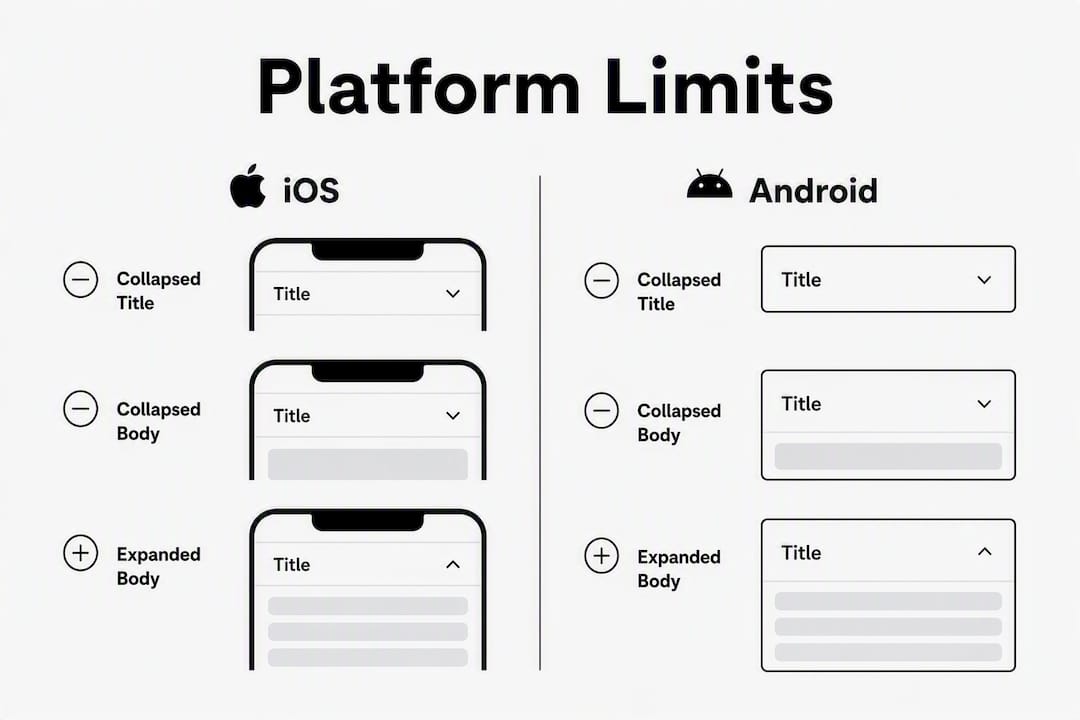
| Platform | Collapsed title | Collapsed body | Expanded body | Payload limit | Safe title / body |
|---|---|---|---|---|---|
| iOS (APNs) | ~40–50 visible characters | ~90–120 visible characters | Up to 178 chars per field | Approximately 4 KB | Title 30–40 chars / Body 80–100 chars |
| Android stock (FCM) | ~40–50 visible characters collapsed, up to 65 in technical fields | ~40–50 collapsed; up to 240 in expanded view | Up to 240 chars in expanded BigTextStyle | Approximately 4 KB | Title 30–40 chars / Body 80–100 chars |
| Android OEM skins | 38–52 visible characters typical; varies by OEM | Varies by OEM | Up to 240 chars in some expanded views | Approximately 4 KB | Title 30–40 chars / Body 80–100 chars |
| Chrome (Windows) | ~50 visible characters | ~120 visible characters | N/A (card only) | Approximately 4 KB | Title 30–40 chars / Body 80–100 chars |
| Chrome (macOS/Android) | Fewer than Windows | Fewer than Windows | N/A | Approximately 4 KB | Title 30–40 chars / Body 80–100 chars |
| Firefox | ~50 visible characters | ~120 visible characters | N/A | Approximately 4 KB | Title 30–40 chars / Body 80–100 chars |
| Safari (macOS) | ~35–40 visible characters | ~90 visible characters | N/A | Approximately 4 KB | Title 30–40 chars / Body 80–100 chars |
Optimize for the collapsed lock-screen view first. That is the only state you can guarantee every user sees. Expanded views are a bonus, not a baseline.
Platform documentation for deeper reading:
iOS and APNs: what actually shows on the lock screen
APNs accepts payloads up to about 4,096 bytes for modern iOS devices. Each text field can hold more characters than are visible, but the lock screen shows fewer visible characters, varying with OS state and settings.

iOS displays a one-line title and a two-line body preview on the lock screen. Long-pressing the notification expands it, revealing more text up to the field's capacity. Accessibility settings (larger text sizes) reduce visible character counts further.
Implementation checklist for iOS engineers:
- Set
aps.mutable-content: 1in the payload to enable the Notification Service Extension (NSE) - Include the image URL in the payload's
mutable-contentextension data, served over HTTPS with correct content-type headers - Test on multiple iOS versions (iOS 15, 16, 17, and 18) since notification UI changed across major releases
- Verify that the NSE correctly attaches the image before the notification displays; without NSE, iOS shows plain text even when an image URL is present
On iOS, a Notification Service Extension is not optional for rich media. The OS will not fetch or display an image from a payload URL unless the NSE intercepts the notification and attaches the image before display. Skipping NSE implementation means every image push silently falls back to plain text, with no error surfaced to the sender.
Pro Tip: Put your primary CTA and the product or offer name inside the first 30 characters of the title. "15% off your cart" fits. "We noticed you left something behind in your shopping cart" does not. The first 30 characters are the only ones guaranteed to survive every truncation scenario.
Android and FCM: navigating OEM fragmentation
FCM supports payloads up to approximately 4 KB, matching APNs. The visible story is messier. In the collapsed notification shade, Android stock typically shows a title and body text of variable visible lengths, with expanded views offering more display space. Exact character counts vary by OEM and device.
The OEM fragmentation problem is real. Samsung One UI, Xiaomi MIUI, and Huawei EMUI each apply their own notification UI, font sizes, and truncation rules on top of Android's base behavior. A message that shows fully on a Pixel 8 may truncate two words earlier on a Galaxy S24. Any single visible-character number for Android is an approximation.
Treat Android character counts as ranges, not fixed rules. The collapsed title limit of "40–50 characters" means some OEM skins will show 38 and others will show 52. Write to the lower bound, test on the upper, and never assume stock Android behavior applies to your user base's actual device mix.
Engineer checklist for reliable Android rendering:
- Prefer data-only FCM messages when your SDK handles rendering; this gives you full control over how the notification is built and displayed
- Include image URLs under the recommended file size and aspect ratio (2:1 for Android)
- Use BigTextStyle explicitly when you need longer body copy in the expanded view
- Test on at least 3–4 representative OEM skins from your actual user base (Samsung, Xiaomi, and one stock Android device cover the majority of US users)
Device variance callout: Do not rely on the Android emulator to confirm truncation. Emulators run stock Android and will not reproduce the notification UI of Samsung One UI or MIUI. Physical devices or a device farm are the only reliable way to confirm what your users actually see.
Web push: how Chrome, Firefox, and Safari each handle visible space
Web push character limits vary more than any other channel because they depend on both the browser and the underlying operating system's notification center.

Chrome on Windows typically shows around 50 visible title characters and 120 body characters. Chrome on macOS and Android generally shows fewer visible characters. Browser and OS differences affect truncation.
Firefox behaves similarly to Chrome on Windows, with title visibility around 50 characters and body around 120. Safari on macOS historically shows shorter titles, often closer to 35–40 visible characters, and the body truncates around 90 characters. Safari's iOS web push support (introduced in iOS 16.4 for PWAs) is limited and inconsistent; do not treat it as a reliable delivery channel for e-commerce re-engagement.
Action button support varies. Chrome and Firefox support up to two action buttons; Safari offers limited or no support on web push. Keep action button labels short to reduce truncation across browsers.
Web push testing checklist:
- Test Chrome on Windows, Chrome on macOS, and Chrome on Android as three separate environments
- Test Firefox on Windows and macOS
- Test Safari on macOS separately from iOS
- Host notification images over HTTPS with correct content-type headers
- Keep payloads lean; web push does not support NSE-style image attachment, so images must be referenced as URLs and fetched by the browser
How images and rich media affect payload size and delivery
Adding images to push notifications increases engagement, but it introduces payload and delivery trade-offs that matter most for time-sensitive campaigns like cart recovery.
The technical payload ceiling stays at approximately 4 KB for APNs and FCM. An image URL in the payload itself is small, typically 60–120 characters. The image file, however, must be fetched separately by the OS or SDK. Unnecessarily large image files increase delivery latency and drop risk on weak networks, which is a real concern when you are trying to reach a shopper who just walked away from their cart.
Image sizing reference:
| Platform | Recommended aspect ratio | Notes |
|---|---|---|
| Android (FCM) | 2:1 | Standard for BigPicture style; safe margin of ~30px recommended |
| iOS (APNs) | Flexible; 2:1 common | NSE required; may crop on smaller devices |
| Web push (Chrome) | 2:1 | Displayed as banner image; browser controls cropping |
| Web push (Safari) | Not reliably supported | Omit or use as fallback only |
Android favors a 2:1 aspect ratio; iOS supports multiple ratios but may crop differently across device sizes. Use a 30-pixel safe margin around critical image content (product name, price, logo) to avoid cropping vital information. Always serve images from a CDN over HTTPS, and compress files before delivery.
Rich media is worth the implementation effort for high-impact campaigns. A product image in an abandoned-cart notification gives the shopper an immediate visual cue that is hard to ignore. But the text copy still carries the conversion weight. iOS requires a Notification Service Extension to fetch and attach images; without it, the notification renders as plain text regardless of what the payload contains.
Pro Tip: Always write a text-only fallback that contains your full CTA within the first two to three words of the body. If the image fails to load or the OS skips rich media rendering, your message still converts. "Cart waiting: 15% off" works without a photo. "We have something special for you today" does not.
Delivery stat to keep in mind: While the max payload is ~4 KB, sending heavy JSON with uncompressed image references increases delivery latency and drop risk on poor networks. For time-sensitive re-engagement, a lean payload with a compressed CDN-hosted image consistently outperforms a bloated one.
Best practices for push copy: recommended lengths and A/B test ideas
The numbers are clear. Apply them as hard constraints, not suggestions.
Hard recommendations:
- Title: Keep concise and cross-platform safe; avoid excessive length
- Body: Brief for lock-screen visibility; longer allowed in expanded Android views
- Action button labels: Short labels for cross-platform reliability
Copywriting checklist:
- Lead with the value or offer, not with context ("15% off your cart" beats "We noticed you left something")
- Include the CTA or product identifier within the first 30 title characters
- Use numbers and specifics ("$12 off," "2 left in stock") over vague urgency ("Don't miss out")
- Emoji sparingly: one per message maximum, and only at the start or end of the title, never mid-sentence
- Avoid filler openers: "Hey," "Hi there," and "Just a reminder" waste your first 10–15 characters
5 A/B test ideas:
- Test shorter versus longer title lengths on the same body copy and measure engagement.
- Compare text-only messages versus those with product images for open and conversion rates.
- Evaluate the effect of CTA placement order in message copy.
- Assess the impact of single versus multiple action buttons on user behavior.
- Adapt copy length to regional device usage characteristics and test performance.
Sample messages for e-commerce campaigns:
- Cart recovery: "Still want this? 15% off expires soon" (37 chars)
- Price drop: "Price dropped: [Product] now $29" (32 chars)
- Restock: "Back in stock: grab yours now" (29 chars)
- Abandoned browse: "You looked at this. It's selling fast" (37 chars)
- Flash sale: "Flash sale: 20% off ends at midnight" (36 chars)
- Low inventory: "Only 3 left. Your cart is waiting" (33 chars)
For deeper guidance on building campaigns around these copy patterns, the cart abandonment recovery strategies on the Storepush blog walk through timing, segmentation, and message sequencing in detail.
How to test truncation across devices and OS versions
Physical device testing is the only reliable method for confirming how your notifications render. Simulators run stock OS builds and miss the OEM notification UI variations that affect the majority of Android users.
Step-by-step testing protocol:
- Select your device set. Cover at minimum: one iPhone (current iOS), one stock Android (Pixel), one Samsung (One UI), and one desktop browser (Chrome on Windows and macOS). Add Xiaomi or Huawei if they appear in your analytics.
- Send controlled sample pushes. Use your production payload structure with three message variants: short (under 30 title chars), medium (30–40 chars), and long (50+ chars). Send the same body at 80 chars and 120 chars.
- Screenshot every state. Capture the lock screen (collapsed), the notification shade (collapsed), and the expanded view for each device. Label screenshots by device, OS version, and message variant.
- Log delivery timestamps. Record the gap between send time and receipt time for each device. Larger payloads with image references will show measurable latency differences on throttled connections.
- Record CTR and open rates by variant. If your platform supports segmented sends, split the variants across matched audience segments and compare open rate, view-to-click ratio, and downstream conversion rate.
- Centralize results. Build a shared doc or spreadsheet that maps device + OS version to visible character count for title and body. This becomes your team's internal truncation reference.
Metrics to track:
- Delivery latency (send to receipt, by device type)
- Open rate (CTR) by message variant and device category
- View-to-click ratio on lock screen vs. expanded view
- Conversion rate (purchase, add-to-cart) attributed to each variant
- Payload error logs from APNs/FCM for oversized or malformed payloads
For customer communication best practices that extend beyond push into cross-channel coordination, the testing frameworks there translate directly to how you structure push QA cycles.
Storepush's take on iOS web push gaps and practical mitigations
iOS web push has a specific problem that affects every e-commerce team relying on browser-based notifications to reach mobile shoppers. Apple introduced web push for iOS PWAs in iOS 16.4, but rendering support remains inconsistent, and many web pushes simply do not reach the lock screen or display with truncated content that loses the CTA entirely.
The full breakdown of why web push fails on iOS is worth reading if your store depends on browser-based re-engagement. The short version: iOS web push requires the user to have added your PWA to their home screen, which almost no casual shopper does. That means the majority of your mobile traffic is unreachable via web push on iOS, regardless of how well you craft the message.
Storepush's mitigation approach:
- Use native App Clips delivery instead of web push for iOS users; App Clips reach the lock screen without requiring an app install or home screen addition
- Write short fallback copy (under 30 title characters) that retains full context even if the notification renders without an image or in a compressed format
- Prioritize lock-screen-first CTAs: the offer and product identifier must be visible in the collapsed state, not just in the expanded view
- Avoid relying on action buttons for iOS web push; support is inconsistent and the primary tap on the notification body is the more reliable conversion path
Pro Tip: When targeting abandoned carts via Storepush, include a clear product identifier in the first 40 characters of the title. "Left behind: Nike Air Max 90" gives the shopper immediate context even if the image fails to load and the body truncates. Generic messages like "You left something in your cart" recover far fewer sessions because they give the user no specific reason to return.
Storepush's native iOS delivery model bypasses the web push gap entirely by using App Clips, which means your cart recovery messages reach the lock screen without requiring email capture, phone numbers, or app installation. That is the structural advantage over browser-based web push for mobile e-commerce.
Key Takeaways
Keeping titles at 30–40 characters and bodies under 100 characters is the single most reliable way to prevent truncation from killing your push notification CTR across iOS, Android, and web.
| Point | Details |
|---|---|
| Safe title and body lengths | Keep titles at 30–40 characters and body text at 80–100 characters for cross-platform lock-screen safety. |
| Technical payload ceiling | APNs and FCM both cap payloads at approximately 4 KB; stay well under this to avoid delivery drops. |
| Image implementation rules | Android favors 2:1 aspect ratio; iOS requires a Notification Service Extension to display images at all. |
| Lock-screen-first copy | Put your CTA and product identifier in the first 30 title characters; expanded views are a bonus, not a guarantee. |
| Physical device testing | Simulators miss OEM truncation behavior; test on real devices across iOS, stock Android, and at least two OEM skins. |
The copy-first mindset that actually moves the needle
There is a tendency in push notification strategy to treat character limits as a technical constraint to work around rather than a creative discipline to embrace. That framing leads to bloated copy, truncated CTAs, and campaigns that underperform not because the channel is weak but because the message was written for a desktop email, not a lock screen.
The most effective push copy I have seen follows a simple three-step structure: hook in the title, context in the body, single CTA either in the body or an action button. Not two CTAs. Not a preamble. One clear next step, visible before the user has to do anything.
Three-step drafting template:
- Title (30–40 chars): Lead with the offer or product. "15% off your cart" or "Back in stock: Air Max 90."
- Body (80–100 chars): Add urgency or context. "Offer expires in 2 hours. Tap to grab your discount before it's gone."
- Action button (≤15 chars): Single action. "View Cart" or "Shop Now."
Payload structure for engineers:
{
  "title": "15% off your cart",
  "body": "Offer expires in 2 hours. Tap to grab your discount.",
  "image_url": "https://cdn.yourstore.com/cart-image.jpg",
  "actions": [{ "label": "View Cart", "url": "https://yourstore.com/cart" }]
}
Pre-send review checklist:
- Does the title CTA survive at 30 characters? (Count manually.)
- Is the image URL served over HTTPS with correct content-type?
- Is
mutable-content: 1set for iOS image delivery? - Have you tested on at least one physical iOS device and one Android OEM?
- Does the text-only fallback (no image) still communicate the full offer?
Run a two-week A/B test using the sample messages and templates above. The data from that test will tell you more about your specific audience's truncation thresholds than any industry benchmark. For teams building out a broader customer communication tools checklist, push notification copy discipline belongs in the same stack as SMS and email length standards.
If you want to see how Storepush applies these principles to cart recovery on iOS without requiring email capture or app installs, book a demo and we will walk through a live example with your store's data.
Authoritative sources and platform documentation
The claims in this article are grounded in platform documentation and vendor technical references. Use these for verification and deeper implementation detail.
- Pushwoosh: Push notification character limits — payload ceiling and visible limit reference for APNs and FCM
- Tencent Push / trtc.io: Push notification character limits cheat sheet — cross-platform visible limit data and safe-length recommendations
- OneSignal: Rich media documentation — image sizing, NSE requirements, and Android data-only payload guidance
- Leanplum: Adding images to push notifications — aspect ratio recommendations and safe margin guidance for iOS and Android
- Conviso: Rich push images — payload size trade-offs and delivery latency implications
- MDN Web API: Notification — browser-level notification API reference for web push implementation
- Microsoft Learn: Azure Notification Hub character limits — additional platform context for enterprise notification infrastructure
A note on platform docs: Apple's APNs payload reference and Google's FCM documentation are the authoritative primary sources for payload structure and size limits. Vendor guides (OneSignal, Leanplum, Conviso) are useful for implementation patterns but always verify against the platform's own documentation when limits change across OS versions.