
If you're evaluating Customer.io alternatives right now, here's the short answer: Braze for enterprise multichannel, Klaviyo for e-commerce email and SMS, ActiveCampaign for no-code automation without a developer on call, Intercom for product-led teams that need messaging plus support, and Iterable for mid-market teams that want experience-first orchestration. Multiple 2026 roundups converge on this same core shortlist, and the use-case mapping below explains why each one keeps showing up.
Before you switch, one honest caveat: Customer.io remains a strong choice for growth-stage SaaS teams that need behavioral lifecycle messaging with transparent pricing. Its Essentials plan starts at $100/month and Premium is available at $1,000/month, and the profile-based billing is predictable at moderate scale. Switch when you've outgrown the channel set, when your stored-profile count is driving costs up faster than your active audience, or when a missing native integration is costing your team workaround hours every week.
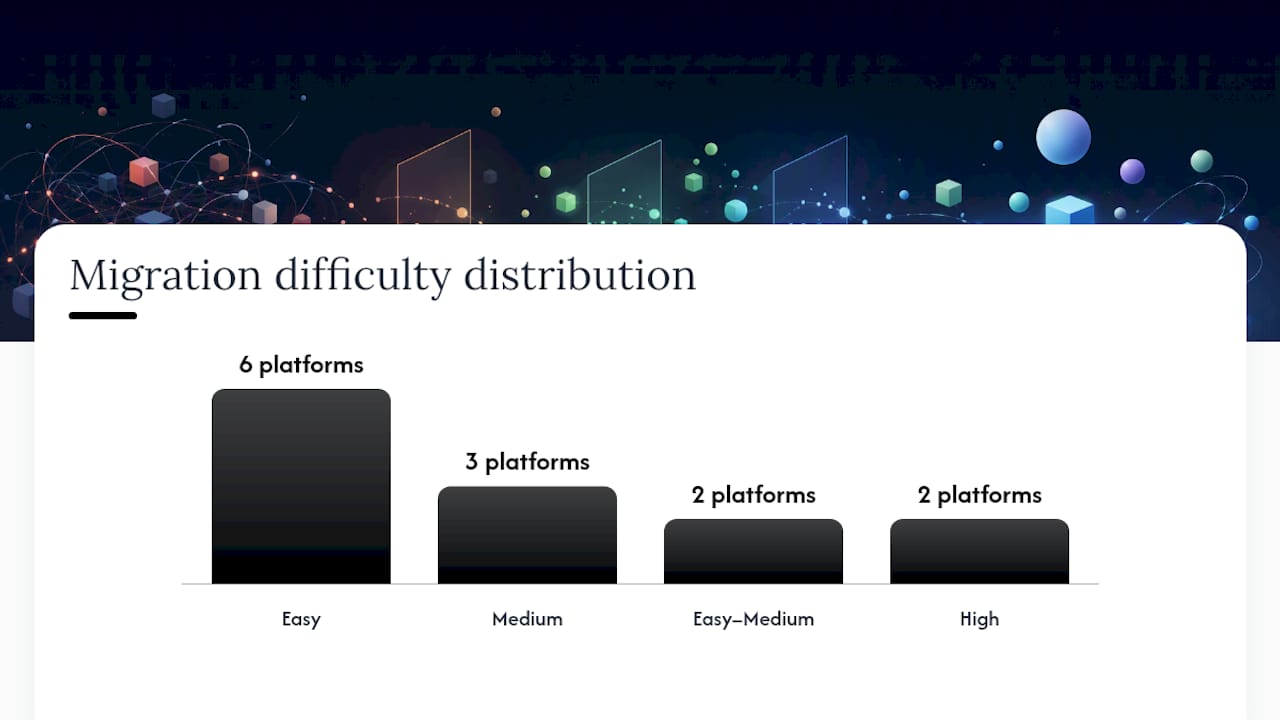
| Platform | Best for | Pricing model | Migration difficulty |
|---|---|---|---|
| Braze | Enterprise multichannel | Custom / MAU-based | High |
| Klaviyo | E-commerce email + SMS | Profile-based | Medium |
| ActiveCampaign | No-code automation | Contact-based flat | Easy–Medium |
| Intercom | Product messaging + support | Seat + usage | Medium |
| Iterable | Mid-market experience orchestration | Custom / MAU | High |
| Encharge | Early-stage SaaS lifecycle | Profile-based | Easy |
| Brevo | Budget multichannel | Email-volume flat | Easy |
| Mailchimp | Simple email campaigns | Contact-based | Easy |
| OneSignal | Push + in-app notifications | MAU-based | Easy |
| Postmark / Resend / SendGrid / Mailgun | Transactional email delivery | Usage-based | Easy–Medium |
| Omnisend | E-commerce multichannel | Contact-based | Medium |
| Loops | SaaS product email | Flat / contact | Easy |
| Userlist | SaaS lifecycle email | User-based | Easy |
Key Takeaways
The best Customer.io alternative depends on your primary use case: Klaviyo for e-commerce, Braze for enterprise, ActiveCampaign for no-code automation, Userlist or Encharge for early-stage SaaS, and Brevo for budget-conscious multichannel teams.
| Point | Details |
|---|---|
| Match platform to use case | Klaviyo leads for e-commerce; Braze for enterprise; Userlist/Encharge for early-stage SaaS lifecycle. |
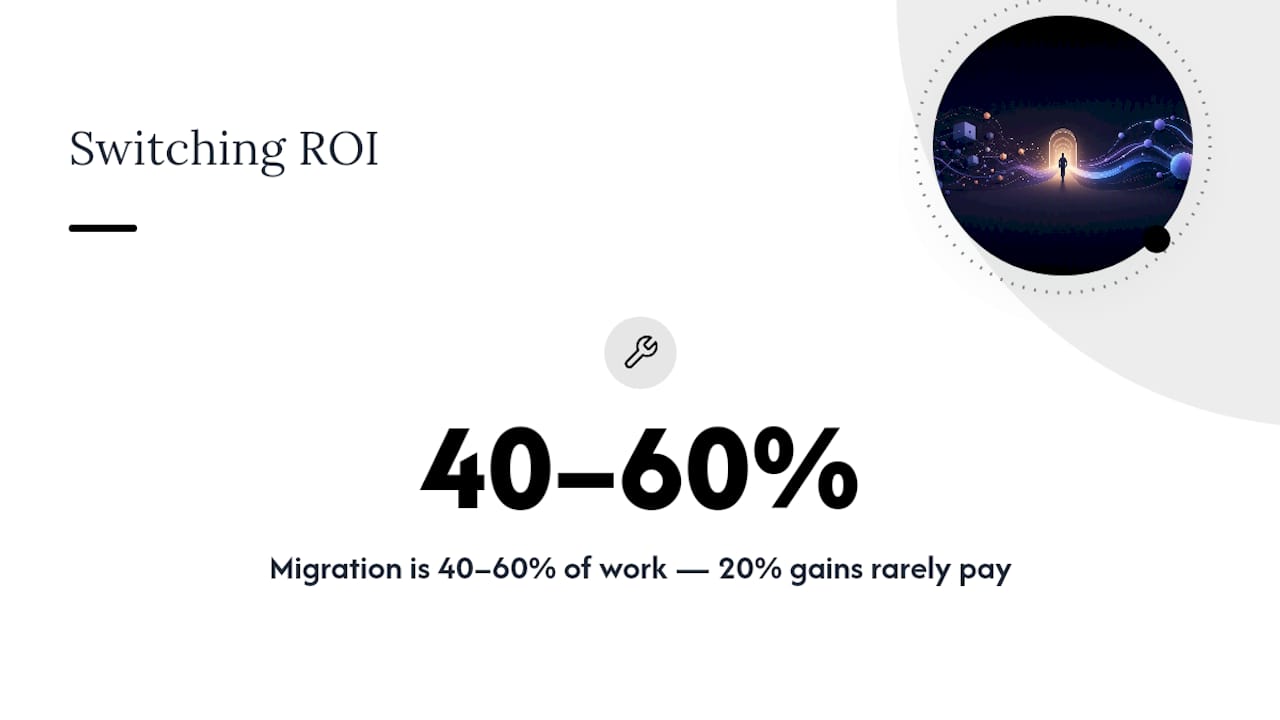
| Migration effort is the hidden cost | Data migration, automation rebuilds, and integration maintenance typically represent 40–60% of total migration work. |
| Pricing model matters at scale | Profile-based billing escalates with list size; volume-based (Brevo) or usage-based (Postmark, Resend) models cost less for large inactive lists. |
| Verify compliance directly | SOC 2, HIPAA BAA, and GDPR data residency must be confirmed with the vendor at your specific plan tier. |
| StorePush for e-commerce recovery | For cart and browse abandonment, StorePush adds push-based re-engagement that works without email or phone collection, complementing any platform on this list. |
Table of Contents
- What are the best Customer.io alternatives right now?
- How do these platforms actually compare on channels, APIs, and compliance?
- How do you choose the right Customer.io alternative for your team?
- What does a realistic migration from Customer.io actually look like?
- How does Customer.io pricing compare to the alternatives?
- How we picked these alternatives and what trust signals we used
- When does switching from Customer.io actually make sense?
- StorePush fills the gap that marketing automation platforms can't
- Sources
What are the best Customer.io alternatives right now?
Braze, Iterable, and Customer.io are the three most-compared platforms in enterprise and mid-market evaluations, but the right pick depends heavily on your team's stage, engineering bandwidth, and primary channel mix. Here's a compact profile of each major alternative.
Braze
Enterprise-grade multichannel orchestration covering email, SMS, push, in-app, content cards, and web. Braze is built for teams with dedicated marketing engineers and a data infrastructure to match. Its AI-assisted journey builder and real-time data streaming set it apart from Customer.io at scale, but the pricing is custom and the onboarding is substantial.
Pros: Broadest channel coverage, deep AI personalization, strong compliance posture (SOC 2, HIPAA, GDPR). Cons: No published pricing, high implementation cost, overkill for teams under ~500k MAU. Migration difficulty: High. Braze uses a different data model (custom events + user attributes), so your event schema needs a full remap.
Klaviyo
The go-to for e-commerce teams running Shopify or WooCommerce. Klaviyo's pre-built revenue attribution, product recommendation blocks, and native Shopify sync make it the fastest path from "we need better email" to "we're sending personalized post-purchase flows." Klaviyo has been recognized as an Editors' Choice for e-commerce email marketing by a leading technology publication, and its SMS capabilities have matured significantly. Free up to 250 contacts and 500 email sends.
Pros: Best-in-class Shopify integration, strong SMS + email combo, revenue attribution built in. Cons: Profile-based pricing gets expensive fast above 100k contacts; less suited for pure SaaS lifecycle. Migration difficulty: Medium. E-commerce event data maps cleanly, but custom behavioral flows need rebuilding.
ActiveCampaign
ActiveCampaign is widely regarded as a strong choice for visual automation without heavy developer needs. Its drag-and-drop journey builder handles complex conditional logic that would require API work in Customer.io. The CRM layer is genuinely useful for B2B teams. Pricing starts around $15/month for small lists, though feature-complete plans run higher.
Pros: No-code automation depth, solid CRM integration, broad third-party app ecosystem. Cons: UI can feel cluttered at scale; deliverability reputation is good but not best-in-class. Migration difficulty: Easy to Medium. CSV imports and Zapier connectors cover most data moves.
Intercom
Intercom is known for unified messaging combined with customer support, making it the right call for product-led teams where the same platform needs to handle onboarding sequences, in-app chat, and support tickets. It's not a pure email marketing tool, which is exactly the point: if your team conflates lifecycle messaging with support, Intercom removes the seam.
Pros: Best-in-class in-app messaging, strong product tours, unified inbox for support + marketing. Cons: Seat-based pricing adds up quickly for larger teams; email deliverability is secondary to messaging. Migration difficulty: Medium. Data model is contact-centric, but behavioral event mapping requires planning.
Iterable
Iterable sits between Customer.io and Braze on the market-segment spectrum: more powerful than Customer.io for cross-channel orchestration, less operationally heavy than Braze. It's a strong fit for mid-market consumer apps that need email, SMS, push, and in-app without a full enterprise contract. Pricing is custom and MAU-based.
Pros: Flexible workflow builder, strong mobile push and in-app, good data catalog. Cons: Custom pricing with no public tiers; onboarding requires dedicated implementation time. Migration difficulty: High. Iterable's catalog and template system differs enough from Customer.io to require a full rebuild.
Encharge
Built specifically for SaaS lifecycle marketing, Encharge is the lean alternative for early-stage teams that need behavioral email without a marketing ops hire. G2 reviewers highlight its onboarding and support quality as a differentiator versus larger platforms. Profile-based pricing starts low and scales gradually.
Pros: SaaS-native event triggers, clean UI, strong support for small teams. Cons: Limited channel coverage (email-primary); not suited for multichannel or e-commerce. Migration difficulty: Easy. Lightweight data model and good import tooling.
Brevo (formerly Sendinblue)
Brevo is the budget-friendly multichannel option that covers email, SMS, WhatsApp, and basic CRM in one flat-rate pricing model based on email volume rather than contact count. That billing structure alone makes it attractive for teams with large lists but lower send frequency. SOC 2 and GDPR compliant.
Pros: Volume-based pricing (not contact-based), multichannel coverage, free tier up to 300 emails/day. Cons: Automation depth is shallower than Customer.io; deliverability on shared IPs can vary. Migration difficulty: Easy. Strong CSV import and template migration tools.
Mailchimp
Mailchimp is the right call for simple email campaigns at small-to-mid scale. It's not a Customer.io replacement for behavioral lifecycle work, but for teams that primarily need newsletters, basic drip sequences, and audience segmentation without developer involvement, it's hard to beat on ease of use. Free up to 500 contacts.
Pros: Easiest onboarding of any platform on this list, strong template library, broad integrations. Cons: Behavioral automation is limited; contact-based pricing gets expensive above 50k contacts. Migration difficulty: Easy. Mailchimp's import tools are mature and well-documented.
OneSignal
OneSignal is the specialist for push notifications and in-app messaging. If your Customer.io use case is primarily push-based re-engagement rather than email lifecycle, OneSignal covers web push, mobile push, and in-app at a MAU-based price that's competitive at scale. Free tier available.
Pros: Best-in-class push delivery, strong mobile SDK, generous free tier. Cons: Email capabilities are secondary; not a full marketing automation replacement. Migration difficulty: Easy. Push-focused data model is simpler to migrate.
Postmark, Resend, SendGrid, and Mailgun
These four are transactional email specialists, not marketing automation platforms. If your primary Customer.io use case is reliable transactional delivery (receipts, password resets, notifications), any of these will outperform Customer.io on deliverability and cost per send. Postmark and Resend are developer-first with clean APIs; SendGrid and Mailgun add marketing email layers on top.
Pros: Best deliverability for transactional sends, usage-based pricing, strong APIs. Cons: No behavioral automation, no visual journey builder, not a like-for-like replacement. Migration difficulty: Easy. API-based migration with minimal data model complexity.
Pro Tip: If you're running both transactional and lifecycle email through Customer.io, consider splitting them: move transactional sends to Postmark or Resend for better deliverability, and pick a dedicated lifecycle platform for behavioral flows. The cost savings often cover the migration effort.
Omnisend
Omnisend is purpose-built for e-commerce multichannel: email, SMS, push, and pop-ups in one platform with native Shopify and WooCommerce integrations. It's a direct Klaviyo competitor at a lower price point, with a free tier up to 250 contacts and 500 emails/month.
Pros: Strong e-commerce automation templates, competitive pricing vs Klaviyo, good SMS coverage. Cons: Less powerful behavioral segmentation than Klaviyo; limited outside e-commerce use cases. Migration difficulty: Medium. E-commerce data maps well; custom flows need rebuilding.
Loops
Loops is a focused SaaS email platform that strips away the complexity of full marketing automation and gives product teams a clean, fast way to send lifecycle and transactional email. No visual journey builder, no CRM, no SMS. Just well-delivered email with a developer-friendly API.
Pros: Simple pricing, fast setup, good deliverability, clean API. Cons: Very limited channel coverage; not suitable for multichannel or e-commerce. Migration difficulty: Easy.
Userlist
Userlist offers a structurally similar alternative to Customer.io for early-stage B2B SaaS teams. It uses the same event-based behavioral model, supports company-level segmentation (useful for B2B), and is priced for teams that aren't yet at enterprise scale. Early-stage SaaS teams often benefit more from purpose-built lifecycle tools than from enterprise platforms that add overhead without proportional value.
Pros: Company-level segmentation, SaaS-native event model, transparent pricing. Cons: Email-only; no SMS, push, or in-app; smaller ecosystem than Customer.io. Migration difficulty: Easy. The event-based data model is the most similar to Customer.io of any platform on this list.
How do these platforms actually compare on channels, APIs, and compliance?
A few caveats worth flagging before you use this table to make a final call. First, HIPAA compliance on most platforms requires a Business Associate Agreement (BAA), which is typically available only on higher-tier or enterprise plans. Verify BAA availability directly with the vendor if HIPAA is a hard requirement. Second, profile-based billing charges for every stored profile regardless of send activity. If you have a large inactive list, that billing model can inflate costs significantly compared to active-profile or usage-based alternatives. Third, "dedicated IP" availability usually requires a minimum monthly send volume to maintain deliverability. Asking vendors for their minimum volume threshold before committing to a dedicated IP plan is worth the five-minute conversation.
How do you choose the right Customer.io alternative for your team?
The decision comes down to five constraints. Work through them in order, and you'll eliminate most of the list before you ever get on a vendor call.
-
Budget model. Are you paying per contact stored, per active user, or per email sent? Profile-based billing (Customer.io, Klaviyo, ActiveCampaign) penalizes large inactive lists. Usage-based billing (Postmark, SendGrid, Mailgun) rewards low-frequency senders. Know your list hygiene before you compare prices.
-
Engineering resources. Do you have a developer who can maintain event tracking and API integrations? If yes, Braze, Iterable, Resend, and Postmark are all viable. If no, ActiveCampaign, Mailchimp, Brevo, and Omnisend are designed for marketers who work without engineering support.
-
Channels required. Email-only teams have the widest choice. Add SMS and the list narrows to Klaviyo, ActiveCampaign, Brevo, Omnisend, and Braze. Add push notifications and you're looking at Braze, Iterable, Klaviyo, OneSignal, and Omnisend. In-app messaging narrows it further to Braze, Intercom, and Iterable.
-
Compliance requirements. HIPAA BAA availability is non-negotiable for healthcare-adjacent teams. Braze, Iterable, and some ActiveCampaign enterprise tiers support it. GDPR data residency (EU servers) is available on Brevo and most enterprise tiers. Confirm the specific plan tier required before signing.
-
Scale expectations. Under 10k profiles, almost any platform works. Between 10k and 100k, pricing model differences start to matter. Above 100k, the gap between profile-based and active-profile billing can represent tens of thousands of dollars annually.
Questions to ask vendors before you sign
- Does your pricing count all stored profiles or only active ones (sent to in the last 90 days)?
- What's the process for exporting all user data, event history, and templates if we leave?
- Do you offer a BAA for HIPAA compliance, and at which plan tier?
- What's your documented deliverability rate for transactional sends, and do you publish inbox placement benchmarks?
- Are there per-event or API-call surcharges beyond the base plan?
- What's your SLA for support response, and is it the same across all plan tiers?
Red flags to watch for
- No documented data export tool or API endpoint for full profile export.
- Per-event surcharges buried in the pricing FAQ rather than the main pricing page.
- Undocumented API rate limits that only appear in support tickets.
- Pricing pages that require a sales call to get any number at all (a signal that pricing scales unpredictably).
Recommended matches by use case
- Enterprise multichannel (email + SMS + push + in-app): Braze or Iterable.
- E-commerce first (Shopify/WooCommerce): Klaviyo or Omnisend.
- B2B SaaS lifecycle, no marketing ops hire: Userlist or Encharge.
- No-code automation for a growing team: ActiveCampaign.
- Transactional email only: Postmark or Resend.
- Budget multichannel for a small team: Brevo.
Pro Tip: Ask every vendor for a sample data export of a test account before you migrate. If they can't produce a clean JSON or CSV export of user profiles, events, and segment definitions within 24 hours, that's a preview of what leaving will look like.
What does a realistic migration from Customer.io actually look like?
Migration effort is often dominated by data migration complexity, automation rebuilds, and integration maintenance, collectively representing a significant portion of total migration work. That figure surprises most teams who budget only for the data export/import step. Here's how to scope it properly.
Step-by-step migration checklist
- Audit your current Customer.io setup. Document every active campaign, segment, event trigger, and integration. Count the number of automations and their complexity (simple drip vs. multi-branch behavioral).
- Map your event schema to the new platform's data model. This is where most migrations stall. Customer.io's event-attribute model doesn't map 1:1 to every alternative. Userlist is the closest; Braze requires the most rework.
- Export all user profiles, event history, and suppression lists. Use Customer.io's People export and API. Confirm the new platform can ingest your event history format before you start.
- Rebuild automations in the new platform. Don't copy-paste logic. Use the migration as an opportunity to audit which automations are actually performing and which are legacy clutter.
- Migrate email templates. HTML templates usually transfer with minor CSS adjustments. Drag-and-drop templates built in Customer.io's visual editor need to be rebuilt in the destination platform's editor.
- QA deliverability before cutover. Warm up any new dedicated IP, verify SPF/DKIM/DMARC records, and run a test send to a seed list before switching live traffic.
- Run dual-sends during verification. For critical transactional flows, send from both platforms simultaneously for 5–7 days while you verify delivery rates and event tracking accuracy.
- Freeze non-critical campaigns during cutover. Pause newsletters and lower-priority nurture sequences to reduce the risk of duplicate sends during the transition window.
- Cut over and monitor. Switch DNS/API keys, monitor bounce rates and deliverability for 48 hours, and keep Customer.io active in read-only mode for 30 days in case you need to reference historical data.
Migration timeline by organization size
Cost buckets to budget for
- Migration specialist or consultant: $3,000–$15,000 depending on complexity and whether you hire an agency or a freelance marketing ops specialist.
- Developer time for event schema remapping: 20–80 hours depending on integration count and data model differences.
- Lost productivity during cutover: Budget 1–2 weeks of reduced team output while staff learn the new platform.
- Vendor onboarding fees: Some platforms (Braze, Iterable) charge implementation fees; confirm before signing.
- Deliverability warm-up period: Plan for 2–4 weeks of reduced send volume on new dedicated IPs, which affects campaign reach during that window.
How does Customer.io pricing compare to the alternatives?
Customer.io's profile-based pricing model charges based on total stored profiles, which means your bill grows as your database grows, regardless of how many of those profiles you're actively messaging. That's worth understanding before you compare sticker prices.
Sample pricing by customer profile
All figures are estimates based on published pricing tiers as of 2026. Verify current pricing directly with each vendor before budgeting.
The pricing model type matters as much as the starting price. Profile-based billing (Customer.io, Klaviyo, ActiveCampaign, Mailchimp) charges for every stored contact. Brevo's volume-based model charges per email sent, not per contact stored, which makes it materially cheaper for teams with large lists and moderate send frequency. Usage-based transactional platforms (Postmark, Resend, SendGrid) charge per send, which is the most cost-efficient model for low-volume transactional workloads.
Pricing model watch: At 100k+ stored profiles, the difference between profile-based billing and active-profile or volume-based billing can exceed $500/month. If fewer than 40% of your stored profiles are actively engaged, a volume-based platform like Brevo or a usage-based transactional tool will almost always cost less.
Hidden costs most buyers miss
- **Dedicated IP fees typically range between $30 and $100 per month/month per IP, on top of the base plan.
- Premium integrations: Some platforms charge extra for Salesforce, HubSpot, or custom webhook integrations at lower plan tiers.
- Managed onboarding: Braze and Iterable often include mandatory onboarding packages in their contracts.
- Overage charges: Profile-based platforms charge overage fees when you exceed your tier's contact limit mid-billing cycle.
- Migration hours: Often the single largest cost item, yet rarely included in vendor pricing comparisons.
How we picked these alternatives and what trust signals we used
The platforms on this list were selected against six criteria: channel coverage relative to Customer.io, developer API quality and transactional suitability, pricing transparency (published tiers vs. sales-call-only), documented migration tooling, compliance posture (SOC 2, HIPAA, GDPR), and directional signals from customer review platforms.
Selection criteria in full:
- Channel coverage: Does the platform cover the channels Customer.io supports (email, SMS, push, in-app), and does it extend them?
- Developer API quality: Is the API documented, versioned, and actively maintained? Are there SDKs for major languages?
- Pricing transparency: Are tiers and per-unit costs published without requiring a sales call?
- Migration tooling: Does the vendor provide documented import guides, data export APIs, or migration support?
- Compliance: SOC 2 Type II certification, GDPR data processing agreements, and HIPAA BAA availability were all checked.
- Customer reviews: G2, Capterra, and Trustpilot scores were used as directional signals on onboarding and support quality. Review platform scores are most useful for corroborating vendor onboarding claims rather than as standalone rankings, since scores vary by plan tier and use case.
Sources used: Vendor pricing pages (verified January–March 2026), PCMag's 2026 email marketing coverage, The CX Lead's 2026 roundup, Courier's 2026 alternatives guide, AeroLeads migration analysis, US Tech Automations' SaaS-focused comparison, Vero's Braze vs. Iterable vs. Customer.io breakdown, and CostBench's pricing audit.
On methodology limits: Pricing changes frequently. The figures in this article reflect published rates as of early 2026. Always verify current pricing directly with the vendor before committing. Compliance certifications (SOC 2, HIPAA BAA) should be confirmed via the vendor's trust page or a direct request, not assumed from this article or any third-party roundup.
Trust signals to verify on vendor calls:
- Request the vendor's current SOC 2 Type II report (not just a badge on their website).
- Ask for documented inbox placement benchmarks, not just "we have great deliverability."
- Request customer references in your industry vertical and at your approximate send volume.
- Confirm whether the HIPAA BAA is included in your target plan tier or requires an upgrade.
When does switching from Customer.io actually make sense?
The conventional wisdom in marketing ops circles is that switching platforms is always worth it if you find a better feature set. That framing misses the real cost. The migration effort alone, typically 40–60% of total project work, means a platform that's 20% better on paper often delivers a net-negative ROI in year one.
Customer.io remains the right choice when your team is running behavioral lifecycle email for a SaaS product, your event schema is already built, and your profile count is in a range where the pricing is predictable. The platform's transparency on pricing is genuinely rare in this category, and the behavioral trigger model is well-suited to product-led growth motions.
Where it makes sense to leave: when you need native multichannel (push, in-app, SMS) without stitching together separate tools; when your stored-profile count has grown well past your active audience and the billing is punishing you for list hygiene you haven't done; or when a missing native integration (Shopify revenue attribution, for example) is costing your team hours of manual workaround every week.
The platforms most often underestimated in this evaluation are Userlist and Loops. Neither has the brand recognition of Klaviyo or Braze, but for a B2B SaaS team under 50k users without a dedicated marketing ops function, both deliver the core Customer.io use case at a fraction of the operational overhead. The instinct to evaluate enterprise platforms first, because they feel more "serious," is one of the most expensive habits in marketing ops.
One more thing worth saying plainly: no marketing automation platform, regardless of how sophisticated its journey builder is, can re-engage a shopper who never gave you their email or phone number. That is a fundamental limitation across the category and explains why a push-based approach like StorePush operates in a different lane entirely.
StorePush fills the gap that marketing automation platforms can't
Every platform on this list, from Braze down to Mailchimp, shares one fundamental constraint: they can only reach people who are already in your database. If a shopper browses your Shopify store, adds something to their cart, and leaves without checking out, and they never gave you their email or phone number, every marketing automation platform on this list has nothing to work with.
StorePush operates differently. Using native iOS App Clips, it sends push notifications directly to shoppers' lock screens without requiring an email address, phone number, or app installation. That means you can recover abandoned carts from the 90%+ of visitors who leave without converting and who would otherwise be invisible to any email or SMS platform. StorePush integrates natively with Shopify, WooCommerce, BigCommerce, and custom storefronts, and its dashboard gives you revenue attribution, funnel tracking, CTR heatmaps, and event-based triggers.
For e-commerce teams, the right answer isn't choosing between a marketing automation platform and StorePush. It's running both: your automation platform handles lifecycle email and SMS for known contacts, while StorePush recovers the visitors who never made it into your database. Book a demo to see how StorePush fits alongside your current stack.
This article reflects general information about marketing automation platforms and is not professional procurement or legal advice. Verify current pricing, compliance certifications, and contract terms directly with each vendor before making a purchasing decision.
Sources
- Iterable vs Braze vs Customer.io: Full Comparison Guide
- The Best Email Marketing Software for 2026 | PCMag
- Customer.io Alternatives 2026: 4 Options Compared | CostBench
- Looking for a Customer.io Replacement? Best Options Compared • AeroLeads
- 10 Best Customer.io Alternatives Reviewed in 2026 | The CX Lead
- Customer.io Alternatives: Intercom + 3 More (2026) | Courier
- Customer.io Alternatives for SaaS: 5 Options Compared 2026 | US Tech Automations
- Encharge reviews | G2
Pricing and feature details change frequently. Check each vendor's current pricing page and trust/security documentation before finalizing any evaluation.