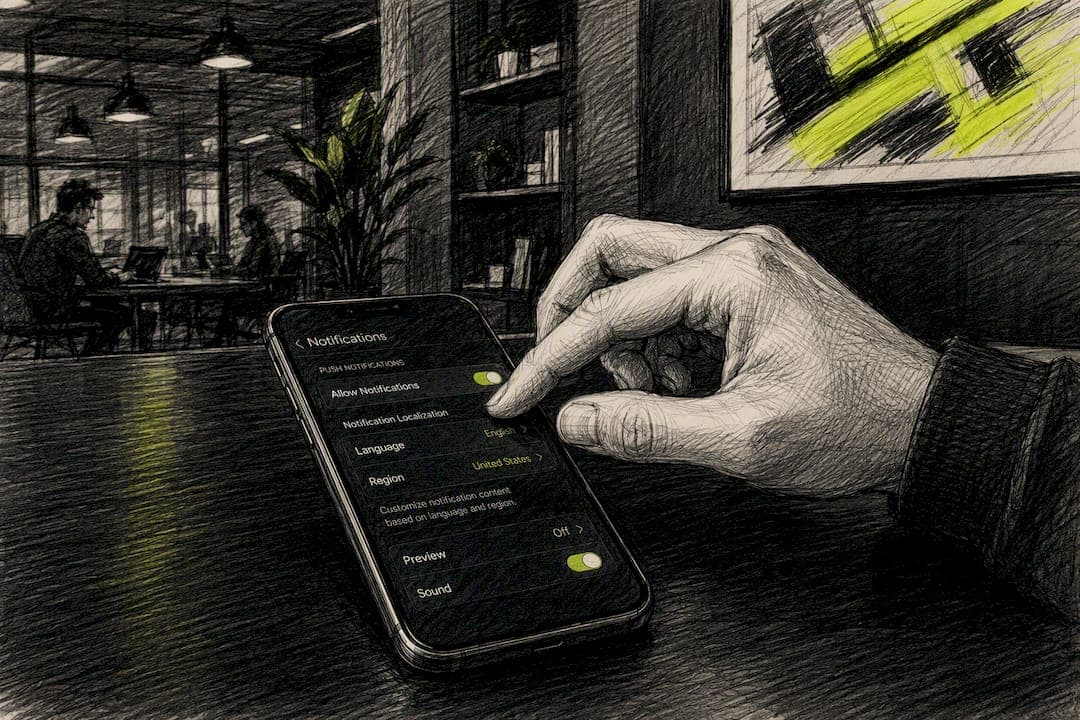
Use client-side localization for native apps: send loc-key and loc-args in your payload instead of pretranslated text, and let Android and iOS resolve the right string from the device's own resources. Save server-side pretranslated payloads for web push or heavy personalization, where the OS can't do the lookup for you.
Start here:
- Add translated strings to
strings.xml(Android) andLocalizable.stringsor a String Catalog (iOS). - Emit
loc-key/loc-args(orbody_loc_key/body_loc_args) in your push payload instead of raw text. - Test on physical devices in at least three locales, including one right-to-left language, before you ship.
Key Takeaways
Client-side localization using loc-key and loc-args should be the default for native push notifications, with server-side pretranslated payloads reserved for web push and edge cases the OS can't resolve.
| Point | Details |
|---|---|
| Default to client-side | Use loc-key/loc-args so the device OS handles translation lookup, formatting, and fallbacks. |
| Match placeholder order exactly | Argument order in loc_args must match the resource file's placeholder sequence, or text renders as nonsense. |
| Test on physical devices | Emulators miss RTL rendering and font-scaling bugs that only appear on real phones across OS versions. |
| Handle plurals with native tools | Use Android plurals resources and iOS .stringsdict instead of hardcoded singular and plural strings. |
| Automate translation at scale | Centralize strings in one repository and push updates through CI to avoid manual, error-prone releases. |
| StorePush applies the same discipline | StorePush syncs localized push templates across storefront integrations and tracks click-through and revenue per locale. |
Table of Contents
- Client-Side vs. Server-Side Push Notification Localization
- How to Set Up Localized Strings in Android and iOS
- Sample FCM and APNs Payloads With Localization Keys
- How Does the OS Resolve Localized Push Notifications?
- What Should You Test Before Shipping Localized Push?
- How Do You Scale Push Localization Across Many Languages?
- How StorePush Handles Localization for E-Commerce Push
- Handling Plurals and Gender in Localized Push Copy
- What Happens When a Translation Is Missing?
- Cultural Tone Matters as Much as Grammar
- Sources
Client-Side vs. Server-Side Push Notification Localization
The core tradeoff comes down to who does the translation work: your server or the recipient's device.
Server-side localization means your backend stores pretranslated strings and picks the right one before sending. It works, but it forces you to track each user's language preference, bloats your payload with full sentences instead of short keys, and leaves you rebuilding fallback logic your server has to maintain forever.
Client-side localization flips that. You send a loc-key (a reference to a string) plus loc-args (the variables to insert), and the device OS does the lookup, formatting, and fallback handling using resources already bundled in the app. Google's own Firebase Cloud Messaging documentation recommends this pattern specifically because it keeps your server payload language-agnostic and offloads the messy parts to a runtime that's already been tested across every locale Android and iOS support.
Run this quick checklist before choosing:
- Does your app ship translated resource files for every supported locale?
- Is the notification content dynamic (cart value, product name) rather than fully custom copy?
- Are you sending web push, where there's no app bundle to pull strings from?
Pro Tip: If you're only supporting three or four languages and your team already manages translations for the app's UI, client-side localization is almost always the lower-maintenance path. Reuse those same string files for push.
How to Set Up Localized Strings in Android and iOS
Both platforms use the same idea: a default resource file plus one override folder per language, referenced by a stable key instead of hardcoded text.
- Android: put your default strings in
res/values/strings.xml, then add avalues-<lang>/strings.xmlfolder for each supported locale (values-es,values-fr,values-ar). Use%1$sfor string substitutions and%2$dfor integers, and make sure the argument order inandroid.notification.body_loc_argsmatches the placeholder order in the resource file exactly. - iOS: store strings in
Localizable.stringsinsideBase.lproj, with per-language versions in folders likees.lprojandfr.lproj. Newer projects can use a String Catalog instead, which Xcode manages visually. Apple's remote notification documentation shows the exact key structure forloc-keyandloc-argsinside thealertdictionary. - Use
%@for strings and%ldfor numbers on iOS, and keep placeholder order consistent across every language file, since some languages reorder sentence structure around numbers or names. - For pluralization, avoid string concatenation tricks. Android supports quantity strings via
pluralsresources; iOS supports.stringsdictor ICU plural rules in newer catalogs. Positional placeholders that assume English grammar will break in languages with different plural or gender rules.
Sample FCM and APNs Payloads With Localization Keys
Here's what a client-side localized payload actually looks like once you send it. An FCM HTTP v1 message using Android's localization fields:
{
  "message": {
    "token": "device-token",
    "android": {
      "notification": {
        "body_loc_key": "cart_reminder_body",
        "body_loc_args": ["2", "Sneakers"]
      }
    }
  }
}
And the equivalent on iOS through APNs, using the aps.alert dictionary Apple documents:
{
  "aps": {
    "alert": {
      "loc-key": "CART_REMINDER_BODY",
      "loc-args": ["2", "Sneakers"]
    }
  }
}
The device, not your server, decides what "You left 2 items in your cart, including Sneakers" reads like in Japanese, Arabic, or German. Your job is just to hand it the right key and the right arguments, in the right order.
A few mistakes show up constantly in production:
- Mismatched argument order. If your resource string expects
%1$s(item name) before%2$d(quantity), but yourloc_argsarray sends them in reverse, you'll get nonsense text in every locale at once. - Non-string args. Both FCM and APNs expect
loc-argsvalues as strings, even for numbers. Sending a raw integer can cause the notification to fail to render. - Missing resource keys. If a client build doesn't ship the referenced
loc-key, some OS versions fall back silently to no text at all instead of a default language, per the practical pitfalls documented in community push notification guides.
How Does the OS Resolve Localized Push Notifications?
When a localized notification lands, the device runs through a short, predictable sequence: it reads the device or app locale, looks up the matching resource file, finds the string tied to your loc-key, and inserts your loc-args into the placeholders before rendering the alert. No network call, no server round trip. That's the entire appeal of client-side resolution.
Sometimes that's not enough. If you need to fetch fresh copy, apply last-minute personalization, or swap in an image based on inventory, you need a UNNotificationServiceExtension on iOS. This runs briefly before the notification displays, giving you a window to modify content, but it comes with real constraints:
- It has a strict execution time limit (roughly 30 seconds), so any network call needs a timeout and a graceful fallback.
- If the extension crashes or times out, iOS shows the original payload content instead, so your fallback text still needs to make sense on its own.
- Action button titles need their own
loc-keyvalues in the payload and matching entries inLocalizable.strings. It's easy to translate the body and forget the buttons.
Pro Tip: Treat your service extension as an enhancement layer, never a dependency. If your notification only makes sense after a successful network call inside the extension, you've built a single point of failure into every send.
What Should You Test Before Shipping Localized Push?
Localization bugs almost never show up in a simulator. They show up on a real phone, in a language you didn't think to check.
- Test on physical devices, not emulators, across multiple OS versions and at least one right-to-left language like Arabic or Hebrew. Emulators routinely fail to reproduce accurate font scaling and RTL text flow, which is why testing guidance from Salesforce specifically calls out device testing as the only reliable check.
- Check character limits per language. Some languages run 30 to 40% longer than English for the same meaning, per guidance on push notification localization, so front-load the critical information in the first line rather than the last.
- Verify emoji rendering, time-zone-aware send logic, and what happens when a device's locale has no matching resource file. A silent blank notification is worse than an English fallback.
Roughly a third of your character budget disappears the moment you translate from English into a longer language like German or Finnish, which is exactly why truncation testing belongs in your release checklist, not an afterthought. Our character limit cheat sheet breaks down safe limits by platform.
How Do You Scale Push Localization Across Many Languages?
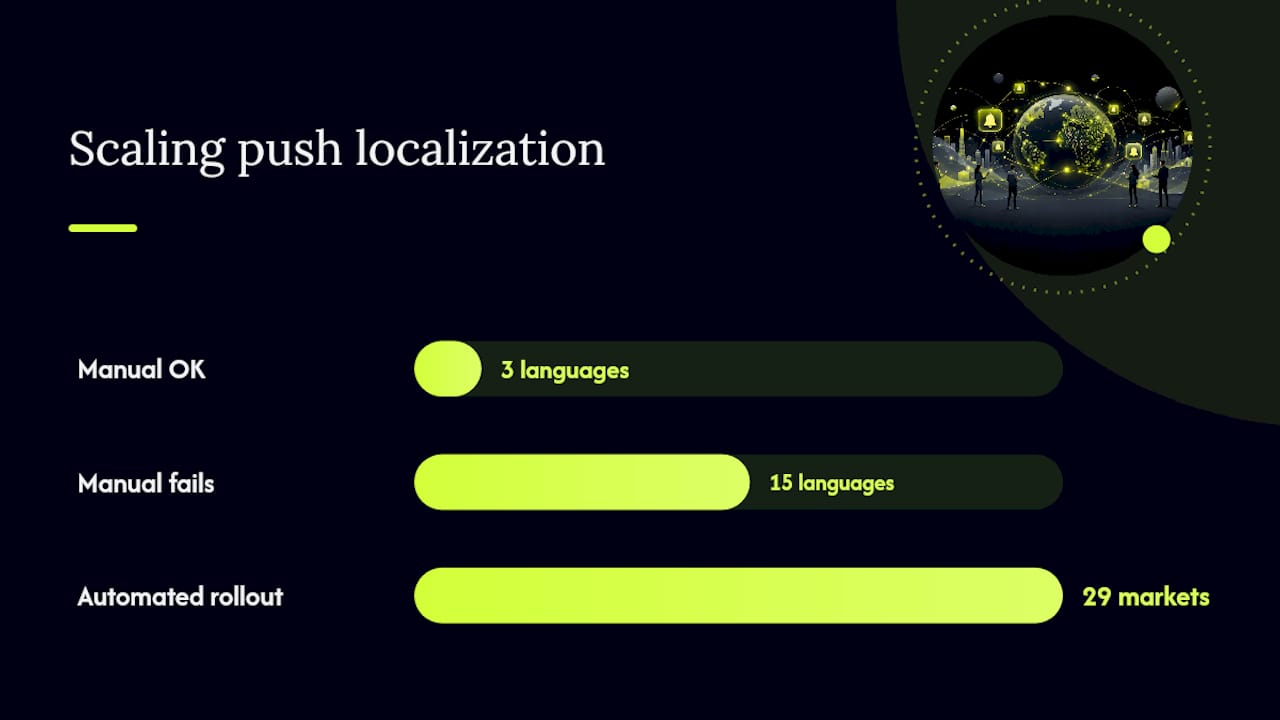
Manual translation works for three languages. It falls apart at fifteen. Case studies on automated multilingual push workflows show measurable click-through gains and faster campaign setup once translation and templating get automated, according to analysis from MIM:AGENCY covering a rollout across 29 European markets.
Build this in layers:
- Keep a single source-of-truth string repository (a shared spreadsheet, a translation management tool, or a localization platform) that both your app build and your push templates pull from, so copy never drifts between the two.
- Design templates with platform overrides baked in, since Android and iOS handle line breaks, emoji, and character counts differently even for the same translated string.
- Route string updates through CI so a translator's change ships without a manual app release, and monitor click-through rate per locale so you catch a broken translation before it tanks conversion for an entire market.
- If you're managing content production at scale beyond push copy, tools built for automated content workflows follow the same logic: centralize the source, automate the distribution.
Vendors like OneSignal offer dashboard-level multi-language fields as a middle ground, letting you store per-language content directly in the platform when app-side resources aren't available, per OneSignal's own documentation.
How StorePush Handles Localization for E-Commerce Push
StorePush's re-engagement notifications run through native iOS mechanisms, using App Clips to reach shoppers who never gave up an email or phone number. That approach depends on the same discipline covered above: keys and templates, not one-off hardcoded strings.
The operational checklist looks like this:
- Sync resource strings across every supported storefront integration (Shopify, WooCommerce, BigCommerce, and custom storefronts) so localized copy stays consistent regardless of platform.
- Apply templating rules with platform overrides for iOS-specific formatting.
- Track click-through and recovered revenue per locale inside the dashboard, so underperforming translations get flagged fast.
The cart recovery approach StorePush uses depends on this same infrastructure working correctly across every language a store serves.
Handling Plurals and Gender in Localized Push Copy
English pluralization is simple: add an "s" and move on. Most other languages aren't that forgiving, and a push notification that gets this wrong looks broken, not charming.

Arabic has six grammatical plural forms. Polish and Russian use different plural endings depending on whether a count ends in 1, in 2 through 4, or in 5 and up. If you're hardcoding "%d item(s)" and hoping a translator patches it later, you'll ship broken grammar to a meaningful share of your international users.
The fix is to use the plural resource systems both platforms provide instead of string concatenation. Android's plurals resource type lets you define separate strings for zero, one, few, many, and other categories, and the OS selects the right one based on the count you pass in. iOS handles the same problem through .stringsdict files or ICU-based plural rules in a String Catalog. Both approaches mean your loc-args count doesn't just fill a blank, it determines which entire sentence structure gets used.
Gender agreement is trickier and often has no clean automated fix. Languages like French, Spanish, and German conjugate adjectives and past participles based on grammatical gender, which can apply to product names or even the shopper's own name. When gender-specific copy matters (a personalized "Your order has shipped" style message), the safer move is writing gender-neutral sentence structures in your source strings rather than trying to build a gender-detection system on top of push notifications. Reserve gendered phrasing for languages and use cases where you actually have reliable gender data.
What Happens When a Translation Is Missing?
Every localization system eventually hits a locale it wasn't built for. The question isn't whether that happens. It's whether your users see a broken notification or a graceful fallback.
Both Android and iOS fall back to the default resource file (typically your base values/strings.xml or Base.lproj) when a device's locale doesn't match any of your translated folders. That's a safety net, but only if your base language is one most of your users can actually read. If your default is English and a meaningful share of your audience reads Korean or Thai, silently falling back to English isn't really a fallback. It's a gap you haven't measured yet.
A few practices keep this from becoming a production surprise:
- Always ship a complete base language file with every string key your app uses. A missing key in the fallback file, not just in a translated file, can cause a blank or broken notification instead of readable text.
- Track which locales are requesting your app and cross-reference that against which locales you've actually translated. Gaps show up fast once you're segmenting by locale in your analytics.
- Prioritize translation coverage by revenue or usage share per locale rather than treating every language as equally urgent. A market driving 15% of orders deserves translation before one driving 1%.
- Never leave a resource key half-translated. A notification that's half English and half Spanish because one variable string was missed looks like a bug, because it is one.
Cultural Tone Matters as Much as Grammar
Translating words correctly and writing a notification that actually lands are two different jobs. Tone, urgency, and even punctuation carry different weight depending on where your reader lives.
A direct, urgency-driven line like "Don't miss out, your cart expires in 1 hour" reads as motivating in the United States and can read as pushy or even distrustful in markets where directness in sales copy is less common. Exclamation points that feel energetic in English can read as aggressive in Japanese, where lower-key phrasing tends to perform better in commercial messaging. Currency formatting, date formats, and even emoji choice carry cultural weight too. A thumbs-up emoji is a friendly gesture in most Western markets and considered offensive in parts of the Middle East.
None of this means you need a separate copywriter per country. It means your source strings should be written with tone in mind, and your translators (or translation review process) need the authority to adjust register, not just swap words one for one. A literal translation of an English notification is rarely the best version of that notification in another language. Build review into your pipeline where a native speaker can flag tone before a locale-specific string goes live, not after a customer replies to a push notification confused about why it sounds so aggressive.
A Developer's Honest Take on Push Localization
Most teams overbuild the personalization layer before their fallback logic even works. Server-only translation setups look flexible in a demo and become a maintenance headache within two quarters. The mistake I see most often isn't grammar. It's shipping without ever testing on a real device in a language nobody on the team reads.
— Lucas
Get Localized Push Notifications Working for Your Store
StorePush handles the cart recovery side of this equation without asking shoppers for an email or phone number, using native iOS App Clips to re-engage the visitors who leave before checkout. That means the localization work covered above (resource files, loc-key structures, per-locale testing) plugs directly into a system built to recover revenue, not just send translated alerts.
If you're running a Shopify, WooCommerce, BigCommerce, or custom storefront and want to see how localized, event-based push triggers translate into recovered checkouts, book a demo and walk through your specific setup. Or start by exploring how the full platform handles funnel tracking, CTR heatmaps, and revenue attribution across every locale you serve.
Sources
- Localize Messages | Firebase Cloud Messaging - Google
- Generating a remote notification | Apple Developer Documentation
- How We Automated Push Notifications in 29 Languages with AI - MIM:AGENCY
Recommended
- Push Notification Character Limits: A Cheat Sheet for App Teams
- Why Web Push Notifications Fail on iOS for E-Commerce (2026) | StorePush
- The Best Time to Send SMS Marketing Messages (Hint: It's Not a Time of Day) | StorePush
- SMS Targeting for E-Commerce: How to Reach the Right Shoppers (and the Ones You're Missing) | StorePush