
Use web push when you need fast, low-friction reach from anonymous site visitors. Use native app push when you need reliable, high-intent engagement with richer actions. Neither wins outright: web push gets you opt-ins in one click but loses most iPhone traffic, while app push delivers with near-total reliability but demands an install first.
Two quick qualifiers before you pick a lane: For a broader look at app-driven marketing strategies and engagement channels, see this marketing and e-commerce blog content.
- iOS is the wildcard. Web push on iPhone requires the visitor to install your site as a home screen app first, which almost nobody does.
- Reach and retention aren't the same job. Web push wins on volume and speed to launch; app push wins on depth and revenue per message.
If you're optimizing for quick reach, jump to the web push use cases below. If you're building a retention engine, skip to native app push and the section on combining both.
Key Takeaways
The right push channel depends on your traffic's device mix, not on which technology sounds more advanced, since web push maximizes reach while native push maximizes reliability and depth.
| Point | Details |
|---|---|
| Match channel to audience | Use web push for desktop-heavy traffic and native push where mobile and repeat-purchase behavior dominate. |
| iOS is the deciding constraint | Web push barely reaches iPhone users unless they install a PWA, a step most shoppers skip. |
| Native push costs more but delivers more | APNs and FCM enable rich media, deep links, and OS-level delivery that web push can't match. |
| Sequence, don't choose | Capture visitors with web push, then move high-value customers toward native lifecycle messaging. |
| Close the iOS gap with StorePush | StorePush uses App Clips to recover iPhone cart abandonment without requiring an app install or contact data. |
Table of Contents
- What Is Web Push, and How Does It Actually Work?
- What Is Native App Push, and Why Does It Feel More Reliable?
- Key Differences Between Web Push and App Push
- When Web Push Makes the Most Sense
- When Native App Push Is Worth the Investment
- How to Combine Both Channels Into One Retention System
- Where StorePush Fits Between Web Push and a Full App
- What Most Push Notification Advice Gets Wrong
- Recover the iPhone Shoppers Web Push Can't Reach
- Frequently Asked Questions
- Sources
What Is Web Push, and How Does It Actually Work?
Web push runs through your browser, not your operating system. When a visitor clicks "allow" on that permission prompt, the browser registers a service worker, a small background script that keeps running even after the tab closes, and hands your server a unique endpoint URL for that visitor's device.
Here's the delivery flow in practice:
- Visitor lands on your site and sees a browser-native opt-in prompt.
- They click "allow," and the browser generates a subscription endpoint.
- Your platform stores that endpoint and pushes messages to it whenever you trigger a campaign.
- The service worker wakes up in the background and displays the notification, even if the browser is minimized.
Opt-in friction is low. One click, no email, no phone number. That's the appeal. But the Push API has inconsistent support across browsers, and iOS Safari only supports it if the visitor has added your site to their home screen as a Progressive Web App first. Most shoppers never do that, which quietly erases a huge chunk of your mobile reach. On desktop and Android, though, delivery is solid whether the browser is open, minimized, or closed, as long as the device has an internet connection.
What Is Native App Push, and Why Does It Feel More Reliable?
Native app push runs at the operating system level through Apple's APNs (Apple Push Notification service) or Google's FCM (Firebase Cloud Messaging). When someone installs your app and grants permission, the OS issues a device token that identifies that specific install. Your server sends messages to Apple or Google, and the OS handles final delivery, waking the device even from a fully closed app state.
That OS-level handoff is why native push feels more dependable than web push. A few things make the channel distinct:
- Token lifecycle matters. Tokens can expire or change when a user reinstalls the app or switches devices, so your backend needs to refresh and prune them regularly.
- The install funnel filters your audience. Anyone who opens a push notification already downloaded your app, which usually signals higher intent than a random site visitor.
- Rich media and actions are native-only. Image previews, action buttons ("Track Order," "Reorder"), and deep links into specific app screens are standard here, not workarounds.
- Owning an app costs more. You're maintaining code across iOS and Android, paying for App Store and Google Play compliance, and budgeting engineering time for every update.
Since most mobile screen time happens inside apps rather than browsers, native push simply intersects with where mobile users already spend their attention. The tradeoff is the upfront cost of getting someone to install the app at all.
Key Differences Between Web Push and App Push
Put side by side, the two channels split cleanly along a few practical lines that should drive your decision, not just their technical definitions.
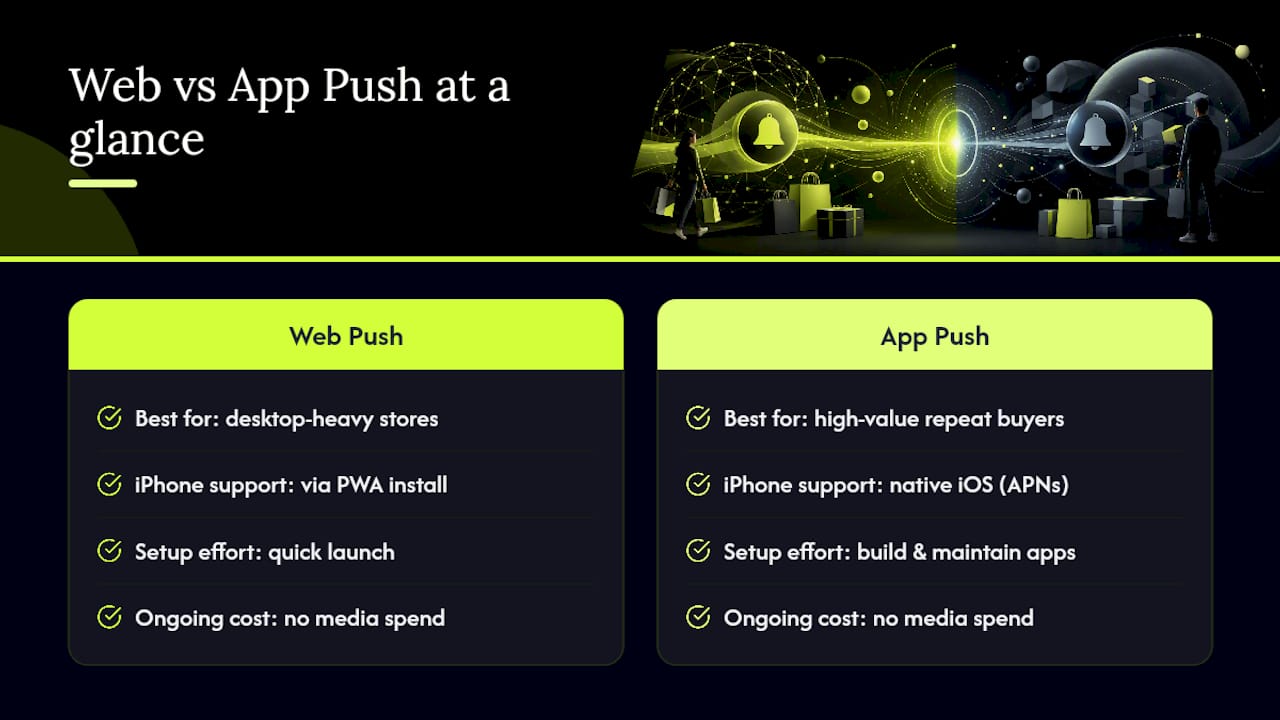
- Reach and friction: Web push needs one click and no download; app push needs a full install, which filters out casual visitors before they ever see a notification.
- Visibility and reliability: Native push delivers at the OS level regardless of app state; web push depends on browser support and, on iOS, a PWA install most users skip.
- Personalization and deep linking: Native push can route a tap straight to a product page inside your app with full context; web push generally opens a browser tab at a fixed URL.
- Platform caveats: iOS Safari's PWA requirement caps web push reach, and in-app browsers on platforms like Instagram or TikTok block push subscriptions entirely for visitors arriving from those apps.
- Setup and cost: Web push can go live in an afternoon with a script tag; native push means app development, App Store review cycles, and ongoing maintenance across two operating systems.
- Measurement: Web push reports opt-ins, deliveries, and clicks fairly cleanly; native push adds deeper funnel data like session activity and in-app conversion tied directly to the notification.
Pro Tip: Don't treat "delivery rate" as one universal number across channels. Web push and mobile push report delivery differently, so compare click-through and conversion instead of raw send counts when judging channel performance.
The honest takeaway: web push is the better test-and-learn channel because it's cheap to launch and measure. Native push is the better revenue channel once you have an audience worth investing in.
When Web Push Makes the Most Sense
Web push earns its keep in situations where speed and low friction matter more than depth. A few campaign types fit naturally:
- Flash sales and time-sensitive alerts. A 20% off code expiring in two hours doesn't need a rich media card, just a fast tap.
- Content and publisher updates. News sites and blogs use web push to bring readers back without asking for an email they'll ignore.
- Browse abandonment recovery. Someone who viewed a product but didn't buy can get a nudge minutes later, all without collecting their contact info.
- Lead generation with minimal friction. One click beats a signup form every time you're trying to build an audience fast.
Web push fits best on desktop-heavy sites or storefronts without a mobile app. Watch for two blind spots: iOS reach stays thin, and traffic arriving through in-app browsers on social platforms often can't subscribe at all. Track opt-in rate, click-through rate, and conversion rate closely. Because delivery windows on mobile browsers can be short before a session times out, timing matters more here than on native push.
When Native App Push Is Worth the Investment
Native push earns its cost when the relationship with the customer is worth building over months, not minutes. It shows up most in:
- Abandoned cart recovery, where a rich notification with a product image and a "Complete Purchase" button converts better than a plain text alert.
- Lifecycle automation, like win-back sequences for lapsed customers or post-purchase upsells timed to typical reorder windows.
- Transactional messages, such as shipping updates and delivery confirmations that customers actually expect.
- Loyalty programs, where points, tier status, and personalized offers depend on deep in-app data you can't access through a browser.
This channel fits best with high-lifetime-value customers, frequent app users, and product categories built on repeat purchases, think subscription boxes, grocery delivery, or apparel brands with loyal repeat buyers.
Pro Tip: Build token cleanup into your regular maintenance schedule. Expired or invalid APNs and FCM tokens quietly inflate your subscriber count and distort your real delivery rate if you never prune them.
Track deliverability, open rate, and revenue per message rather than just send volume. Those three numbers tell you whether the investment in app development is actually paying off.
How to Combine Both Channels Into One Retention System
The strongest programs don't pick one channel, they sequence both. A simple framework:
- Capture with web push first. It's the lowest-friction way to start a relationship with an anonymous visitor.
- Use early wins to encourage an app install. Once someone converts once or twice, prompt them toward the richer native experience.
- Hand off lifecycle messaging to native push. Cart recovery, loyalty nudges, and transactional updates belong here once the customer has the app.
- Maintain your endpoints. Rotate and prune expired APNs tokens, FCM tokens, and web subscriptions regularly, since stale endpoints quietly drag down your reported delivery rate.
Measurement should follow the same discipline across both channels: run holdout groups, track the full funnel from delivered to clicked to converted, and attribute revenue back to the specific message. Cross-platform push works best as a reactivation backbone when targeting, timing, consent, and delivery stay consistent across every channel, not when each channel runs its own disconnected playbook. Cap frequency deliberately. Notification fatigue kills opt-in rates faster than almost anything else you'll do wrong.
Where StorePush Fits Between Web Push and a Full App
Here's the gap most merchants hit: web push can't reach iPhone shoppers reliably, and building a full native app is expensive overkill for most stores. StorePush sits in between, using Apple's native App Clips technology to deliver lock-screen re-engagement without requiring an app download, an email address, or a phone number.
For an audience that's majority mobile and majority iOS, that matters. StorePush addresses the exact segment web push structurally can't reach:
- Recovers cart and browse abandonment on iPhone traffic web push simply misses.
- Skips the install friction and data collection that full apps and email capture both require.
- Plugs directly into Shopify, WooCommerce, and BigCommerce storefronts with dashboard analytics for revenue attribution and CTR tracking.
If your traffic skews iOS and your cart abandonment rate looks familiar (most stores lose over 90% of visitors without a purchase), this gap is worth closing.
What Most Push Notification Advice Gets Wrong
Most comparisons frame web push versus app push as a competition, as if one channel needs to "win." That framing misses the actual decision marketers face, which is sequencing, not selection.
The bigger blind spot is treating iOS as a footnote instead of the central constraint it actually is. If your traffic is mobile-heavy and iOS-heavy, and most e-commerce traffic is, then a strategy built entirely around web push has a structural hole in it from day one. That's not a criticism of web push as a channel. It's a criticism of using it as your only channel when your audience profile doesn't support that choice.
What should you prioritize first? Map your traffic by device and platform before you pick a channel. If you're desktop-heavy, web push alone might carry you far. If you're iOS-heavy and don't have the budget or timeline for a full native app, a native-like recovery layer closes the gap web push leaves open. Don't build your reactivation stack around the tool that's easiest to launch. Build it around where your customers actually are.
Recover the iPhone Shoppers Web Push Can't Reach
Web push gets you fast, low-friction reach, but it structurally can't touch the iPhone shoppers who make up most of your mobile traffic, and a full native app costs more time and engineering than most stores can justify for a single feature. StorePush closes that specific gap. It uses native iOS App Clips to put a lock-screen notification back in front of a shopper who abandoned their cart, without collecting an email, a phone number, or asking for an app install.
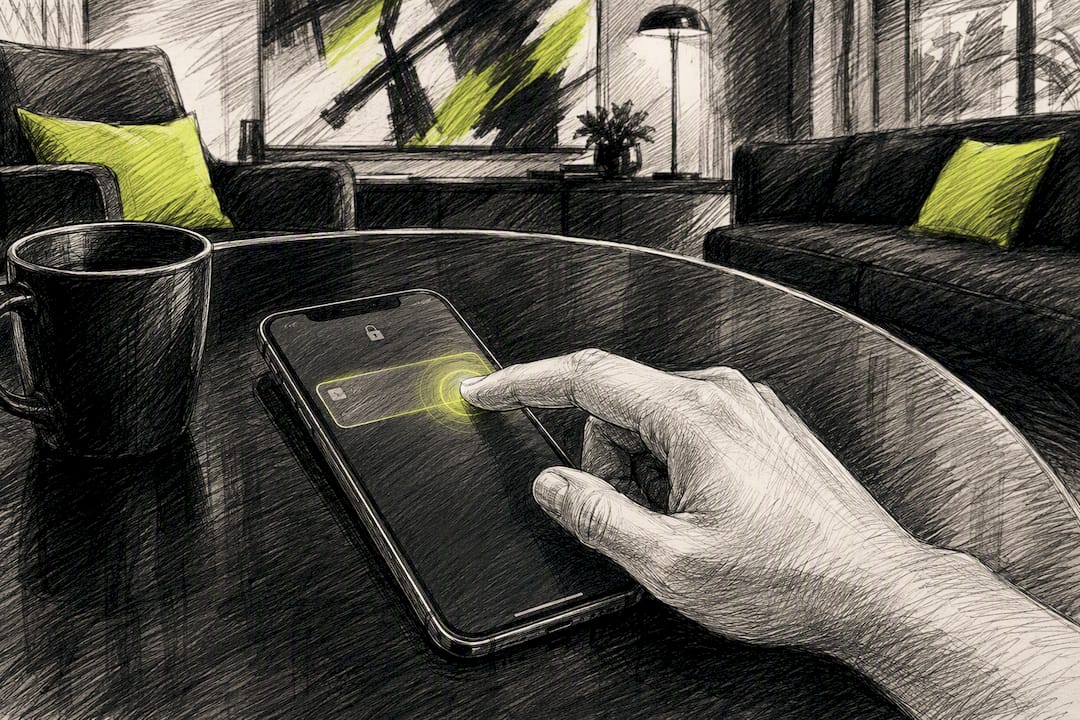
It plugs into Shopify, WooCommerce, BigCommerce, or a custom storefront, with a dashboard that attributes recovered revenue directly to each notification sent. If iOS traffic is where your abandoned carts are piling up, book a demo and see what StorePush can recover from the visitors you're currently losing for good.
Frequently Asked Questions
Is web push or app push better for e-commerce? It depends on your traffic mix. Web push works well for desktop-heavy stores and quick campaigns like flash sales, while native app push performs better for high-value, repeat customers who've already installed your app.
Does web push work on iPhone? Only partially. Safari on iOS supports web push only if the visitor installs your site as a Progressive Web App on their home screen first, a step most shoppers never take.
How much does it cost to set up app push notifications? Setup requires building and maintaining a native app across iOS and Google Play, integrating APNs or FCM, and budgeting for ongoing engineering time. Web push, by comparison, can launch in an afternoon with far less overhead.
Can I use web push and app push together? Yes, and most effective retention programs do. Capture visitors with web push first, then encourage high-intent customers toward an app install so you can shift them to richer native lifecycle messaging.
What's the difference between push notifications and retargeting ads? Push notifications reach an opted-in subscriber directly on their device or lock screen at no ongoing media cost, while retargeting ads follow anonymous visitors across ad networks and require continuous ad spend to stay visible.
Sources
- Can I use — Push API
- Statcounter Global Stats — Platform market share
- Stop Wasting Ad Spend: Win Back Users With Push — Sashido
- Web Push Notifications vs. Mobile Push: Which One Should You Use? — AlertElevate