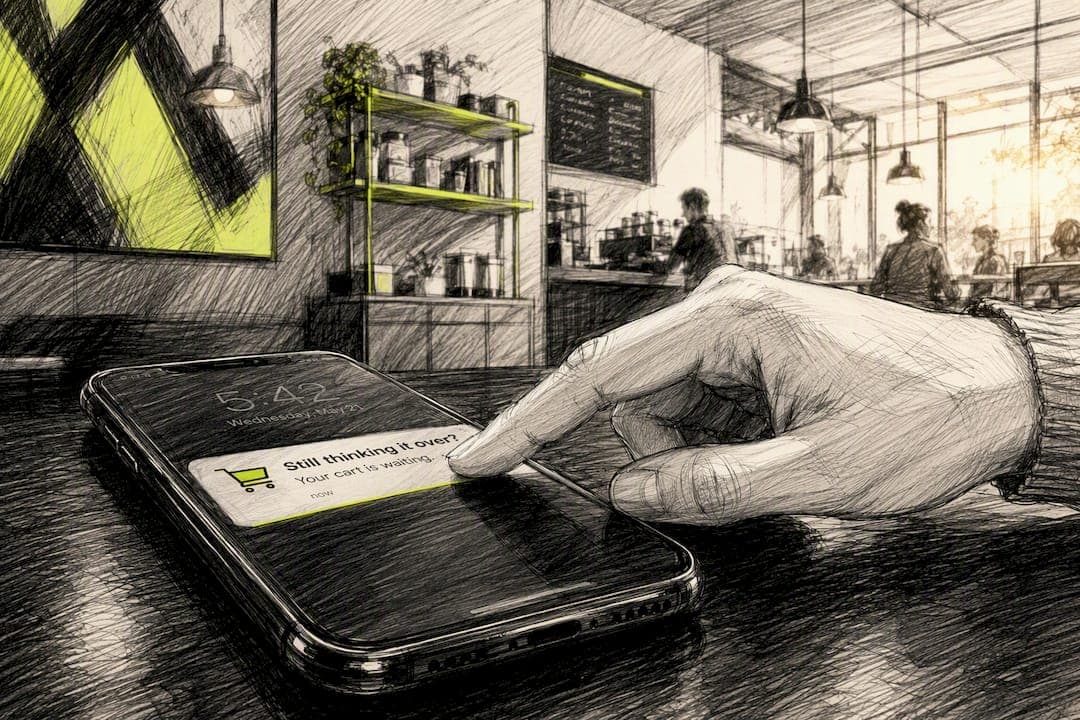
Yes. When a shopper has opted in to push notifications on that device, a tightly timed one or two touch sequence with deep links reliably recovers incremental checkout conversions. The catch: it only works if you confirm real opt-in status and attach a deep-link parameter for attribution before you send a single notification.
TL;DR:
- Sending push notifications between 15 and 60 minutes after cart abandonment maximizes recovery chances without interrupting shoppers who are still comparing options.
- Properly confirming real opt-in status and attaching a deep-link attribution parameter are essential to accurately measure and improve recovery efforts.
- Limiting the sequence to one or two touches, with the second possibly offering a small incentive, prevents opt-outs and maintains effectiveness.
- Tracking incremental revenue through deep-link attribution and holdout testing proves push notifications’ true impact on recovery and sales.
- Using native iOS App Clips enables recovery from shoppers without contact data, provided push payloads stay under 4 KB and sensitive info is kept off notifications.
Table of Contents
- Quick Checklist Before You Send Your First Push
- What Consent and Instrumentation Actually Require
- When Exactly Should You Fire the Push?
- What Should the Push Actually Say?
- How Many Touches Should You Send?
- How Do You Prove the Push Actually Worked?
- Payload Limits, Privacy, and Practical Compliance
- How StorePush Handles Abandoned Checkout Recovery in Practice
- The Mistake I See Most Often (And What Actually Moves the Needle)
- Get Push-Based Recovery Running Without Collecting a Single Email
- Sources
Quick Checklist Before You Send Your First Push
You don't need a six-month roadmap to get started. You need four things wired correctly, in this order.
- Confirm push opt-in and placement. Check that your pre-permission prompt fires after a genuine positive action, not on page load, and that you can query real-time opt-in status per device.
- Set your inactivity window and suppression rules. Decide how long a shopper stays idle before you count the checkout as abandoned, and lock in the rule that stops sending once they convert.
- Add a deep-link attribution parameter. Every push should route through a link like
src=pushso you can separate recovered revenue from sales that would have happened anyway. - Plan a holdout test. Hold back a small percentage of eligible shoppers from receiving any push, so you have a clean baseline to measure lift against.
Get these four right and everything downstream, copy, cadence, measurement, gets easier.
What Consent and Instrumentation Actually Require
The technical foundation matters more than the message copy, because a perfectly worded push sent to the wrong device, or sent without a way to measure it, is wasted effort.
Ask for push permission after a shopper does something that signals intent, adding an item to cart or starting checkout, not the moment they land on your site. A pre-permission page that explains the value ("Get notified if your cart is about to expire") before the native prompt appears tends to produce meaningfully higher opt-in rates than a cold system prompt.
Your event pipeline needs to capture a few specific signals cleanly:
cart_updated— item added, removed, or quantity changedcheckout_started— shopper reaches the checkout pagecheckout_abandoned— inactivity threshold crossed with no purchasepurchase_completed— used to cancel any queued pushpush_opt_instatus — current, per-device, not assumed from a past session
Store push tokens server-side, not just in local device storage, and build debounce logic so a shopper who rapidly adds and removes items doesn't trigger duplicate abandonment events. When a purchase completes, cancel any pending push job immediately. For shoppers who never opt into push, route them to email or SMS instead of skipping recovery entirely.
Pro Tip: Treat push opt-in as a conversion event in its own funnel. Stores that A/B test their pre-permission copy typically see the gap between “ask immediately” and “ask after value” widen fast, often within the first week of testing.
When Exactly Should You Fire the Push?
Timing is the single biggest lever in this entire playbook, and it's the one most teams get wrong by defaulting to "send it fast."

The recommended inactivity window before your first checkout-abandonment push is 15 to 60 minutes. Fire too early and you interrupt a shopper who's still comparing shipping options in another tab. Fire too late and the intent has already cooled.
Set a short time-to-live (TTL) on the notification itself, generally lasting a few hours, as described in these conversion rate optimization tips to improve checkout friction and conversion rates. A practical push notification playbook recommends this exact window specifically because a stale reminder that arrives after the shopper already left the app or bought elsewhere does nothing but train them to ignore your notifications.
A few technical defaults that protect both performance and trust:
- Use a per-cart collapse key or topic, so if you send a second touch, it replaces the first on the lock screen instead of stacking duplicate notifications.
- Debounce activity resets: if the shopper returns to checkout and starts interacting again, cancel or delay the queued push rather than sending it into an active session.
- Never fire a push while a payment is actively processing.
Statistic Callout: Cart abandonment sits around 70% on a rolling basis according to Baymard Institute's ongoing checkout research, which is why even a modest, well-timed recovery layer touches a huge share of total revenue.
What Should the Push Actually Say?
Short push payloads leave almost no room for error, so every word needs to earn its place.
Keep the title and body tight: name the item left behind (or the number of items) and give one clear next step. You're writing a nudge, not a sales pitch.
- Use commitment-based CTAs like "Return to checkout" or "I'll finish my purchase" rather than passive phrasing like "Check out your cart."
- Skip prices, discount codes, or full cart contents in the notification itself. That belongs behind the deep link, not on the lock screen.
- Save any discount offer for a later touch. If your very first message leads with a coupon, you're teaching shoppers to abandon on purpose and wait for the discount.
CRO research from HubSpot backs this up: commitment-based phrasing and reduced friction consistently outperform generic prompts in testing, because a specific micro-commitment lowers the psychological barrier to acting versus a vague "come back."
Pro Tip: Write your push copy as if the shopper is already holding their phone and glancing at the lock screen for two seconds. If the message needs a second read to understand, it's too long.
How Many Touches Should You Send?
Two touches, maximum, and the second one is optional. This isn't a drip campaign, it's a tap on the shoulder.
- Touch 1 (15 to 60 minutes after abandonment): A plain reminder, no discount, just the item and a CTA.
- Touch 2 (3 to 24 hours later, optional): If your policy allows incentives, this is where a small discount can appear, but only for shoppers who haven't converted or opted out.
Cap the sequence at one to two pushes per abandoned checkout and suppress immediately on conversion. Respect quiet hours and send in the shopper's local timezone. Anyone who hasn't opted into push should fall back to email or SMS instead of getting nothing.
A recent analysis of cart recovery found that short sequences tied to accurate event triggers generally outperform longer drips, and pushing past two touches tends to increase opt-outs faster than it increases recovered revenue.
How Do You Prove the Push Actually Worked?
Clicks feel good in a dashboard, but they're a weak signal on their own. What you actually need to prove is incremental revenue, sales that wouldn't have happened without the push.
- Attribute purchases using deep-link parameters like
src=push, tracked from click through to completed order, not just click volume. - Run holdout tests or geo splits where a portion of eligible shoppers receives no push at all, so you have a real baseline for comparison.
- Track recovered revenue, opt-out rate, revenue per push sent, and opt-outs per campaign, not just delivery and open rates.
- Deduplicate purchase events and set a clear attribution window, typically 24 to 72 hours after the push is sent.
Statistic Callout: Multi-step abandonment sequences across channels tend to recover roughly 10 to 15% of otherwise lost revenue, a useful benchmark when you're setting expectations for what push alone might contribute inside a broader recovery stack.
Payload Limits, Privacy, and Practical Compliance
Push has real technical ceilings, and ignoring them causes delivery failures that look like poor performance when they're actually infrastructure problems.
Keep your encrypted payload under 4 KB and never include personal identifying information directly in the notification body. Fetch cart contents server-side only after the shopper taps the deep link, which keeps the payload small and keeps sensitive data off the device's notification history. Prune stale or invalid push tokens on a regular schedule and build exponential backoff into your retry logic for failed sends. Make sure your privacy policy explicitly documents that you use push notifications for recovery, and always offer a visible opt-out path.
How StorePush Handles Abandoned Checkout Recovery in Practice
Most push tools assume you already have an email or phone number on file. StorePush doesn't. It uses native iOS App Clips to send lock-screen notifications to shoppers who never handed over any contact information, which matters given that most e-commerce sessions end without a purchase and the majority of those visitors leave zero identifying data behind.
The mechanics: a shopper interacts with an App Clip during checkout, generates a push token tied to that device, and abandons. StorePush's dashboard then tracks the metrics that actually matter for this playbook:
- Deep-link attribution back to the exact checkout session, not just a generic click count
- CTR heatmaps showing which message variants and send times perform best
- Recovered revenue reporting tied to
src=pushstyle parameters, separated from organic returns - Funnel visibility from push delivery through completed purchase
On implementation, the common pitfalls line up with everything covered above: TTLs set too long, missing collapse keys causing duplicate lock-screen clutter, and payloads that try to cram cart contents into the notification instead of behind the deep link. Fixing those three issues alone tends to resolve most early performance complaints from stores integrating a push-based recovery layer for the first time.
The Mistake I See Most Often (And What Actually Moves the Needle)
The most common failure isn't bad copy. It's firing the push too early, usually within five minutes of the last cart update, because someone on the team assumes faster equals better. That instinct backfires. A shopper who's still typing their shipping address doesn't need a lock-screen interruption; they need you to leave them alone for another 20 minutes.
If you take one thing from this entire playbook, make it this: prioritize your opt-in experience over your message copy, and run a holdout test before you scale spend on any push provider. Clever CTAs are worthless if half your audience never opted in cleanly, and you can't know your real lift without a baseline group that got nothing.
— Lucas
Get Push-Based Recovery Running Without Collecting a Single Email
StorePush exists for exactly the scenario this playbook is built around: recovering checkouts from shoppers who never gave you an email address or phone number in the first place. Instead of chasing contact data before you can retarget anyone, StorePush uses native iOS App Clips to put a push notification directly on a shopper's lock screen, then routes attribution back through deep links so you can see recovered revenue instead of guessing at it.
It plugs into Shopify, WooCommerce, BigCommerce, or a custom storefront, and the dashboard handles the TTL, collapse key, and holdout logic covered throughout this guide, so your team isn't building that infrastructure from scratch. If you're running a store with meaningful abandoned-checkout volume and no reliable way to reach the shoppers behind it, book a demo with StorePush and see what recoverable revenue actually looks like on your own checkout data.
Sources
A few sources worth bookmarking if you want to go deeper on the numbers and the technical implementation behind this playbook:
- Checkout Optimization: Cart abandonment and checkout UX research — Baymard Institute
- Cart abandonment push notifications — Web Push Notifications playbook
- How to Use Push Notifications to Recover Abandoned Carts in 2026 — PushPilot Blog