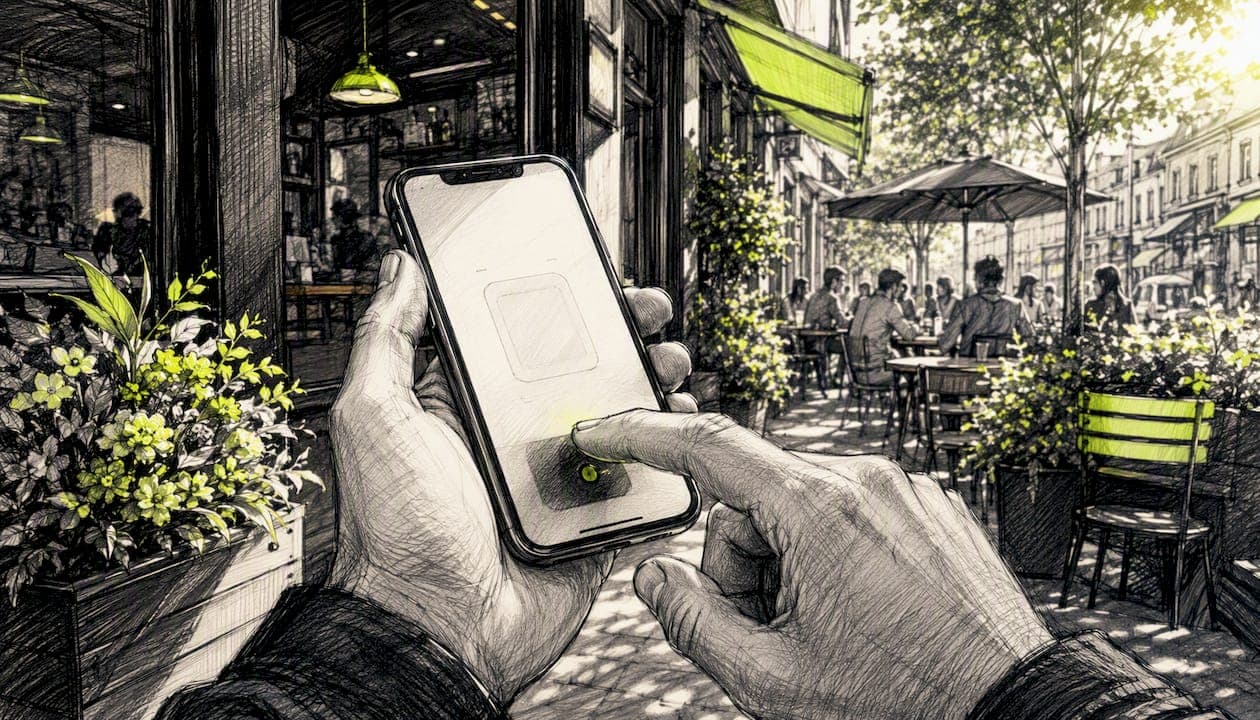
Yes, App Clips can lift in-moment conversions when you use them for single-task, context-triggered flows like checkout, parking, or reservations. They work by stripping away the install barrier: a shopper taps a link or scans a code and lands in a native experience in seconds, no App Store detour required. Apple's App Clips documentation frames them as lightweight, on-demand fragments built for exactly this kind of task.
That said, adoption is concentrated in a handful of verticals with physical triggers, food, parking, rentals, so the honest verdict is conditional. Track one metric above all others: invocation-to-completion rate. If you can't tie a clip to a real point-of-need, App Store Connect, Apple Pay, and even StorePush's push-based recovery may serve you better than a custom build.
- Best for: checkout from social ads, parking, rentals, event check-in
- Track: invocations, completions, Apple Pay conversions
- Skip if: no physical or contextual trigger exists
Pro Tip: Before you build anything, map one specific moment where a customer currently abandons you. If you can't name it, you're not ready for an App Clip.
Key Takeaways
App Clips work best as single-task, trigger-based experiences, and most e-commerce brands can get similar cart-recovery results faster through a hosted push-based alternative like StorePush.
| Point | Details |
|---|---|
| Match the use case | Build a native App Clip only when you have a physical or contextual trigger and one high-value task. |
| Instrument every channel | Use unique query parameters on invocation URLs to attribute revenue by channel or location. |
| Respect the ephemeral window | Notifications expire 8 hours after activation, so plan high-value messages for that window. |
| Migrate credentials smoothly | Store data in a shared container so users who install the full app skip re-entering information. |
| Consider a hosted route | StorePush offers App Clip-style checkout and push recovery without a native build or user data collection. |
Table of Contents
- What Is App Clips Marketing, and How Does It Work?
- How Do People Actually Find and Open an App Clip?
- What Marketing Results Can You Expect from App Clips?
- What Technical Limits Should Marketers Plan Around?
- How Do You Measure App Clip ROI?
- What Design and Decision Rules Should Guide Your Build?
- When I'd Recommend Building an App Clip vs. Choosing an Alternative
- A Faster Path to App Clip-Style Cart Recovery
- Sources
What Is App Clips Marketing, and How Does It Work?
App clips marketing means using Apple's lightweight, on-demand app fragments to let someone complete one task, pay, reserve, unlock, without installing your full app. The user taps an App Clip Card, the clip loads in seconds, and it disappears from their device once the task is done or the session goes stale.
The flow looks like this: a trigger (tag, code, link) surfaces a card, the user opens it, the clip runs in an ephemeral state, and Apple either prompts an install or lets the session expire. A few constraints shape everything you plan:
- Tight size limits force you to strip the experience to one task
- Ephemeral storage means no persistent local data between sessions
- Notifications tied to a clip only last 8 hours after activation
Pro Tip: Pick one measurable core task, checkout, unlock, or pay, and resist the urge to cram in secondary features. A focused clip converts; a bloated one gets abandoned.
How Do People Actually Find and Open an App Clip?
Discovery is where most App Clip projects quietly fail. Apple supports several invocation channels: NFC tags, QR codes, dedicated App Clip Codes, Apple Maps place cards, Safari Smart App Banners, iMessage links, and universal links from ads or emails.
Each channel fits a different moment:
- NFC and QR codes work at the physical point of need, a parking meter, a restaurant table
- Safari banners catch people already browsing your site on mobile
- Maps place cards pull in local, high-intent foot traffic
- Messages and universal links carry social and paid campaign traffic straight into the clip
Give every location or channel its own tracking URL with query parameters so you can separate a QR code's performance from a paid social link's. Promotion guides recommend treating this instrumentation as non-negotiable, not an afterthought.
Pro Tip: If you deploy NFC tags, add one line of microcopy near the tag explaining what happens on tap. Unlabeled tags get ignored more often than they get scanned.
What Marketing Results Can You Expect from App Clips?
The core benefit is friction removal. A single-task flow with no install step tends to convert better than sending the same shopper through an app-download detour, especially for time-sensitive purchases. App Clips also function as a try-before-install funnel: someone experiences your product once, then gets a StoreKit prompt to install the full app with intent already proven.
The ASO impact is indirect. Apple doesn't index App Clip Card metadata for search ranking, but improved tap-to-install rates and better early retention from qualified users can feed the signals that influence your organic ranking over time.
Expected outcomes by use case:
- Checkout from social ads: fewer abandoned carts at the payment step
- Parking and transit: near-instant payment with no account creation
- Rentals and bike-share: unlock and pay in one motion
- Event check-in and loyalty: faster lines, fewer app-download prompts at the door
Realistic expectations: conversion lifts are meaningful but heavily use-case dependent, and overall adoption remains narrow outside a few verticals with obvious physical triggers. Don't assume a clip will outperform a well-built mobile web checkout for every product category.
What Technical Limits Should Marketers Plan Around?
Before you greenlight a build, get familiar with the constraints that shape scope and cost. Apple caps App Clip size, which forces you to share code and assets with your full app rather than duplicating them, and the platform automatically removes inactive clips after a period of disuse.
Key implementation pieces:
- Metadata setup: App Store Connect controls your App Clip Card's display title, subtitle, header image, and location association, so per-business metadata matters if you run multiple storefronts from one binary
- Authentication and payments: Sign in with Apple and
ASWebAuthenticationSessionhandle login, while Apple Pay covers checkout without forcing account creation - Ephemeral behavior: notifications expire after 8 hours, and one-time location confirmation replaces persistent location tracking
- Testing: the App Clip bundles inside your full app's submission and goes through the same App Store Connect review workflow
A short scoping checklist before you commit engineering time:
- Confirm your core task fits comfortably under the size cap
- Decide what credentials or state need to migrate to the full app
- Set up a shared container so upgrading users get a frictionless sign-in
- Wire analytics hooks into App Store Connect before launch, not after
Pro Tip: Treat the shared container as your safety net. Users who like the clip and install the full app should never have to re-enter information they already gave you.
How Do You Measure App Clip ROI?
Track five numbers: invocations, completion rate, Apple Pay conversions, App Clip-to-install conversion, and the lifetime value of clip-acquired users compared to your other channels. Without these, you're guessing at whether the build paid for itself.
A practical attribution recipe:
- Give every invocation URL a unique query parameter tied to its channel or physical location
- Instrument App Clip analytics events for each step of the task, not just the final action
- Correlate App Store Connect's card views, sessions, and install data with your own server-side revenue events
Combining Apple's native App Clip metrics with server-side funnel events gives you defensible attribution instead of a single, easily-gamed number.
Sample funnel: a social ad links to an App Clip, the shopper completes Apple Pay checkout inside it, and if they don't convert, an ephemeral push notification within the 8-hour window brings them back before the session expires.
Pro Tip: Use server-side order attribution, not client-side alone. It's the only way to reconcile revenue when the ephemeral notification window closes and the clip disappears.
What Design and Decision Rules Should Guide Your Build?
Keep the clip narrow: one task, the same icon and name as your full app, and an SKOverlay install prompt that appears only after the user finishes what they came to do. Migrate credentials into the full app quietly in the background, and time your install CTA to the moment of completed value, not before.
Test relentlessly:
- App Clip Card headline and subtitle wording
- Button label copy on the primary action
- Ephemeral-notification timing and message framing
Before committing to a native build, run through this checklist:
- Do you have a physical or contextual invocation point (NFC, QR, Maps)?
- Can your core task fit within the size and asset constraints?
- Is there one clear, singular action, not three competing ones?
- Do you have a measurement plan wired into App Store Connect?
- Can your team maintain the clip long-term, including review cycles?
If you're building App Clip experiences across several brands, a service like Cannatract's branding work can help keep per-business identity consistent across metadata and creative.
Pro Tip: If your traffic mostly comes from social ads rather than physical locations, and you need cart recovery without native components, a hosted App Clip-style alternative may get you there faster than an in-house build.
When I'd Recommend Building an App Clip vs. Choosing an Alternative
Build a native App Clip when you have a genuine physical or point-of-need trigger, a parking meter, a rental kiosk, a restaurant table, and a single high-value task worth the engineering investment. That's where the conversion lift is real, because the friction you're removing is friction the user actually feels in the moment.
Most e-commerce brands running social ads don't have that physical trigger. Their abandonment problem happens on a browsing screen, not at a kiosk, and a lighter-weight, hosted approach usually gets them to Apple Pay checkout faster than a native build justifies.
A Faster Path to App Clip-Style Cart Recovery
Building a native App Clip takes engineering time, App Store Connect review cycles, and ongoing maintenance, worthwhile for a parking app or a rental kiosk, but often overkill for an e-commerce store trying to recover carts from social traffic. StorePush gives you the App Clip experience, a native iOS checkout with Apple Pay, without writing a line of Swift.
StorePush delivers a native iOS App Clip-style experience for shoppers coming from social ads, sends ephemeral push notifications to their lock screen within Apple's 8-hour window, and tracks recovered revenue directly in a dashboard. No email or phone number collection required, which matters when most visitors leave without giving you either.
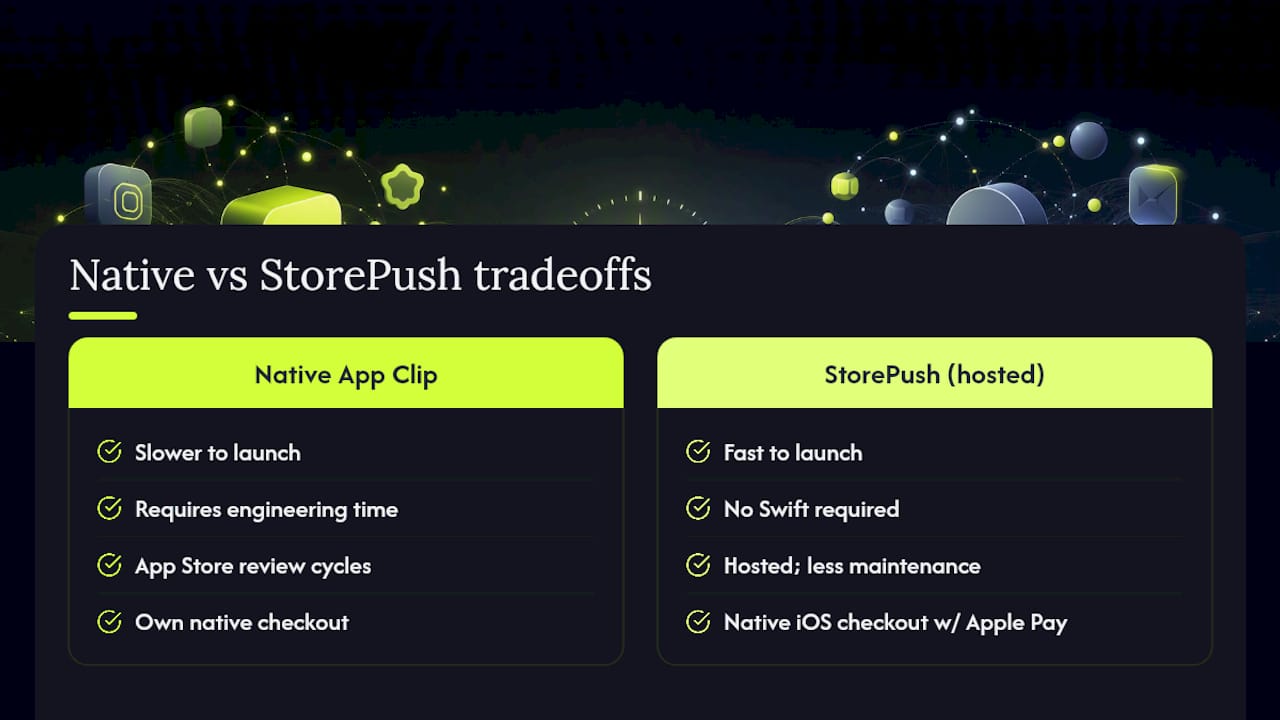
Before you decide between a native build and a hosted route, ask: how fast do you need this live, how much engineering maintenance can you absorb, and how important is precise revenue attribution versus commission-based pricing? If speed and measurement matter more than owning the native codebase, book a demo or explore the full feature set to see how it fits your funnel.
Sources
- App Clips | Apple Developer Documentation
- Use App Clips on iPhone — Apple Support
- Streamlining your App Clip experience — WWDC 2020
- App Clips: When they help and when they don't — Sonar Blog
- How to promote App Clips and drive installs — ASODOG