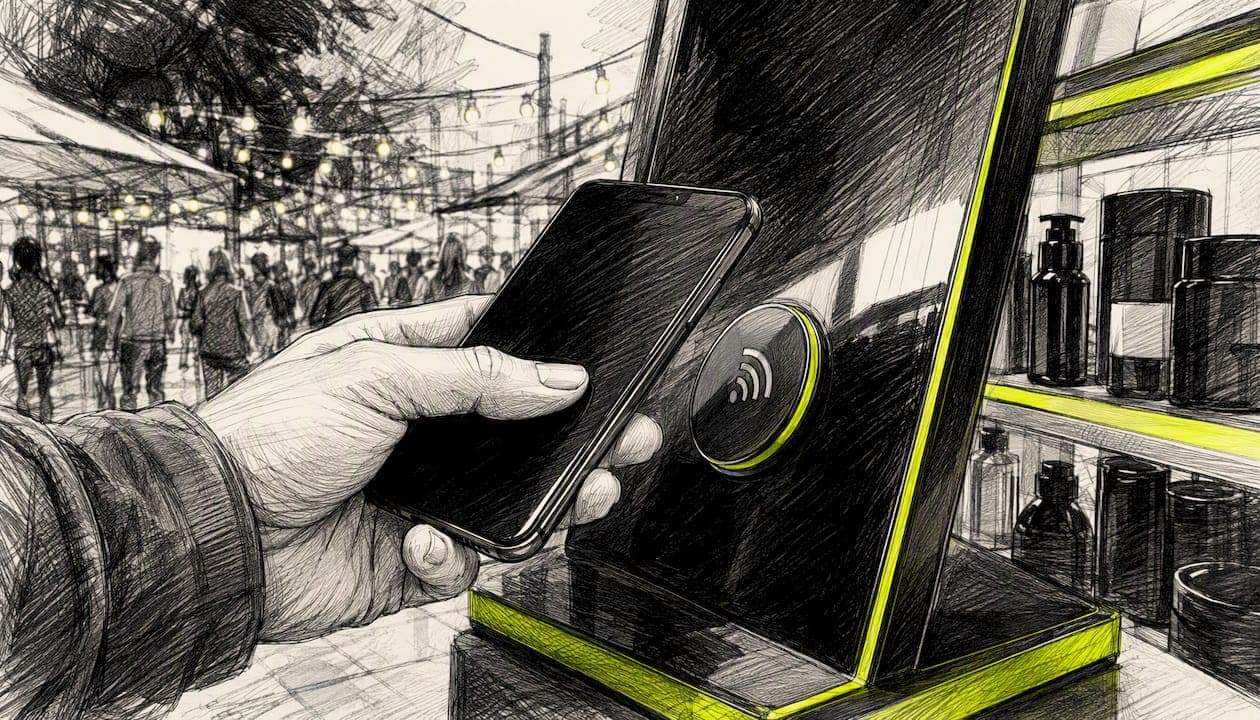
Yes, you can recover abandoned carts with iOS lock-screen push notifications without collecting a single email address or phone number. The mechanism is Apple's App Clip ephemeral notification system, and it works on Shopify today.
Three pieces must be in place for this to work:
- An iOS app with an App Clip target, ephemeral notification flags set in
Info.plist, and an invocation method (QR code, NFC tag, or Safari Smart App Banner) - A Shopify-side integration that captures cart creation events and maps them to a
targetContentIdentifierthe push payload can reference - A push orchestration layer, such as StorePush, to handle routing, timing, and recovered-revenue attribution
If all three are ready, you can start sending lock-screen pushes to shoppers who walked away without leaving a trace of contact information. The sections below show you exactly how to build and test that flow.
Key Takeaways
App Clip ephemeral push notifications let Shopify stores recover abandoned carts without collecting email or phone numbers, provided the iOS App Clip target, Info.plist flags, and a push orchestration integration like StorePush are all correctly configured.
| Point | Details |
|---|---|
| No contact details required | Ephemeral notification permission is session-bound — iOS routes pushes via targetContentIdentifier, not PII. |
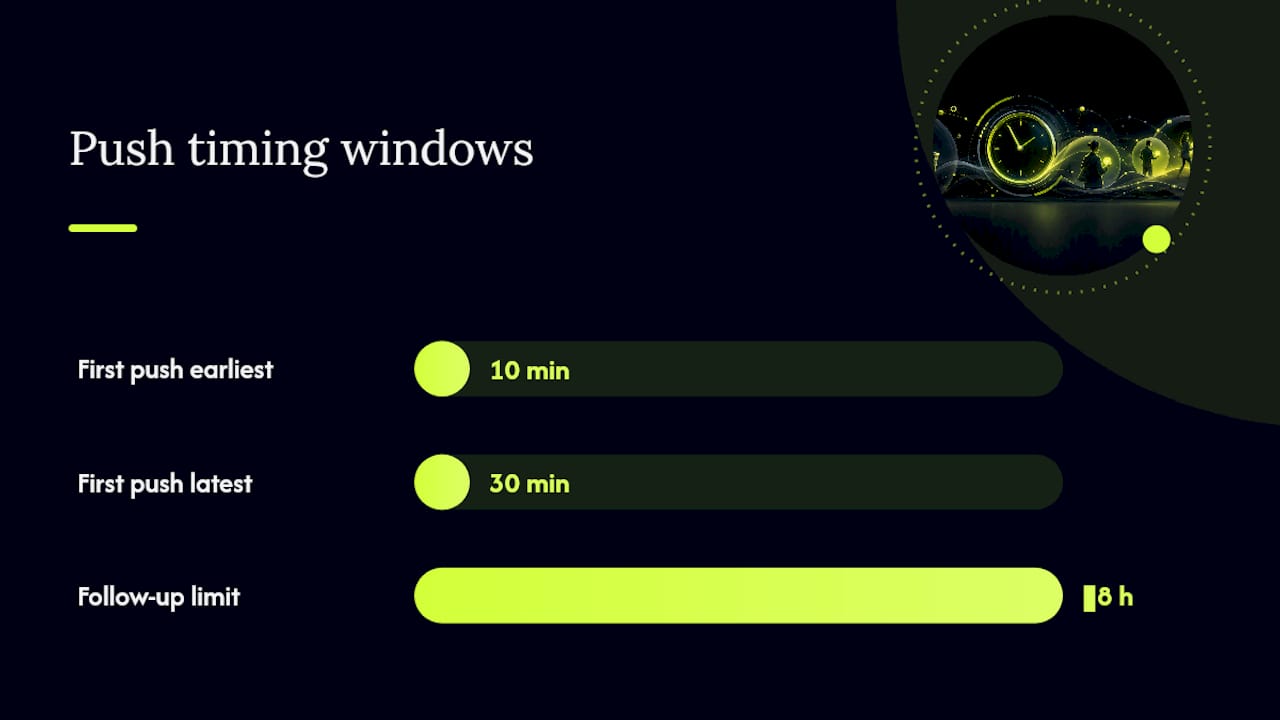
| Timing is the critical variable | Send the first push 10–30 minutes after abandonment; the ephemeral window lasts hours, not days. |
| URL prefix structure matters | Design targetContentIdentifier values as URL prefixes so iOS longest-prefix matching routes to the correct App Clip experience. |
| Validate attribution weekly | Sample 10–20 recovered orders and match session IDs between the StorePush dashboard and Shopify order records. |
| StorePush as the integration layer | StorePush handles cart-event capture, push orchestration, and server-side attribution for Shopify stores. |
Table of Contents
- How do Shopify events and App Clip pushes combine to recover a cart?
- What prerequisites do you need before implementing this on Shopify?
- How do you implement this step by step on a Shopify store?
- Copyable automation recipes for lock-screen push recovery
- What message copy and timing actually work for lock-screen pushes?
- What Apple rules and US privacy considerations apply here?
- How do you test before you launch?
- How do you measure recovered revenue and validate attribution?
- What breaks most often and how do you fix it?
- Why App Clip lock-screen pushes matter for Shopify stores right now
- StorePush makes App Clip push recovery practical for Shopify stores
- Sources
How do Shopify events and App Clip pushes combine to recover a cart?
The flow is shorter than most developers expect. A shopper invokes your App Clip by scanning a QR code on a product page, tapping an NFC tag, or clicking a Smart App Banner. iOS launches the App Clip and, because you've declared NSAppClipRequestEphemeralUserNotification in Info.plist, the system grants an ephemeral notification permission tied to that session — no opt-in prompt required from the user.
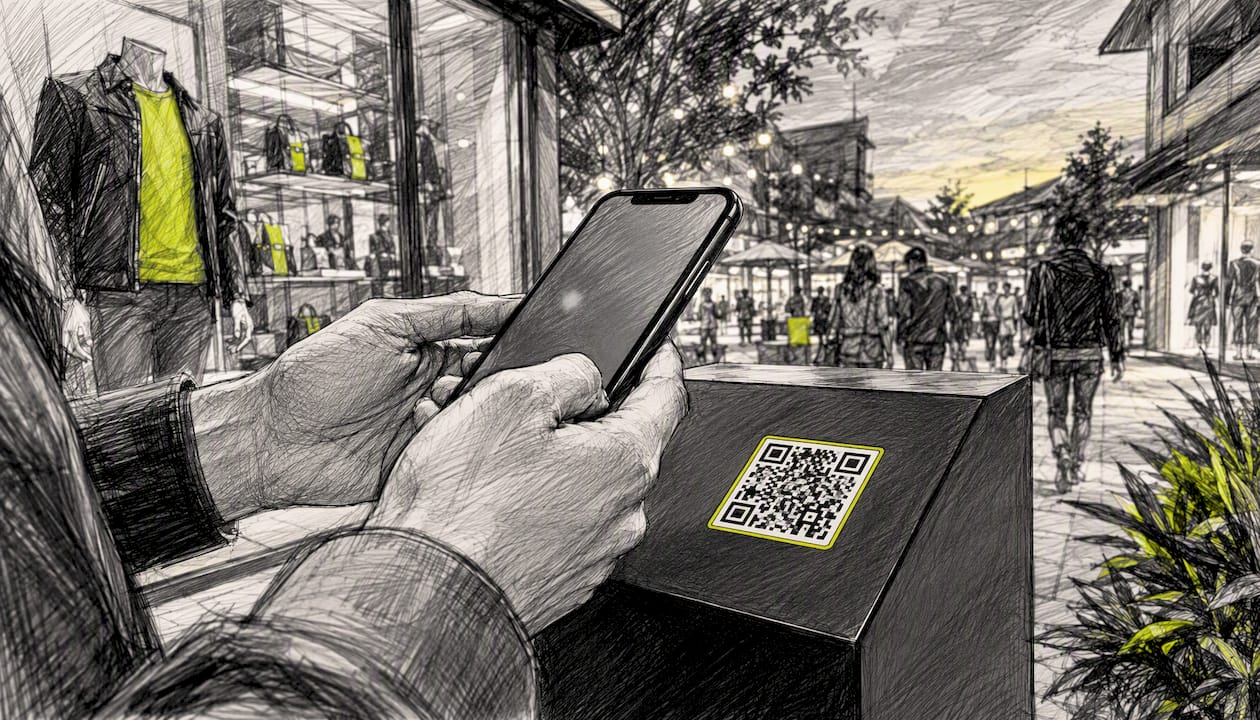
While the session is live, your Shopify storefront fires a cart-creation event. StorePush (or your equivalent integration) captures that event, pairs it with a targetContentIdentifier URL that maps to the active App Clip experience, and queues a push. When the shopper leaves without buying, the push hits their lock screen within your configured window. They tap it, iOS uses longest-prefix matching on the targetContentIdentifier to route them back to the correct App Clip experience, and the cart is waiting.
Why no contact details? Because ephemeral notifications are granted during the App Clip session itself — the permission is session-bound, not identity-bound. iOS handles routing through the App Clip experience URL, not through an email address or phone number.
What prerequisites do you need before implementing this on Shopify?
Run through this checklist before writing a single line of push payload code:
- Apple Developer account with an active membership and an iOS app in App Store Connect that includes an App Clip target inside the main app binary (App Clip features must live in the main binary per Apple's App Review Guidelines)
- Info.plist flags:
NSAppClipRequestEphemeralUserNotification(enables ephemeral push permission) andNSAppClipRequestLocationConfirmation(enables one-time location confirmation for physical triggers), both demonstrated in WWDC21 session 10013 - Invocation method: App Clip Code, NFC tag, or QR code for physical triggers; Safari Smart App Banner for web-based invocations on high-intent product pages
- Shopify-side integration: StorePush installed via the Shopify App Store (or a custom webhook endpoint) to capture
checkouts/createandcarts/createevents and map them to session identifiers - Push infrastructure: APNs credentials configured and a server capable of sending payloads with a populated
targetContentIdentifierfield
On timeline and cost: a developer familiar with App Clips can typically configure the target, set the Info.plist flags, and wire the Shopify webhook in roughly 20–40 hours of focused work. StorePush operates on a subscription model with tiered monthly plans plus a commission on attributed recovered revenue, so your cost scales with what you actually recover.
Pro Tip: Smart App Banner on desktop and mobile web is an often-missed invocation method. Add it to your highest-traffic product pages and you can surface the App Clip without printing a single QR code.
How do you implement this step by step on a Shopify store?
- Prepare the App Clip target. In Xcode, add an App Clip target to your existing iOS app. Set
NSAppClipRequestEphemeralUserNotificationandNSAppClipRequestLocationConfirmationin the App Clip'sInfo.plist. Confirm the App Clip binary is under 15 MB. - Choose and deploy invocation triggers. Add QR codes or NFC tags to product packaging or in-store displays for physical triggers. For web, add a
<meta name="apple-itunes-app">Smart App Banner tag to Shopify product page templates. Per App Clip strategy guidance, focus on one highest-intent trigger first. - Instrument Shopify cart events. Subscribe to Shopify's
carts/createwebhook. When a cart fires, generate a session URL that encodes the cart ID and maps to your App Clip experience URL structure (e.g.,https://yourstore.com/clip/cart/{cartID}). - Install and configure StorePush. Connect StorePush to your Shopify store, map the cart session identifier to the
targetContentIdentifierfield in push payloads, and configure your abandonment trigger window. - Test push routing. Send a test payload with a populated
targetContentIdentifierand verify iOS routes to the correct App Clip experience using longest-prefix matching. CheckUNUserNotificationCenterto confirm ephemeral permission status. - Staged rollout. Enable for 10–20% of App Clip sessions first. Monitor the StorePush attribution dashboard for recovered orders before expanding to full traffic.
Copyable automation recipes for lock-screen push recovery
These trigger-condition-action patterns are ready to adapt in StorePush or any webhook-based automation layer:
Recipe 1 — Standard abandoned cart recovery:
- Trigger:
carts/createevent from an App Clip session - Condition: Cart value > $25 AND at least one item in cart
- Action: Send ephemeral push with
targetContentIdentifierset to the cart session URL; message body includes product name and a short CTA ("Your [Product] is waiting — tap to finish")
Recipe 2 — Checkout abandoned without contact info:
- Trigger: Checkout created but no email/phone captured within 15 minutes
- Condition: Ephemeral notification permission still active for the session
- Action: Send a single push within the ephemeral window; if no conversion in 4 hours, send one follow-up reminder before the window closes
Recipe 3 — Location-confirmed physical trigger only:
- Trigger: App Clip invoked via NFC or QR with
confirmAcquired = true - Condition: Location confirmation succeeded AND cart created
- Action: Send push with location-aware copy ("You were just browsing [Product] in store — your cart is saved")
For payload structure, populate targetContentIdentifier with a URL prefix that matches your App Clip experience. iOS will use longest-prefix matching to route the notification accurately, so design your URL hierarchy before you write your first recipe.
What message copy and timing actually work for lock-screen pushes?
Lock-screen real estate is tight. Aim for under 60 characters in the notification body. Lead with the product name or the cart value, not a generic "You left something behind." Shoppers respond to specificity.
On timing: send the first push 10–30 minutes after the App Clip session ends. The ephemeral permission window is session-bound and lasts hours, not days, so waiting until the next morning means the window has likely closed. A single follow-up inside the 8-hour mark is reasonable; beyond that, the permission is gone and the push won't deliver.
Effective short copy examples:
- "Your Air Max 90s are still in your cart. Tap to grab them."
- "Cart saved: 2 items, $84 total. Finish in 30 seconds."
- "You were close — your order is one tap away."
Pro Tip: A/B test single-item summaries ("Your [Product Name]") against total-cart-value copy ("$84 in your cart"). Cart-value copy tends to convert better for orders above $50; product-name copy works better for single high-interest items.
Treat the App Clip push channel as a single-task reminder, not a marketing broadcast. One push, one optional follow-up, done. App Clips are designed for focused, high-intent moments — overloading the channel with repeated messages defeats the purpose.
What Apple rules and US privacy considerations apply here?
Apple's constraints are non-negotiable. Violate them and your app gets rejected.
- Binary rule: All App Clip functionality must be included in the main app binary. You cannot ship an App Clip-only binary.
- No advertising: App Clips cannot contain ads. Push notifications from App Clips must not be used for unsolicited marketing.
- Ephemeral permission scope: Ephemeral notifications are session-bound. Physical invocations (NFC, QR) and web invocations (Smart Banner) may behave differently in terms of permission duration — test both.
- Consent for ongoing pushes: If you want to send marketing pushes beyond the ephemeral window, you must present explicit opt-in consent inside the App Clip UI before requesting standard notification permission.
- US privacy: Do not attempt to infer or harvest PII from ephemeral session data. Keep attribution server-side and retain only the minimum session identifiers needed to reconcile orders. No US federal law currently mandates opt-in for push notifications, but Apple's own guidelines function as the effective enforcement layer here.
How do you test before you launch?
Device and invocation tests:
- Launch the App Clip on at least two real iOS devices running different iOS versions (not Simulator — ephemeral permissions behave differently there).
- Test each invocation method separately: QR scan, NFC tap, and Smart App Banner click.
- After each invocation, query
UNUserNotificationCenter.current().getNotificationSettings()to confirm ephemeral permission status is.authorized. - For physical triggers, verify
confirmAcquiredreturnstruebefore sending location-aware push copy.
Push routing tests:
- Send a test payload with a
targetContentIdentifierthat matches your longest-prefix URL structure and confirm the correct App Clip experience opens. - Test a mismatched prefix intentionally to verify fallback behavior.
Analytics and attribution tests:
- Simulate an abandoned cart, trigger a push, tap through, and complete a purchase. Verify the order appears in the StorePush dashboard with the correct session ID and recovered-revenue attribution.
- Cross-reference the dashboard order timestamp against the Shopify admin order timestamp to confirm they match within a few seconds.
How do you measure recovered revenue and validate attribution?
Primary metrics to track in your StorePush dashboard:
- Recovered revenue: total order value attributed to push-triggered sessions
- Tap rate: percentage of delivered pushes that result in a tap-through
- Conversion rate: percentage of tap-throughs that complete a purchase
- Session-to-push delivery rate: how many App Clip sessions successfully receive a push within the ephemeral window
Attribution works through server-side session mapping. When a shopper taps a push, the targetContentIdentifier in the payload carries the cart session URL. StorePush matches that identifier against the originating cart event and, when a purchase completes, attributes the recovered order to the push. No PII changes hands in this chain.
To validate, sample 10–20 recovered orders per week. For each, confirm the session ID in the StorePush dashboard matches the Shopify order's source identifier, and that the order timestamp falls within a plausible window after the push was delivered. Discrepancies usually point to a session ID mapping error or a clock-sync issue between your webhook server and Shopify.
Track cart abandonment rate as your baseline metric before launch so you have a clean before/after comparison.
What breaks most often and how do you fix it?
Push not delivered:
- Confirm
NSAppClipRequestEphemeralUserNotificationis set inInfo.plistand the App Clip was invoked within the current session window. - Verify APNs credentials are valid and the push payload includes a populated
targetContentIdentifier. - Check that the ephemeral permission window hasn't expired — if the session is older than several hours, the permission is gone.
Wrong App Clip experience opens:
- Diagnose your
targetContentIdentifierURL structure. iOS uses longest-prefix matching, so a URL likehttps://yourstore.com/clip/will match any cart session under that path. If you have multiple App Clip experiences, make sure their URL prefixes are distinct enough that iOS picks the right one.
confirmAcquired failures:
- Handle this gracefully in the App Clip UI. If location confirmation fails, fall back to a non-location-aware push copy rather than blocking the session.
Attribution gaps:
- Check that your Shopify webhook is firing on
carts/create, not justcheckouts/create— some cart states are created before checkout begins. - Verify the session identifier persists from the App Clip into the full app via a shared App Clip group container, so orders completed after install are still attributed.
- Compare StorePush server logs against Shopify order logs for the same time window to find any unmatched session IDs.
Why App Clip lock-screen pushes matter for Shopify stores right now
Most re-engagement playbooks assume you have the shopper's email. You don't — not for the majority of visitors who browse, add to cart, and leave without identifying themselves. That's the gap this channel fills.
What makes App Clip pushes worth the setup effort is the timing. The push arrives at a high-intent moment, on a device the shopper is already holding, with a single tap back to a ready cart. No inbox to open, no spam folder, no buried Gmail tab. The friction between "reminder" and "purchase" is as low as it gets in e-commerce.
That said, this approach fits specific situations best: stores with physical retail presence (where QR/NFC triggers are natural), high-ticket or high-consideration products where a timely nudge meaningfully changes behavior, and brands already investing in an iOS app. If you have no iOS app and no physical touchpoints, the Smart App Banner on high-intent product pages is your entry point — and it's lower-lift than it sounds.
The effort is real. App Clip setup requires iOS development resources and Apple Developer account management. But for stores where the math works — say, a meaningful share of sessions coming from iOS and a cart value that justifies the recovery economics — the channel is genuinely differentiated.
StorePush makes App Clip push recovery practical for Shopify stores
The biggest barrier to this channel isn't the concept — it's the orchestration. Mapping cart events to targetContentIdentifier values, managing ephemeral permission windows, and reconciling recovered revenue across sessions is where most implementations stall.
StorePush handles that layer directly. It integrates with Shopify to capture cart and checkout events, manages push payload construction with correct targetContentIdentifier routing, and surfaces recovered revenue in a dashboard you can reconcile against Shopify orders. The attribution model is server-side, so no PII is exposed in the process. For stores that want to reach the 90%+ of visitors who leave without sharing contact details, it's the most direct path from App Clip session to recovered order.
Ready to see it in action? Book a StorePush demo and walk through the Shopify integration with the team.
Sources
- Create App Clips for other businesses - WWDC20 - Videos - Apple Developer
- App Review Guidelines - Apple Developer
- Build light and fast App Clips - WWDC21 - Videos - Apple Developer
- App Clips vs full app install — Airbridge blog