Push notifications are not private by default. Treat every message you send as a prompt, not a secure channel. The three highest-impact fixes are simple: strip sensitive content from payloads and use push-to-sync instead, encrypt what you do send when the platform supports it, and keep your authentication keys server-side, never in a client app.
TL;DR:
- Sending minimal, non-sensitive data and having the app fetch full content after opening significantly reduces payload leaks during transit.
- Platform-specific best practices include keeping authentication keys server-side, encrypting payloads where supported, and avoiding sending sensitive information in headers or metadata.
- Metadata from push services, such as message timing and device tokens, can leak user behavior patterns or content to third parties or in government data requests.
- On-device storage and lock-screen previews can expose notification content even after deletion, making payload sensitivity and device settings critical for privacy.
- Using phishing-resistant MFA methods and implementing rate limits or number matching can mitigate push bombing attacks and improve overall push notification security.
Table of Contents
- Push Notification Security Starts With Understanding the Delivery Pipeline
- What Push Services and Vendors Can Actually See
- Lock Screens and Notification Databases Leak More Than You'd Think
- Push-Based MFA Is Convenient, Which Is Also Its Weakness
- Your Developer Checklist for Preventing Payload Leakage
- Platform-Specific Guidance for APNs, FCM, and Web Push
- User Controls That Reduce Both Risk and Opt-Outs
- How StorePush Handles Push Privacy for E-Commerce
- What Actually Moves the Needle on Push Security
- Sources
- FAQ
Push Notification Security Starts With Understanding the Delivery Pipeline
Every push message passes through three parties: your application server, a push service, and the user's device. On iOS, that push service is Apple's APNs. On Android, it's Firebase Cloud Messaging (FCM). On the open web, it's whatever push service the browser vendor operates, governed by the W3C Push API.
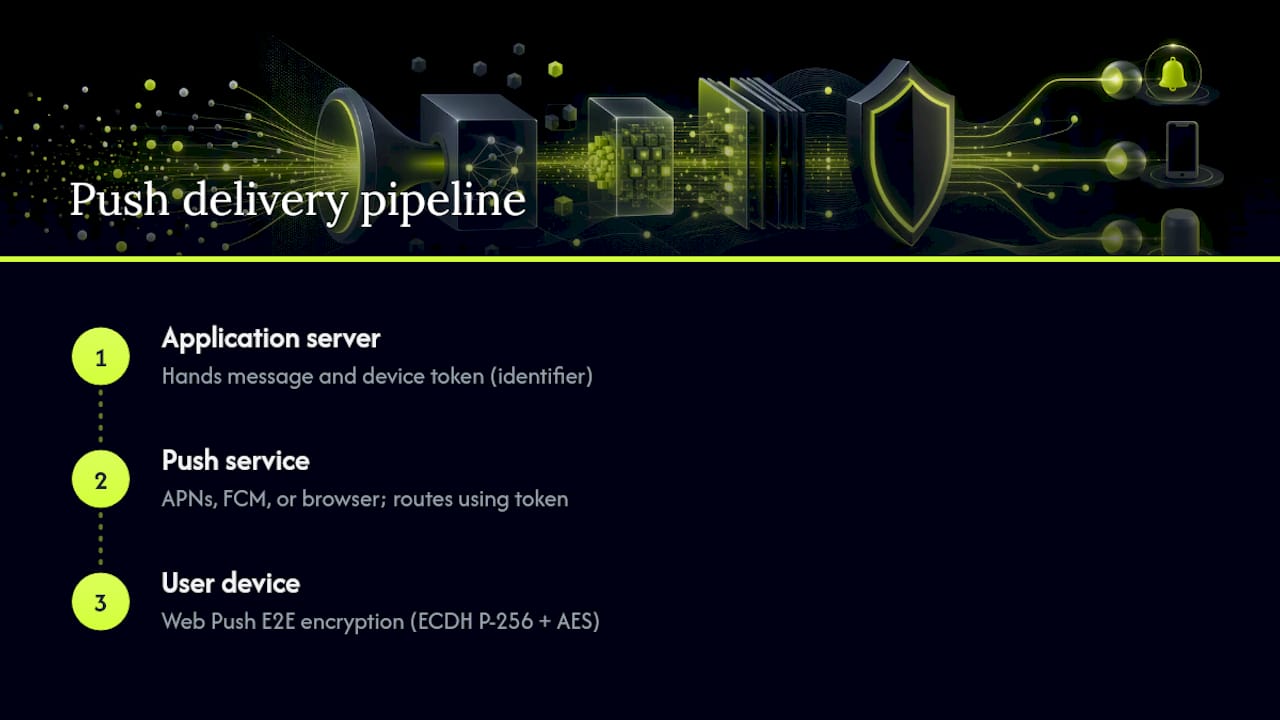
Your server never talks directly to the device. It hands the message to the push service, which routes it using a device token or subscription endpoint. Treat that token as an identifier, not a secret. It tells the network where to deliver the message, but leaking it doesn't hand over message content the way a leaked password would. Web Push adds a layer the mobile ecosystems lack by default: RFC 8291 mandates end-to-end encryption using ECDH on the P-256 curve with AES content encoding, so the push service itself can't read what it's relaying.
What Push Services and Vendors Can Actually See
This is where push notification privacy gets uncomfortable. Even when payload content is encrypted or minimal, the push service sees metadata: your app's identifier, the subscription or device token, message timing, and payload size. On networks without RFC 8291-style encryption, some of that payload can be plaintext, and it may pass through or briefly reside on vendor infrastructure.
That visibility has real policy consequences. Senator Ron Wyden's letter on smartphone push notification surveillance raised exactly this concern: platforms can be positioned to see notification metadata and, in some cases, content, and that data has been sought by law enforcement. Reuters later reported on governments requesting this kind of data from Apple and Google directly.
Academic research backs up the concern with hard numbers. A 2024 study analyzing 21 secure messaging apps found that 11 leaked metadata (user identifiers, names, phone numbers) to FCM, and four leaked actual message contents through the push channel. Only nine used push-to-sync or end-to-end strategies that avoided the leak entirely.
Practical fallout includes:
- Legal requests to platform vendors can compel disclosure of stored notification metadata or content.
- Backup systems on some devices retain notification history longer than users expect.
- Even metadata alone (who messaged whom, when, how often) can reveal sensitive relationships or behavior patterns.
Lock Screens and Notification Databases Leak More Than You'd Think
Cloud-side exposure isn't the only risk. Once a notification lands on a device, it can persist in ways users never anticipate. The EFF's analysis of push notification privacy documents that notification content is often recoverable from on-device storage, sometimes by forensic tools, even after a user swipes the notification away or deletes the underlying message.
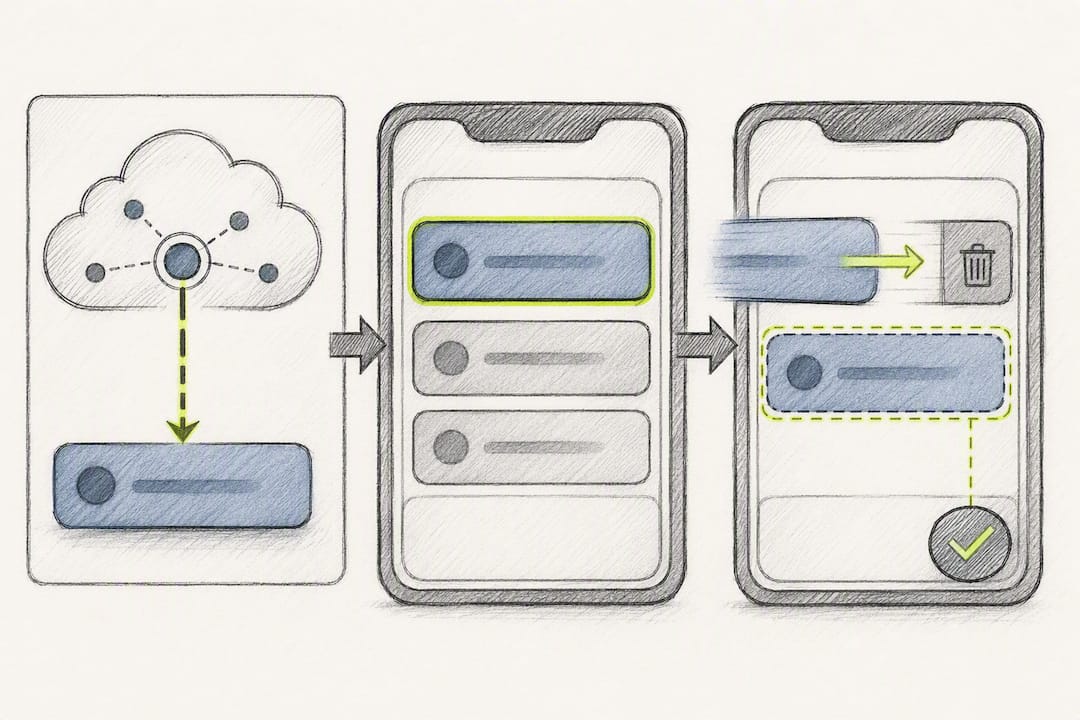
That's not theoretical. Apple shipped fixes in iOS 26.4.2 and 18.7.8 for a notification database bug that let deleted chat content be extracted by forensic tools, including by law enforcement. The bug existed because the underlying storage kept content around longer than the visible notification did.
For your users, this means:
- Lock-screen previews showing message content are visible to anyone glancing at an unlocked device, and iOS and Android both offer "hide sensitive content" preview settings worth defaulting to on.
- Deleted notifications may not mean deleted data at the storage layer.
- Payloads should never carry information you wouldn't want recoverable weeks later.
Push-Based MFA Is Convenient, Which Is Also Its Weakness
Push authentication works by pairing something you have (a registered device) with a tap of approval, and it's genuinely more usable than typing six-digit codes. That convenience is exactly why attackers exploit it. MFA fatigue attacks, also called push bombing, work by flooding a target with approval requests until one gets accidentally tapped, often at 2 a.m. or mid-meeting when a user just wants the prompts to stop.
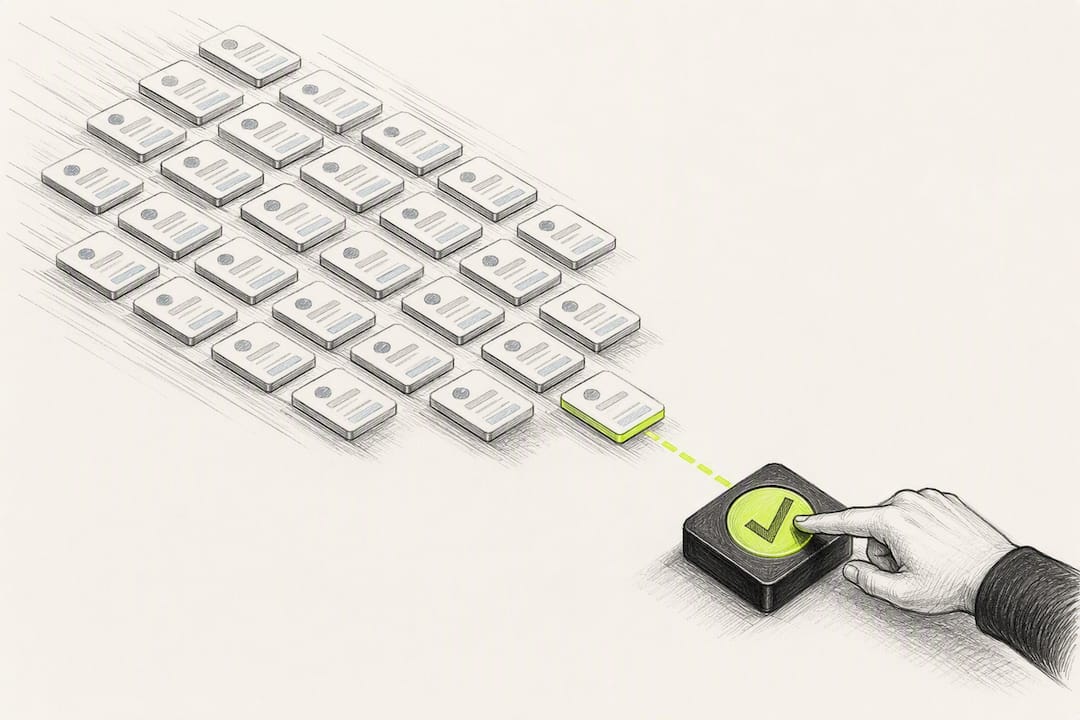
Other failure modes include social engineering (an attacker calls pretending to be IT support and talks a user into approving), device compromise (malware approves on the user's behalf), and session replay against poorly implemented push MFA backends.
CISA's guidance on phishing-resistant authentication is direct about this: simple push-approval MFA is weaker than phishing-resistant methods like FIDO2 or WebAuthn, and high-risk accounts (admins, finance, anything with elevated privileges) shouldn't rely on push approval alone.
- Add number matching so users confirm a code shown on the login screen, not just tap "approve."
- Rate-limit approval requests and flag unusual approval timing or geography.
- Reserve simple push MFA for lower-risk logins; require phishing-resistant methods for anything sensitive.
Pro Tip: If your MFA logs show a user approving requests they didn't initiate within the same minute, that's a push-bombing signature worth an automatic account lock, not just a flagged alert.
Your Developer Checklist for Preventing Payload Leakage
You can close most of these gaps without a rearchitecture by following a marketing automation checklist that guides operational controls and abuse prevention. Here's the order to tackle them in:
- Adopt push-to-sync for anything sensitive. Send a minimal payload, sometimes just an ID or a generic "you have a new message" string, and have the app fetch full content over an authenticated API call after it opens. The 2024 leak study found this was the single most effective mitigation among the apps that avoided leaking data.
- Encrypt payloads where the platform supports it. Web Push implementations should follow RFC 8291 precisely: validate the client's public key on the server, generate salts correctly, and don't roll your own crypto scheme.
- Keep APNs and FCM credentials server-side, always. Auth keys and certificates belong on your backend, never embedded in a client binary where reverse engineering can extract them. Practitioner guidance on iOS push security is blunt about this: a leaked APNs key lets an attacker impersonate your server entirely.
- Stop logging payloads and tokens in plaintext. Debug logs and crash reporters are a common, boring way sensitive payload content ends up somewhere it shouldn't. Treat device tokens as identifiers tied to an authenticated user record, and refresh them on rotation.
- Add friction to push MFA approvals. Number matching, rate limits, and anomaly detection on approval timing turn a single tap into a harder target.
Pro Tip: Run a payload audit before your next release: capture what actually goes over the wire to APNs or FCM, not what your code comments claim it sends. Discrepancies show up more often than most teams expect.
Platform-Specific Guidance for APNs, FCM, and Web Push
Each platform has its own rules for secure push notifications, and skipping the fine print is how leaks happen.
- APNs: Handle device tokens as opaque identifiers, keep authentication keys on your server, and use a Notification Service Extension when you need to decrypt or enrich content on-device rather than sending it plaintext.
- FCM: Avoid sending real message content through the FCM payload field. Minimize metadata (topic names, categories) that could reveal more than intended, and prefer the push-to-sync pattern for anything beyond a generic alert.
- Web Push / RFC 8291: Implement the ECDH and AES128GCM encryption scheme as specified, and validate subscriber public keys server-side. Remember that RFC 8291 encrypts the message body, not the HTTP headers, so don't put sensitive data in headers either.
- Testing: Add automated scans for embedded secrets before every release, and run dynamic tests that capture actual outbound payloads rather than trusting code review alone.
User Controls That Reduce Both Risk and Opt-Outs
Push notification privacy isn't only an engineering problem. Weak permission timing and sloppy preference controls drive both privacy risk and higher opt-out rates, and the two problems share the same fix.
- Ask at the right moment, with a specific value promise. A generic "Allow Notifications?" prompt at first launch converts worse and signals nothing about what the user is agreeing to. Timing and framing shape opt-in rates far more than most teams assume, a point covered in more depth in guidance on push notification opt-in.
- Offer per-topic preferences and quiet hours. Letting users mute promotional pushes while keeping transactional alerts on reduces both fatigue-driven unsubscribes and the amount of sensitive content sitting in a lock-screen preview overnight.
- Write a short incident playbook before you need it. If a leak or key compromise happens, know in advance how you'll revoke affected subscriptions, rotate server keys, disclose to affected users, and measure the blast radius.
How StorePush Handles Push Privacy for E-Commerce
StorePush's lock-screen prompts run through native Apple App Clips, which avoid requiring email or phone number collection or a persistent app install. Payloads are designed to be minimal to avoid carrying order details or personal data unnecessarily.
For merchant teams, the practical move is separating transactional pushes (order confirmations, shipping updates) from marketing pushes, and keeping lock-screen text generic on both. Map notification categories to a preference center so shoppers control frequency without opting out entirely. If you're tuning message length, character limit guidance for push notifications is worth a look before you finalize copy.
What Actually Moves the Needle on Push Security
If I had to rank the fixes in this piece, push-to-sync and server-side key control would sit well above everything else. They're unglamorous, and they don't show up in a sales deck, but they close the leak vector the arxiv research actually measured.
Run a focused audit this week: capture what your payloads send in transit, scan your codebase for embedded credentials, and pull your MFA logs to check for approval patterns that look like push bombing rather than legitimate logins.
— Lucas
Sources
- The Medium is the Message: How Secure Messaging Apps Leak Sensitive Data to Push Notification Services
- CISA guidance: phishing-resistant and number-matching multifactor authentication
- Apple fixes bug that cops used to extract deleted chat messages from iPhones
FAQ
How secure are push notifications?
Push notifications are only as secure as the payload content and the platform handling them. Web Push messages can be end-to-end encrypted under RFC 8291, but mobile push through APNs or FCM often relies on the app developer to minimize or encrypt sensitive content, since the platform can see metadata by default.
What are the risks of push notification security?
The main risks are cloud-side metadata exposure, on-device content recovery from notification databases, and push-based MFA fatigue attacks. Research on messaging apps leaking data to FCM found that 11 of 21 apps tested leaked identifying metadata through the push channel.
Should you allow push notifications?
Allowing push notifications is generally safe for apps that follow good practices like push-to-sync and minimal payloads, but you should disable lock-screen previews for sensitive apps like messaging and banking. Check each app's notification settings individually rather than applying a blanket allow or deny.
Where will I find a push notification on my phone?
Push notifications appear on your lock screen, in your notification center or shade, and sometimes as a banner while you're using another app. On both iOS and Android, you can adjust whether notification content shows on the lock screen through your device's notification or privacy settings.