
Use SMS when a message absolutely has to land, like order updates, security codes, or anything time-sensitive. Use push for cart recovery, personalized offers, and everyday engagement with app or web visitors, since it costs far less per message. The smartest setups don't pick one. They send push first and fall back to SMS only when the message truly can't wait or the customer never installed the app.
TL;DR:
- Push notifications are limited to app users or browser opt-ins, while SMS can reach anyone with a phone number regardless of app installation.
- Push offers richer content like images and action buttons but depends on internet connection and user permissions, whereas SMS is more reliable for urgent messages and works offline.
- SMS is better suited for time-sensitive alerts such as security codes and confirmation messages, while push excels for personalized offers and non-urgent engagement.
- Combining both channels in a sequence, with push first and SMS fallback, optimizes engagement while controlling costs.
- Lock-screen push notifications via native iOS App Clips can recover abandoned carts from anonymous visitors without collecting contact details.
Table of Contents
- SMS vs Push Notifications: What Each Channel Actually Is
- Push Notification vs SMS: A Head-to-Head Comparison
- When to Use SMS vs Push: Practical Scenarios
- How to Combine Push and SMS Without Duplicate Messaging
- Building Push and SMS Programs That Don't Burn Out Your List
- How Lock-Screen Push Recovers Carts Without Collecting Contact Info
- Three Rules of Thumb for Choosing a Channel
- Recover More Carts Without Chasing Phone Numbers
- Sources
SMS vs Push Notifications: What Each Channel Actually Is
Before comparing the two, it helps to separate what people mean when they say "push" versus "SMS," because both terms get used loosely.
Push notifications are messages delivered directly to a device's lock screen or notification center. They come in three flavors: mobile push (through an installed app), web push (through a browser, even without an app), and in-app messages (shown only while the app is open). Delivery runs through Apple's APNs, Google's FCM, or a browser's push service, and it depends entirely on the recipient having granted permission and having an active internet connection, as Twilio's breakdown of push versus SMS delivery explains.
SMS and MMS, on the other hand, travel over the cellular network through an SMSC (short message service center), the same infrastructure that's carried text messages for decades. No app, no Wi-Fi, no permission screen. Just a phone number.
That difference in plumbing creates very different prerequisites for reach:
- Push requires an app install plus an accepted permission prompt, or a browser opt-in for web push.
- SMS requires only a valid phone number and explicit consent to receive texts.
- Content capacity favors push for interactivity: rich images, deep links straight into a product page, and action buttons baked into the notification.
- SMS caps text at 160 characters per segment, though MMS allows images at a higher per-message cost.
The practical takeaway: push can do more, visually and functionally, but only for people who've already installed your app or granted browser permission. SMS does less, but it reaches almost anyone with a phone.
Push Notification vs SMS: A Head-to-Head Comparison
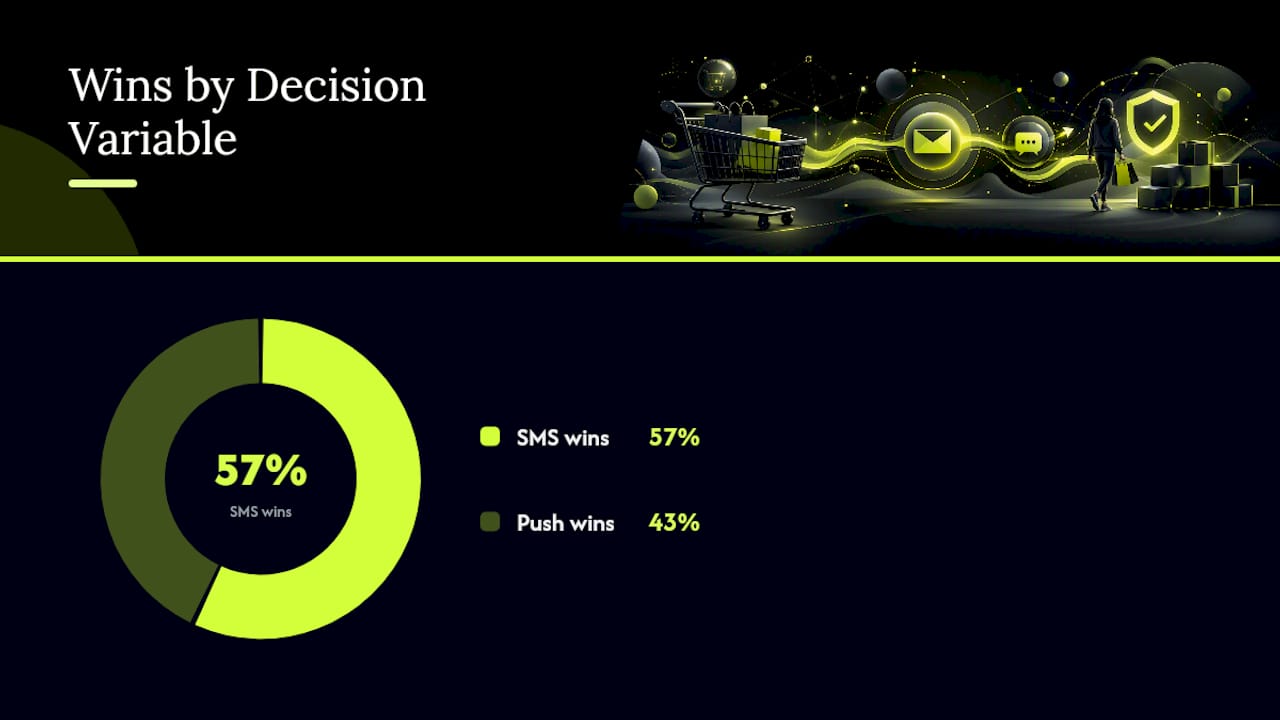
Once you understand what each channel is built on, the real decision comes down to seven variables that actually move campaign outcomes.
Delivery mechanism and connectivity. Push depends on an active internet connection and a live token from APNs, FCM, or a browser push service. If a phone is offline, the message queues until it reconnects, which can mean delays or, in some cases, the notification never arrives. SMS rides the cellular network directly, so it works even on a spotty connection or a phone with no data plan active, a distinction Pushwoosh highlights as the core reliability gap between the two channels.
Reach and prerequisites. This is the biggest structural difference. Push only reaches people who installed your app or opted into web push, a fraction of your total traffic. SMS reaches anyone who gave you their number, app or no app.
- Push: limited to app-active or browser-opted-in users.
- SMS: works for any customer with a mobile number on file.
Content richness. Push wins here without much argument. You get images, deep links into specific product pages, and tappable action buttons right in the notification tray. SMS is text-first; MMS adds images but at added cost and with less design flexibility.
Cost structure. SMS is billed per message, and at scale that adds up fast, especially for international sends where carrier fees vary widely. Push is typically bundled into a platform subscription with no per-message cellular fee, which is why it's often the cheaper channel for high-frequency campaigns. If you're weighing budgets, it's worth comparing push notification pricing structures against typical SMS per-send costs before committing to a volume strategy.
Reliability for urgent messages. SMS's cellular delivery makes it the safer bet for anything time-critical: security codes, fraud alerts, appointment reminders. Push can be delayed by connectivity, battery optimization settings, or a user simply not having the app open in the background.
Two-way interaction. SMS supports natural back-and-forth conversation. A customer can reply "STOP," ask a question, or confirm a delivery window in plain text. Push is fundamentally one-way; tapping a notification opens an app or a link, but there's no reply thread.
Analytics and attribution. Both channels support delivery and click tracking, but push platforms tend to offer deeper behavioral data, funnel tracking, and revenue attribution tied to in-app or on-site events, since the interaction happens inside an environment you already control. SMS analytics are usually thinner: delivery confirmation, click on a shortened link, and opt-out rate.
None of these axes crowns a universal winner. They tell you what each channel is good at, which means the real work is matching the axis to your actual business goal.
When to Use SMS vs Push: Practical Scenarios
Matching channel to message type is the single highest-leverage decision most marketers get wrong. Here's how to sort it by goal.
- One-time passcodes and account security. Always SMS. A login code sitting unread in a push queue defeats the purpose of two-factor authentication.
- Order and shipping updates. SMS is the safer default here too, since customers expect a text when a package ships, even if they never installed your app.
- Mandatory confirmations. Appointment reminders, delivery windows, anything requiring a guaranteed read. SMS again, because it doesn't depend on app engagement or connectivity.
- Cart abandonment recovery. Push is the natural fit for app users and website visitors who granted browser permission. It's cheaper per send and can drop a visual reminder of the exact item left behind, deep-linked straight to checkout.
- Personalized product recommendations. Push handles this well because it supports rich imagery and can trigger based on browsing behavior in real time.
- Promotional nudges and flash sales. Push again, for cost reasons. Blasting a storewide sale to your entire SMS list gets expensive fast; push absorbs that volume for a flat platform cost.
- New feature or app update announcements. Push, since the audience is by definition already engaged with your app.
The segmentation logic underneath all of this is simple: app-active and browser-opted-in shoppers are your push audience, while low-engagement or non-app shoppers (or anyone you need to guarantee reaches) belong on SMS. A store running both channels typically finds that SMS targeting works best for high-intent segments like repeat buyers, while push handles the higher-volume, lower-cost engagement layer for everyone browsing on-site.
How to Combine Push and SMS Without Duplicate Messaging
The strongest programs don't treat this as an either-or decision. They build a sequence.
- Send push first for any message that isn't strictly urgent, like a cart reminder, a back-in-stock alert, or a personalized offer.
- Wait a defined window, typically 15 to 60 minutes depending on the message type, before checking whether the push was opened or acted on.
- Escalate to SMS only if push failed to deliver or engage, and only for messages worth the added per-message cost, like a high-value cart or a shipping issue.
- Suppress the SMS entirely if the push already converted, so the customer never gets a redundant text about something they already handled.
This push-first, SMS-fallback pattern is exactly the balance Pushwoosh recommends for teams trying to control cost without sacrificing deliverability on messages that matter.
Some messages should skip the waiting window entirely. Security alerts, OTPs, and fraud warnings should go straight to SMS, since a delayed push on a time-sensitive security message isn't a minor inconvenience, it's a real risk.
Pro Tip: Measure push engagement within the first 30 to 60 minutes before triggering the SMS fallback. Escalating too fast burns SMS budget on messages that would have converted anyway; waiting too long defeats the purpose of a fallback in the first place.
Building Push and SMS Programs That Don't Burn Out Your List
Getting the mechanics right matters as much as picking the right channel for the right message, as outlined in this marketing automation checklist for SMBs.
Permission timing matters more than most marketers assume. iOS gives you exactly one shot at the system permission prompt. Ask too early, before a visitor has seen any value, and you'll get an automatic decline that's hard to reverse. Best practice is a "soft ask," a custom in-app screen that explains the benefit before triggering the real OS prompt, a pattern Retail Dive's practitioner coverage flags as one of the highest-leverage tweaks available for opt-in rates.
SMS opt-in has a harder legal floor. The FCC's TCPA rules require explicit, documented consent before you send any commercial text, and violations carry real financial exposure. Build your opt-in flow around clear consent language, not a pre-checked box.
Frequency discipline separates programs that work from ones that get uninstalled or opted out. A useful structure:
- Transactional (order confirmations, shipping): always sent, never suppressed.
- Behavioral trigger (cart abandonment, browse abandonment): capped per user per week.
- Promotional (sales, new arrivals): the most aggressively suppressed tier, since it's the first thing that drives opt-outs.
On measurement, track delivery rate, open or click-through rate, conversion rate, revenue per message, and opt-out rate across both channels using the same definitions, so the comparison is actually apples to apples.
Statistic to watch: SMS messages are typically opened within minutes of arrival, a speed advantage Twilio's comparison of the two channels attributes to the fact that text notifications interrupt the lock screen directly, while push open rates vary more widely depending on app engagement and notification fatigue. Design your escalation windows around that gap instead of guessing at timing.
Run A/B tests on send time, message copy, and channel order over at least a full week to account for day-of-week variation in shopping behavior, then extend to a full purchase cycle before calling a winner.
How Lock-Screen Push Recovers Carts Without Collecting Contact Info
Most cart recovery still assumes you already have an email or phone number, which is a bad assumption. Most abandoning visitors give you neither.
Some push notification solutions use native iOS App Clips to place a push notification directly on a shopper's lock screen, without requiring an app install, an email address, or a phone number. That's a meaningfully different trade-off from SMS: you lose SMS's universal reach across Android and non-iOS scenarios, but you gain the ability to re-engage the overwhelming majority of anonymous visitors who leave without ever giving up contact details.
Metrics worth testing before a full rollout:
- Recovery rate on abandoned carts versus your current baseline.
- Revenue per recovered session.
- Opt-in rate to the lock-screen push flow itself.
As with any new channel, A/B test against your existing recovery flow before shifting budget, and lean on solid push notification analytics to confirm the lift is real and not seasonal noise.
Three Rules of Thumb for Choosing a Channel
Match urgency to reliability: if a message must be seen, send SMS. Match volume to cost: if you're messaging often, invest in push infrastructure instead of paying per text. And measure both channels on identical KPIs, delivery, click, conversion, revenue per message, so the comparison isn't skewed by channel-specific vanity metrics.
— Lucas
Recover More Carts Without Chasing Phone Numbers
Most cart recovery strategies stall at the same wall: you can't message a shopper you never identified. SMS and email both require the customer to hand over contact information first, and most never do. Some platforms solve that problem by placing a lock-screen push notification directly in front of anonymous visitors through native iOS App Clips, no app install, no email, no phone number collected.
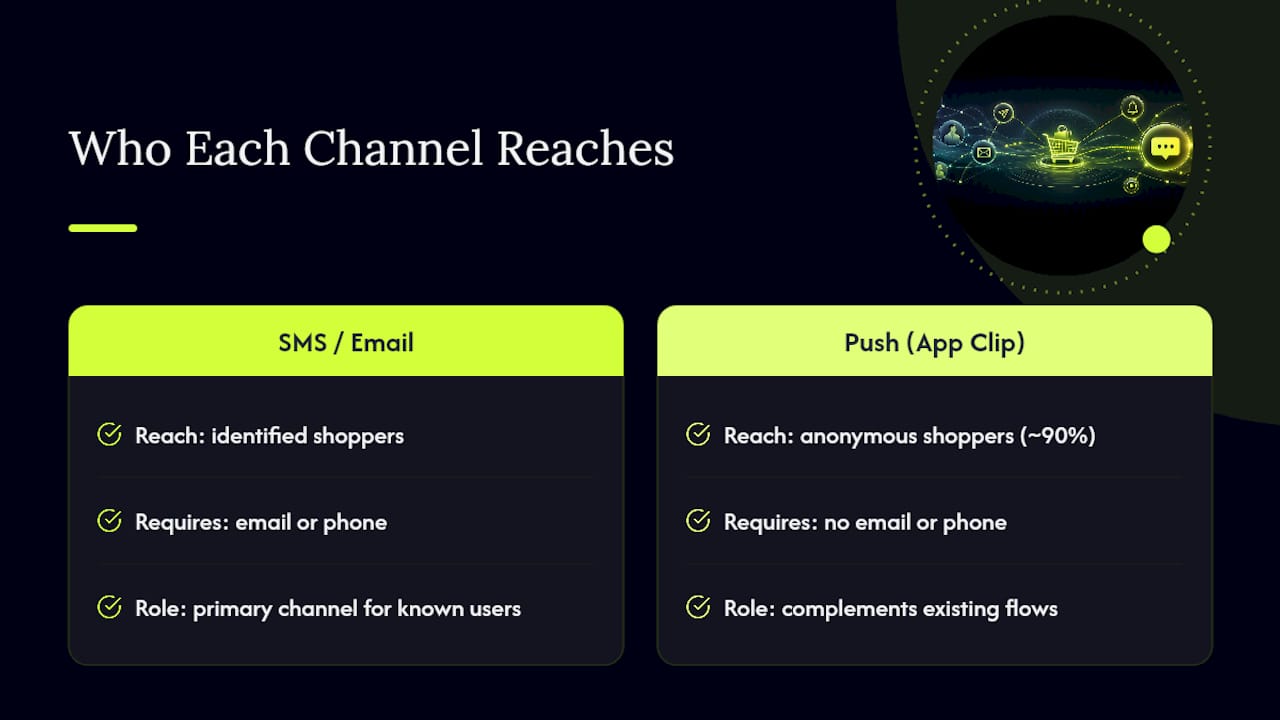
That makes it a genuine complement to whatever SMS or email flow you already run, not a replacement, since it targets the exact segment those channels can't reach. If you're running an e-commerce store on Shopify, WooCommerce, BigCommerce, or a custom storefront and want to see what recovering that anonymous 90% actually looks like, you can book a demo or explore the full product details to see how the integration fits your current stack.
Sources
- FCC — TCPA rules
- Push Notifications vs. SMS Texts: What’s the Difference? | Twilio
- Push notifications vs. SMS: comparison, use cases & how to combine both | Pushwoosh
- Retail Dive — when to use push vs SMS (practitioner insight)