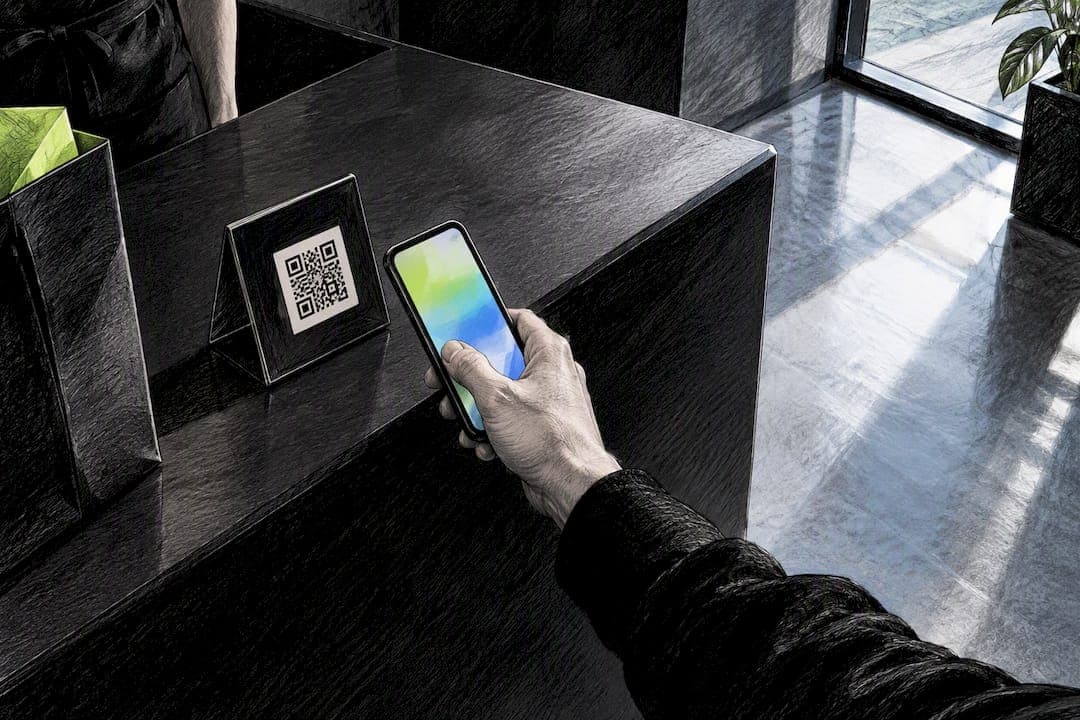
The fix for anonymous shopper reengagement is App Clip ephemeral notifications: a native iOS feature that lets you send a lock-screen alert to a visitor's phone after they leave your checkout, without ever collecting an email or phone number. StorePush is one option built specifically around this, using Apple's App Clip framework to reach the majority of visitors who abandon a cart and never hand over contact details.
TL;DR:
- Ephemeral notifications via App Clips attract distracted shoppers who had purchase intent but did not complete a checkout, especially within the first few hours of abandonment.
- Proper implementation requires setting invocation points, configuring entitlements, building targeted payloads, and testing cart restoration seamlessly across devices.
- Sending a single, clear message within one to four hours, focusing on convenience or price drops, improves conversion, while multiple messages risk spamming.
- Tracking success depends on recovery rates, click-throughs, and revenue tied directly to session IDs, using server-side attribution rather than email or phone data.
- StorePush provides a ready-made platform for deployment, integrating with major eCommerce platforms, offering funnel tracking, and starting with free options or paid plans with revenue-based commissions.
Table of Contents
- How App Clips and ephemeral notifications actually work
- Why this approach converts: evidence from user behavior and research
- Step-by-step implementation checklist
- Messaging, triggers, and templates that convert anonymous shoppers
- How to measure success and attribute recovered sales
- Privacy and App Store constraints: what's allowed
- Testing, iteration, and common pitfalls
- When to add App Clip reengagement to your retention stack
- How StorePush helps you put this into practice
- Sources
- FAQ
How App Clips and ephemeral notifications actually work
An App Clip is a small, lightweight part of an app that opens instantly when a shopper taps a link, scans a code, or interacts with an NFC tag, no App Store download required. That matters because most abandoned-cart visitors will never install your app or type in an email address, but they will tap a smart banner or scan a QR code sitting at a checkout counter or on a product page.
Once someone opens your App Clip, Apple's developer guidance explains that you can request ephemeral notification permission, a temporary window during which you're allowed to send that visitor a push without asking for standing permission. You enable this through specific Info.plist keys, including NSAppClipRequestEphemeralUserNotification, and Apple recommends checking whether ephemeral access is already granted before prompting again.
The flow looks like this:
- A shopper opens your App Clip anonymously and starts a checkout.
- They exit without finishing, and no email or phone was ever collected.
- Your system sends an ephemeral notification straight to their lock screen.
- A tap routes them back into the same session, cart intact.
Pro Tip: Check the ephemeral authorization state before every send, requesting it repeatedly annoys shoppers and can suppress future prompts.
Why this approach converts: evidence from user behavior and research
Cart abandonment isn't one problem, it's several stacked on top of each other. Baymard's research found that 42% of US online shoppers abandoned a cart because they were just browsing, a segment no message will convert because there was never real purchase intent. The rest split between fixable friction, like checkout forms with too many fields, and shoppers who simply need a nudge: a reminder, a price drop, a sense of urgency.
App Clip reengagement is aimed squarely at that second group, people who had intent but got distracted, hit a login wall, or wanted to compare prices elsewhere. Apple's own guidance frames App Clips as a privacy-first entry point precisely because they let a shopper act without installing anything or handing over data, which lowers the trust barrier that stops many people from engaging with a traditional retargeting ad or email signup form in the first place.

Step-by-step implementation checklist
Rolling this out touches both your engineering and marketing teams. Work through it in order:
- Pick your invocation points. A QR code on a product page, an NFC tag at a physical counter, or a smart App banner on a paid landing page each fit different customer moments.
- Configure the right entitlements. Add NSAppClipRequestEphemeralUserNotification, and NSAppClipRequestLocationConfirmation if location context helps, while keeping your App Clip build under Apple's size limit.
- Build the notification payload. Use targetContentIdentifier alongside cart and session parameters so the click maps back to the exact abandoned session on your server.
- Set up server-side attribution. Log every session ID, notification send, and click so recovered revenue ties to a real event, not a guess.
- Test the checkout handoff. Route the tap into Apple Pay or a web checkout URL that restores the cart exactly as the shopper left it, then run the full path end to end before launch.
- Draft your permission copy. Decide early whether you'll ever ask for permanent notification access, and write that request honestly if you do.
Pro Tip: Test the handoff on an actual device, not just a simulator. Cart restoration bugs that never show up in testing tools tend to surface the moment a real shopper taps through.
Messaging, triggers, and templates that convert anonymous shoppers
The message matters as much as the mechanism. Stick to a single, clear intent per notification: a cart reminder, a stock alert, a price drop, or a time-limited offer. Trying to pack more than one idea into a lock-screen alert just dilutes the tap-through.
Timing also matters more than most marketers expect. Send the first notification within one to four hours of the visit, while the ephemeral window is still open and the shopper still remembers browsing your store. A push that lands two days later, after they've forgotten why your name is on their screen, rarely converts.
- Lead with convenience, not urgency: "Your cart's still here, pick up where you left off."
- Use price movement as a hook: "That item just dropped in price, still interested?"
- Flag scarcity honestly: "Only a few left in your size."
Keep the tone conversational and skip any request for contact details in that first message, the entire appeal of this channel is that shoppers don't have to hand anything over. StorePush's price-drop alert templates offer a useful starting point for wording that stays short and specific.
Pro Tip: Write the notification the way you'd text a friend a heads-up, not the way you'd write an email subject line.
How to measure success and attribute recovered sales
Track a small set of numbers, not a dashboard full of vanity metrics:
- Recovered conversion rate: the share of notification recipients who complete checkout.
- Recovered revenue: total order value tied specifically to App Clip notification clicks.
- Notification click-through rate: how many recipients tap through at all.
- Average order value of recovered orders: compared against your normal AOV to spot discounting patterns.
Because you're not collecting emails or phone numbers, attribution has to run through the session itself. Pair targetContentIdentifier with URL parameters that carry the original cart or session ID, then match that against your server logs when a purchase completes, as Apple's App Clip documentation describes for multi-business App Clip setups. First-party, server-side matching is more reliable here than trying to stitch together cross-app identifiers, and it sidesteps a lot of the privacy complexity entirely. Run a short controlled test, half your traffic gets the notification, half doesn't, before you scale spend on the assumption that it's working.
Privacy and App Store constraints: what's allowed
Ephemeral notification access isn't indefinite, and Apple displays the permission prompt directly on the App Clip card so shoppers know exactly what they're agreeing to before anything is sent. That transparency is part of the deal, not an obstacle to design around.
AppTrackingTransparency consent only comes into play when you're linking identifiers across separate apps or websites. Apple's privacy and data use guidance makes clear that most App Clip reengagement flows don't need ATT consent at all, since you're working within a single session rather than matching a shopper's identity across platforms.
- Write purpose strings that say exactly why you're asking, no vague permission language.
- Never pass session or notification identifiers to third-party data brokers.
- Log every consent decision so you have a record if a shopper asks what you collected.
Pro Tip: Treat the ephemeral window as a trust test. Shoppers who have a good first experience are more likely to accept a permanent permission request later, if you ever need one.
Testing, iteration, and common pitfalls
Run this like any other conversion channel: A/B test send timing, CTA wording, and destination links, then track revenue per notification sent rather than just click-through rate.
- Avoid asking for permanent permission too early. It breaks the frictionless promise that makes App Clips work.
- Don't over-message. One or two notifications per abandoned session is the ceiling, more reads as spam.
- Audit your attribution tagging regularly. A broken targetContentIdentifier link quietly erases your recovered-revenue numbers.
- Fix a clunky checkout handoff before you scale. No notification strategy survives a cart that doesn't restore properly.
Pilot on a small slice of mobile traffic, confirm the lift is real, then expand.
Pro Tip: Give a pilot at least a couple of weeks before judging it, early data is noisy and one slow week can look like failure when it isn't.
When to add App Clip reengagement to your retention stack
This tactic earns its place fastest in mobile-first stores where contact-capture rates are already low, physical retail tie-ins, flash sales, or ad-driven landing pages where a shopper never had a reason to type in an email. It isn't a replacement for email or SMS: those channels still carry your long-term relationship once someone opts in. App Clip notifications catch the much larger group who never opt into anything. Pair the two rather than picking one, and fix the checkout friction Baymard's research flags before assuming any notification channel will carry the whole load. If you're weighing this against other approaches, the immediate next step is a controlled pilot with a fixed KPI, not a company-wide rollout.
— Lucas
How StorePush helps you put this into practice
StorePush builds this exact flow: App Clip integration, lock-screen push notifications sent without collecting a single email or phone number, and a dashboard that attributes recovered revenue back to the session that generated it.
- Connects to Shopify, WooCommerce, BigCommerce, or a custom storefront.
- Includes funnel tracking and click-rate heatmaps so you can see where notifications convert.
- Starts on a Free plan at Storepush, with a Pro plan at $50 per month plus a 5% usage commission on recovered revenue.
Deciding which anonymous visitor segments deserve a notification first is its own exercise, this audience targeting primer is a useful companion read. If you want a walkthrough before committing, book a demo and see the setup against your own checkout.
Sources
- Streamline your App Clip - WWDC20 - Videos - Apple Developer
- Learn More About App Clips - Apple Support
- 50 Cart Abandonment Rate Statistics 2026 – Cart & Checkout – Baymard
FAQ
Does anonymous shopper reengagement require an email or phone number?
No, that's the point of using App Clip ephemeral notifications: the entire flow works off a session and cart ID, with no email or phone collected. The notification goes straight to the shopper's lock screen through the App Clip they already opened.
How long does the ephemeral notification window stay open?
Apple's developer documentation describes ephemeral access as a temporary window tied to each App Clip launch, configured through Info.plist keys rather than a fixed universal duration. Send your first notification early in that window, within one to four hours of the visit, rather than waiting.
Do I need App Tracking Transparency consent for this?
Only if you're linking identifiers across separate apps or websites. Most App Clip reengagement flows stay inside a single session, so according to Apple's privacy guidance, ATT consent typically isn't required.
What kind of cart abandonment can this actually recover?
It works best on shoppers who had real intent but got distracted, not the 42% who were just browsing according to Baymard's research. Pair it with checkout UX fixes for the segment that leaves due to friction, not disinterest.
What does StorePush cost to set up?
StorePush offers a Free plan and a Pro plan at $50 per month plus a 5% commission on recovered revenue, both listed at Storepush. There's no separate setup fee mentioned beyond those terms.