There's no single best time to send a push notification, and any guide that gives you one exact hour is guessing. The real answer is a system: localize delivery to each recipient's time zone, lean on category-specific windows as a starting point, and move toward per-user adaptive timing as fast as your resources allow. Your first move today should be enabling time zone-aware sends and setting quiet hours, since that alone fixes the most common and most damaging timing mistake.
TL;DR:
- Localizing push delivery by time zone and setting quiet hours can significantly improve engagement and prevent notifications from arriving when users are asleep or distracted.
- Sending between 7 to 9 AM boosts open rates, while 6 to 9 PM typically yields higher conversions, but timing effectiveness varies based on app category and user behavior.
- Category-specific windows, such as meal times for food apps or event-based triggers for finance, outperform generic schedules, especially for time-sensitive alerts like cart abandonment or stock updates.
- Implementing per-user adaptive timing relies on sufficient historical engagement data and becomes cost-effective only at larger scales; small teams should focus on basic localization first.
- Avoid scheduling in sender time zones, overloading the 9 to 10 AM period, or neglecting frequency caps, as these common mistakes undermine push strategy effectiveness.
Table of Contents
- What Is the Best Time to Send Push Notifications?
- How Should Timing Differ by App Category and Device?
- Why Does Time Zone Matter More Than Clock Time?
- How Often Should You Send, and How Does Frequency Affect Timing?
- Is Per-User Adaptive Timing Worth the Investment?
- How Do You Test and Measure Send-Time Performance?
- What Mistakes Quietly Wreck Push Timing Strategies?
- What's the Realistic Rollout Order for Most Teams?
- Where Timing Data and Research Come From
- Sources
- FAQ
What Is the Best Time to Send Push Notifications?
Ask five vendors when to send a push and you'll get five different answers, but they cluster around the same three windows for good reason. Early morning (roughly 7 to 9 AM), the lunch stretch (12 to 1 PM), and early evening (6 to 9 PM) show up again and again in industry data as periods when people are most likely to glance at a lock screen and act on it. None of them are magic. They work because they match natural breaks in attention, not because some algorithm anointed them.
Morning sends catch people before the workday swallows their focus. Lunch catches a lull. Evening catches the wind-down period when people are scrolling rather than working. But here's the nuance that most quick-tip articles skip: what these windows are good for depends entirely on the metric you're chasing.
Open rates tend to spike in early morning because notification volume is still low and your message isn't fighting for space against forty other pings. Conversions, on the other hand, often perform better in the evening, when people have both time and a payment method within reach. A grocery app and a mobile game can share the same 7 PM send time and get completely different outcomes because one is competing with dinner and the other is competing with nothing.
There's also a window worth actively avoiding: the 9 to 10 AM stretch, when inboxes and lock screens are already saturated with work-related noise. Calendar reminders, Slack pings, and email digests all cluster there, and a promotional push sent into that traffic jam gets buried. Shifting a Sand even 30 to 45 minutes earlier, ahead of the 9 AM rush, can outperform the "obvious" morning slot.
A few patterns are worth building into your baseline calendar:
- Early morning (7 to 9 AM): strong for opens, weak for conversions unless the offer is time-sensitive (flash sales, limited stock).
- Lunch (12 to 1 PM): reliable secondary window, especially for food, delivery, and quick-decision purchases.
- Early evening (6 to 9 PM): best average performance for e-commerce and entertainment apps, when browsing intent is highest.
- Late night (after 10 PM): generally underperforms and raises opt-out risk, even though a subset of night-owl users will engage.
Data point: an exploratory academic trial on a smartphone-based stress management app found that both the timing and frequency of notifications meaningfully changed how much people used the app, even when message content stayed constant and the daily notification cap stayed consistent. That's a clean signal from a controlled study, not just vendor anecdote: schedule matters independently of what you're actually saying.
Treat these windows as hypotheses to test, not rules to follow blindly. The category of your app and the device your user is holding will bend every one of these numbers.
How Should Timing Differ by App Category and Device?
A finance app and a food delivery app should never share a push schedule, because the jobs they do for the user happen on completely different clocks. Category is one of the strongest predictors of when a notification will land well, and treating all apps like one generic audience is where a lot of timing strategies quietly fail.
News and finance apps perform best tied to events, not clocks. Market open, market close, and breaking news moments outperform any fixed daily slot. A stock alert at 9:31 AM (right after the opening bell) will beat a generic 8 AM push nearly every time, because the trigger is relevant, not just punctual.
E-commerce apps do well with the classic lunch and evening windows, but cart abandonment pushes are the exception. Those perform best sent within one to three hours of the abandonment event itself, regardless of what time that happens to be. Waiting for "the right hour" on an abandoned cart usually means waiting too long. This is exactly the gap a specialized tool can close on the storefront side, since a shopper who walks away at 2:47 PM on a Tuesday still gets a lock-screen nudge close to the moment they left, not whenever the next scheduled batch goes out.
Food delivery apps live and die by meal windows: 11 AM to 1 PM and 5 to 7 PM. Sending a lunch promo at 3 PM is close to wasted spend.
Gaming apps often see strong evening and late-afternoon engagement, particularly on weekends, since play sessions cluster around free time rather than errands or meals.
Habit and wellness apps (fitness, meditation, journaling) tend to perform best anchored to a personal routine cue: right after a typical wake time or right before a typical bedtime, which is inherently a per-user calculation rather than a single company-wide hour.
A few practical adjustments worth building into your send logic:
- Mobile-first apps should assume most engagement happens outside the 9 to 5 window; desktop-adjacent behaviors (research, comparison shopping) skew toward daytime.
- Weekday schedules should respect commute and work hours; weekend schedules can shift a full hour or two later, since Saturday sends have been shown to outperform weekday sends for some consumer categories.
- Event-triggered pushes (cart abandonment, price drops, back-in-stock alerts) should generally override fixed-schedule logic entirely.
- Recheck your category assumptions quarterly. User behavior drifts with seasons, and a window that worked in Q1 can quietly decay by Q3.
Why Does Time Zone Matter More Than Clock Time?
Sending every user a push at "8 PM" without checking their actual local time is one of the most common and most expensive mistakes in push strategy, and it's shockingly still widespread. If your app has users across three time zones and you fire a single batch at 8 PM sender time, a third of your list is getting hit at 5 PM, and another third is getting hit at 11 PM, half asleep and irritated.
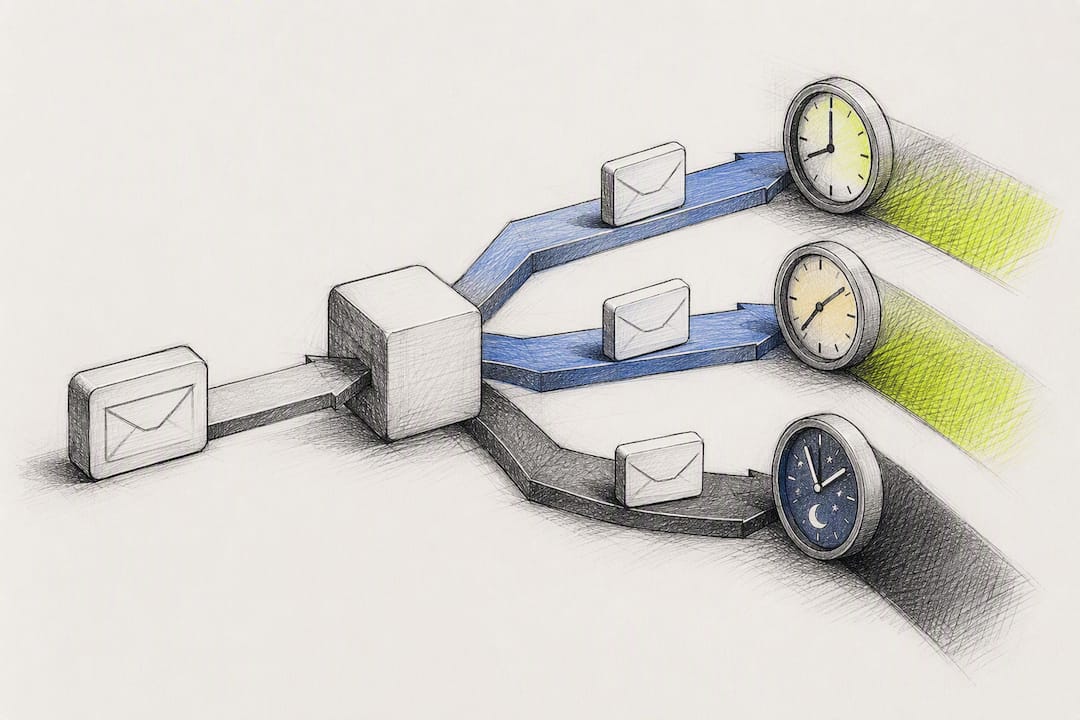
Vendor data suggests localizing delivery to each recipient's time zone can lift click-through rates significantly compared with a single blast time. That's not a marginal tweak. It's often the single highest-leverage change available before you touch content, creative, or offer at all.
Here's how to actually implement it, in order of effort:
- Bucketed time zones. Group users into broad regions (Eastern, Central, Mountain, Pacific, or international equivalents) and schedule separate sends per bucket. This is the fastest fix and usually available in most push platforms without custom engineering.
- Exact local-time delivery. Use device-reported time zone data to schedule each user's push at their precise local time, down to the minute. This requires more platform sophistication but removes the guesswork entirely.
- Quiet-hours enforcement. Set a hard suppression window, typically 9 PM to 8 AM local time, so no non-critical push fires while a user is likely asleep, regardless of what your campaign calendar says.
Platform-level suppression adds another layer you have to design around. iOS Focus modes and Android's Do Not Disturb settings can silently hold or block notifications, and neither Apple nor Google gives marketers visibility into who has these modes active. The practical response isn't to fight the suppression. It's to make sure that when a notification does land, it's relevant enough to justify the interruption, and to avoid stacking multiple sends in the same short window that a user might unmute all at once.
One quiet operational trap: teams sometimes schedule campaigns in the marketing platform's default timezone (often the company headquarters or the server region) without realizing it, which silently reintroduces the sender-timezone mistake even after they think they've fixed it. Audit your scheduling settings, not just your intentions.
How Often Should You Send, and How Does Frequency Affect Timing?
Frequency and timing are not separate decisions. Sending at the objectively best hour of the day still backfires if you're doing it four times a day to someone who only wants one. Over-sending compounds fast: it doesn't just lower the response rate of any single message, it raises the odds a user disables notifications entirely or uninstalls the app.
The right cadence depends heavily on how engaged a given user already is, which means your frequency rules should be cohort-based rather than blanket policy.
| Cohort | Suggested cadence | Notes |
|---|---|---|
| Highly active (opened 3 or more pushes recently) | Up to 1 per day | Can tolerate more volume, but still needs variety in timing and content |
| Moderately active (opened 1 or 2 pushes recently) | 2–3 per week | Space sends out; avoid back-to-back days |
| Dormant (no opens in 30+ days) | 1 per week max, or pause entirely | Consider a re-engagement sequence instead of standard cadence |
Caps should be hard-coded, not aspirational. A daily maximum, a weekly maximum, and a minimum gap between any two sends (commonly 4 to 6 hours) will prevent the kind of stacking that triggers mass opt-outs. If a user's opt-out signal or notification-disable rate starts climbing for a cohort, that's your cue to pull back frequency before you keep optimizing send time. Chasing the "perfect hour" for a group that's actively trying to tune you out is solving the wrong problem.
Escalation rules matter too. If a user ignores three consecutive sends, that's a signal to either drop them into a lower-frequency track or pause outreach for a defined cooldown period rather than assuming the next message will be the one that lands.
Pro Tip: Treat opt-out rate as a leading indicator, not a lagging one. A cohort's opt-out rate ticking up by even a percentage point or two over a couple of weeks usually shows up before your conversion numbers visibly drop, so it gives you a chance to adjust cadence before the damage compounds.
Is Per-User Adaptive Timing Worth the Investment?
Fixed send-time windows are a reasonable starting point, but they're a compromise by design. They optimize for the average user, which means they're wrong for almost everyone individually. Per-user adaptive timing flips that logic: instead of picking one hour for a whole segment, it learns when each specific person tends to engage and delivers the notification into that personal window.
The evidence for this approach is strong. Per-subscriber timing that adapts to individual engagement patterns tends to outperform fixed-time blasts precisely because it's solving for the actual behavior data instead of a category assumption. A night-shift worker and a 9-to-5 commuter might use the same app for the same reason, but a fixed 8 AM send is right for one and wrong for the other. Adaptive timing doesn't need to know why they differ. It just needs enough historical data to notice that they do.
At scale, this becomes an orchestration problem, not just a scheduling one. Uber's engineering team described this challenge directly: their system buffers incoming pushes in a per-user inbox, scores each possible (notification, send-time) pairing with a machine learning model, and then solves an assignment problem under real-world constraints, including message expiration windows, daily send caps, and minimum gaps between notifications.
The system doesn't just ask "when is this user usually active?" It asks "given everything queued for this user right now, and given the caps and expiration rules we have to respect, what's the single best notification to send at this exact moment?" That reframing, from picking a time for one message to solving an allocation problem across all pending messages, is what separates real orchestration from a scheduling calendar with extra steps.
That constraint-solving piece is the part most marketing teams underestimate. It's not just "predict engagement and send at the peak." It's balancing multiple pending messages against caps, deadlines, and spacing rules simultaneously, then re-solving that assignment every time a new notification enters the queue.
A few things worth knowing before you chase this:
- Adaptive timing needs a meaningful volume of historical engagement data per user to work well. Thin data means the model is guessing almost as much as a fixed schedule would.
- The lift is usually most visible in click-through rate and conversion, less so in raw open rate, since open rate is more sensitive to notification content and badge visibility than to timing precision.
- Building this in-house means committing engineering time to a scoring model and a constraint solver, not just a cron job. That's a real cost most small teams shouldn't absorb early.
- Buying adaptive timing as a platform feature makes sense once you have enough send volume that manual, rule-based scheduling is clearly leaving performance on the table.
Decision criteria worth applying honestly: if your list is under a few thousand active users, or your send volume is low enough that a human can reasonably eyeball performance by segment, fixed category windows plus time zone localization will get you most of the available lift. Once volume and complexity grow past what a marketing team can manually tune, adaptive timing stops being a nice-to-have and starts being the more efficient path.
How Do You Test and Measure Send-Time Performance?
Running a timing experiment without a clear structure is how teams end up "optimizing" based on noise. A proper send-time A/B test needs a control group, a defined evaluation window, and enough patience to let the real signal separate from short-term novelty effects.
Start with a straightforward two- or three-arm test: hold your current fixed-time approach as the control, test one alternative window (say, evening versus morning) as the variant, and if you have the volume, add a third arm testing localized or adaptive timing. Randomize assignment at the user level, not the session level, so the same person consistently lands in the same test arm throughout the experiment.
Primary KPIs should center on outcomes that matter to revenue, not just attention:
- Conversion rate attributable to the push, measured against a defined attribution window.
- Revenue per subscriber, tracked over a 30 to 90 day period rather than a single campaign, since short-term click-chasing can quietly increase churn even when it looks good in week one.
- Opt-out and notification-disable rate, which functions as an early-warning system for fatigue before revenue metrics catch up.
Secondary KPIs (click-through rate, open rate) are still worth tracking, but treat them as diagnostic rather than decisive. A campaign can post a strong CTR and still underperform on revenue if it's pulling in low-intent clicks or cannibalizing organic sessions that would have converted anyway.
Data point: the same smartphone intervention trial that tested timing also varied frequency, capping delivery at up to three notifications per day within a defined window. That overlap is the practical lesson for your test design: if you change send time and frequency in the same experiment, you won't know which variable actually drove the result. Isolate one variable per test.
Confounders are the biggest threat to a clean read. Content changes, promotional intensity, seasonal demand, and time zone mix can all shift alongside your timing test if you're not careful. Use a holdout group that receives no push at all for the test period whenever volume allows. It's the only way to know your baseline "do nothing" performance, which makes every other number in the test meaningful rather than relative. Detailed instrumentation for tracking these metrics accurately, including the formulas behind conversion attribution, is worth setting up before you launch your first test rather than after.
What Mistakes Quietly Wreck Push Timing Strategies?
Most timing failures aren't exotic. They're a handful of repeat offenders that show up across almost every app category.
- Scheduling in sender time zone by default. This is the single most common error, and it silently reintroduces the exact problem localized delivery is supposed to fix.
- Treating all devices the same. iOS and Android handle notification grouping, badges, and Do Not Disturb differently, and a schedule tuned on one platform's behavior won't transfer cleanly to the other.
- Crowding the 9 to 10 AM window. Everyone's morning campaign lands at once, competing with real work notifications, and gets buried.
- Ignoring frequency while chasing the perfect hour. A great send time delivered too often still drives opt-outs.
- Skipping a control group. Without a holdout, you can't tell whether a timing change actually caused a lift or just rode a seasonal bump.
Before any campaign goes out, run it against a short checklist: time zone localization confirmed, category and event fit checked, frequency cap and minimum gap respected, a test or holdout structure in place, and quiet hours protected against Do Not Disturb overlap.
Pro Tip: Watch for a rising opt-out rate or a declining customer lifetime value trend within a cohort. Either one is a clear signal to pause the campaign and reassess cadence before pushing further optimization on send time.
What's the Realistic Rollout Order for Most Teams?
If you're staring at all of this wondering where to start, the sequence matters more than perfection at any single step. Enable time zone-localized sends first. It's the highest-return, lowest-effort fix available, and it should happen before you touch anything else. Next, apply category-specific windows so your schedule reflects what your app actually does for users. Then set frequency caps and minimum gaps so you're not undoing your timing gains with fatigue. Only after that should you run structured A/B tests, and only once you have consistent test infrastructure should you consider building or buying per-user adaptive timing.
Small teams should stop after the first three steps for months, not weeks. The return on those changes is disproportionate to the effort compared with jumping straight to machine learning-driven orchestration. Enterprise teams with real send volume and dedicated data resources are the ones who benefit most from adaptive timing, simply because they have enough signal per user to make the model worth building.
— Lucas
Where Timing Data and Research Come From
The clearest evidence on how timing and frequency independently affect engagement comes from an exploratory academic trial on a stress-management app, which is worth reading in full if you want the controlled-study version of this argument. For the operational side, Uber's engineering team published a detailed breakdown of their ML-driven push scheduling system, which remains one of the few public write-ups of orchestration at real scale. Industry playbooks from Push Monetization and Pushwoosh round out the practical, vendor-tested guidance referenced throughout.
For e-commerce teams specifically wrestling with cart and browse abandonment timing, StorePush applies these same principles, timezone awareness, event-triggered timing, frequency discipline, to lock-screen re-engagement that doesn't require collecting an email or phone number first. If you're evaluating whether to build this kind of timing logic in-house or adopt it as a platform feature, a demo walkthrough is a faster way to see the trade-offs than reading another playbook.
Sources
- The Effect of Timing and Frequency of Push Notifications on Usage of a Smartphone-Based Stress Management Intervention: An Exploratory Trial
- How Uber optimizes push notifications using ML
- Push Notification Send Times in 2025: The Complete Optimization Playbook - Push Monetization
- Best Time to Send Push Notifications (Backed by Real Data, 2026) — PushPilot Blog
- 23 push notification best practices to increase CTR & retention (2026) — Pushwoosh
FAQ
How Long Should Push Notifications Be?
Push notification body text works best kept short enough to display fully without truncation, generally under a platform-dependent character limit. Longer messages often get cut off on lock screens, which can bury your call to action before the user even sees it.
Why Are My Notifications Arriving Late?
A delay of a few minutes is usually caused by platform-side delivery queues, device battery optimization settings, or Do Not Disturb and Focus modes holding the notification until the device is active. It can also happen if your sending platform buffers notifications for orchestration reasons, similar to how Uber's scheduling system intentionally holds messages briefly to solve for the best delivery slot rather than firing instantly.
What Counts as a Good Click-Through Rate for Push Notifications?
Click-through rate benchmarks vary widely by category, but timing and personalization are consistently the two factors that move CTR the most within a given app. Rather than chasing an industry-wide number, track your own CTR trend over time and treat a localized, category-aware send as your baseline for comparison.
How Do I Change My Push Notification Settings?
On both iOS and Android, notification permissions and Do Not Disturb or Focus mode settings are managed at the device level, in the Settings app under Notifications. From a marketer's side, adjusting when your app sends notifications happens in your push platform's campaign or automation settings, not on the user's device.