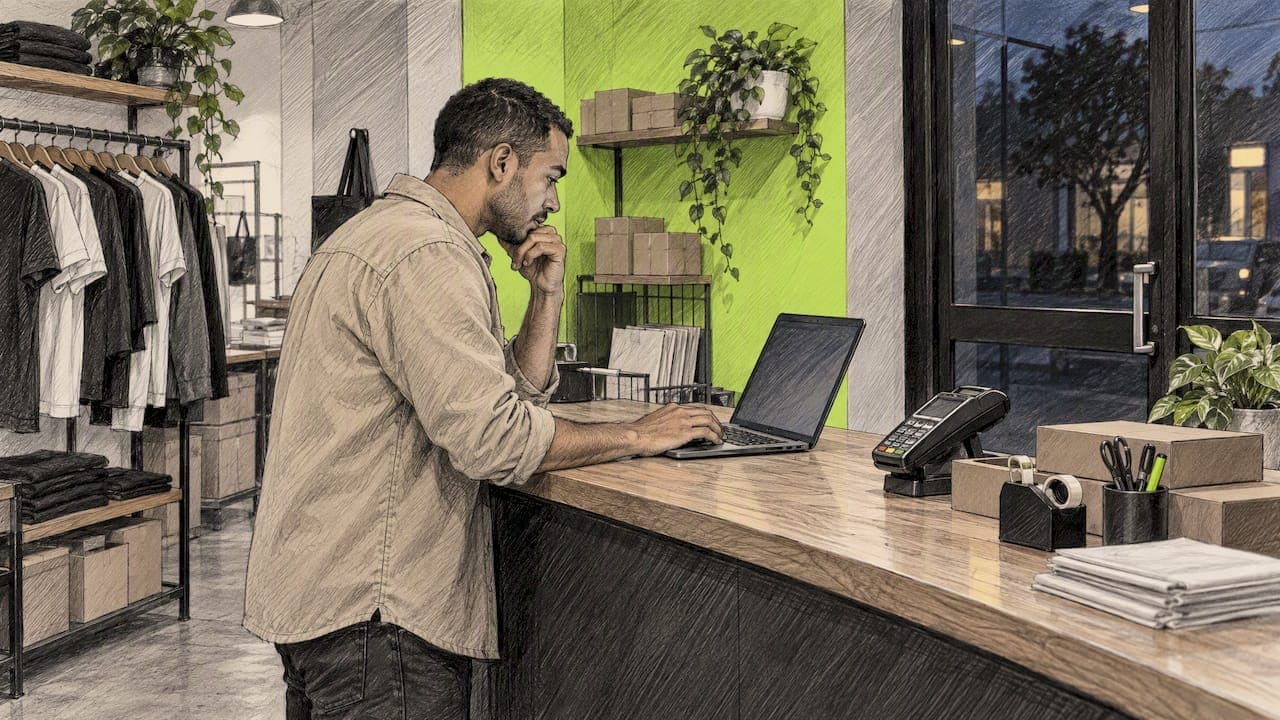
Abandoned cart push on BigCommerce means sending a notification to a shopper's device after they leave items behind, and the catch is reach. BigCommerce's built-in recovery works through email, so it only helps when the shopper typed an address at checkout. Push can reach the visitors who never got that far. On iOS, a native App Clip lets you do it without an email, a phone number or an app install. Below: how abandonment is detected, where the gaps are, how to set push up, and how to measure whether it earns its keep.
TL;DR
- BigCommerce flags a cart as abandoned after it sits unchanged for about an hour, and you can listen for that event with a webhook.
- Built-in recovery needs an email address captured at checkout. Anyone who leaves earlier is invisible to it.
- On iPhone, an App Clip can send notifications for up to eight hours after launch, with no app install and no signup.
- Send the first push within the first hour, keep it short and specific, and ask permission at a moment the shopper understands.
- Measure with a holdout group and revenue attribution, not open rates alone.
Table of Contents
- How BigCommerce decides a cart is abandoned
- The reach gap: most leavers never type an email
- Your push options on BigCommerce
- Setting up abandoned cart push on BigCommerce
- When to send, and what to say
- Working push, email and SMS together
- Measuring whether push actually works
- Our perspective
- What StorePush costs
- FAQ
- Sources
How BigCommerce decides a cart is abandoned
BigCommerce exposes a store/cart/abandoned webhook. According to a webhook integration guide, it fires when a cart remains unchanged for at least one hour. That guide also notes the event is available on all BigCommerce store plans, whether or not the Abandoned Cart Saver is switched on.
That detail matters for planning. The event is a clean signal that a cart was left, and you can forward it to any system that sends messages. The harder part is what happens next: who do you tell, and through which channel?
What the built-in recovery covers
BigCommerce's own Abandoned Cart Saver sends emails with an optional coupon. It only triggers once a customer has given an email address during checkout and then not finished the purchase within the timeframe you configure. If your store requires marketing consent, the email goes only to customers who have given it.
That is a sensible design, and it is worth turning on. It also has a ceiling: it can only follow up with people who got far enough to hand over contact details.
The reach gap: most leavers never type an email
Think about your own funnel. A visitor lands from an ad, browses three product pages, adds a pair of sneakers to the cart and wanders off to check a text message. They never reached the email field. For the email tool, that shopper does not exist.
This is the core idea behind how we think about the problem. Most abandonment happens before checkout, in the browsing and cart stage. We wrote about that in Cart Abandonment Is a Browsing Problem, Not a Checkout Problem. If your recovery only starts at the email field, you are working on the smallest slice of the leak.
And even when you do have an address, email has its own friction. Messages land in spam, get buried in a Gmail tab, or sit unread under two hundred newer ones. Push is a different surface: the lock screen.
Your push options on BigCommerce
There are three broad ways to get push in front of an abandoning shopper. They differ mostly in who can be reached and what the shopper has to do.
| Approach | Who you can reach | What the shopper must do | Main limit |
|---|---|---|---|
| Web push (browser) | Visitors who accept a browser prompt | Click Allow on a site prompt | Prompts are often dismissed, and browsers are cracking down on abusive ones |
| Branded mobile app push | Shoppers who installed your app | Download and sign in to an app | Most stores have no app, and few shoppers install one |
| App Clip push (iOS) | iPhone visitors who launch the App Clip | Tap once, approve notifications | iOS only, and a notification window per launch |
Web push is the familiar choice. The catch is the permission prompt. MDN's best-practices guidance for web push says notifications should be useful, time-sensitive and assistive rather than disruptive, that users should be asked before the first one, and that browser developers have started building mitigations against abusive prompts. Prompting everyone the second they land is exactly the pattern that gets blocked.
Why App Clips change the picture
An App Clip is a small, native slice of an app that opens instantly from a link, with no App Store visit. Apple's own page on App Clips says they may send notifications for up to eight hours each time the shopper launches the clip, and that the shopper can switch this on or off on the App Clip card or manage it under Settings > Notifications > App Clips.
That gives the shopper control, which is the point, and it gives you a real native channel without collecting an email or phone number. That is what StorePush is built on: push to the lock screen through native iOS App Clips, with no app install and no signup. We unpack the mechanics in Merchants: Recover Abandoned Carts With App Clip Push in 8 Hours.

One honest scope note: App Clips are an iOS feature, so this covers iPhone shoppers. For most US stores that is a large share of mobile traffic, and it sits alongside whatever you already do for email and SMS.
Setting up abandoned cart push on BigCommerce
Here is the sequence we recommend, whether you are adding push for the first time or layering it on top of email.
- Turn on the built-in Abandoned Cart Saver if your plan includes it. Email still catches the shoppers who gave you an address. Keep it, and treat push as the channel for everyone else.
- Connect push to your storefront. StorePush integrates with BigCommerce, Shopify, WooCommerce and custom storefronts. Pick the BigCommerce connection and follow the setup in your dashboard.
- Choose your triggers. Cart abandonment is the obvious one. Browse abandonment (viewed a product several times, never added it) is the one email misses entirely. Event-based triggers let you tell them apart.
- Decide the moment you ask for permission. Do it when the shopper takes a useful action, such as saving an item or wanting a back-in-stock alert, not on page load.
- Write two or three messages and set timing. More on both below.
- Set up a holdout group so you can prove lift. More on that too.
If you prefer to build your own pipeline, the webhook route works: subscribe to the abandoned-cart event, forward it to your own service and send from there. That is real engineering work, with retries, deduplication and attribution to maintain. Most merchants would rather spend that time on offers and creative.
Permission is a design problem, not a checkbox
The best-performing opt-in moments are the ones where the shopper can see the benefit. A quiet, useful alert first, then a single ask for the promotional stuff, tends to feel like service rather than pressure. Our guide on iOS push notifications for ecommerce and the quiet-alert-first approach goes through the sequence step by step.
When to send, and what to say
Timing and copy do most of the work once the channel is in place.
Timing
BigCommerce itself treats an hour of inactivity as the abandonment threshold, so that is your earliest sensible trigger for a cart-based message. A practical cadence looks like this:
- About one hour after the last cart activity: a plain reminder that the item is still waiting.
- Later the same day or next morning: a second nudge with a new angle, such as shipping speed, a review or low stock.
- A final message within the window: a last reminder, then stop.
The right spacing depends on order value. A $25 impulse purchase and a $400 considered purchase do not decay at the same speed. We broke this down in 72 Hour Test: Abandoned Cart Timing by AOV for Stores, and it is worth reading before you fix a schedule.
On iOS App Clips, remember the eight-hour notification window per launch. Front-load your best message inside it rather than saving it for day three.
Message content
A lock screen gives you a title, a line or two of body and, at best, an image. So:
- Name the product. "Your Trail Runner 2 is still in your cart" beats "You forgot something."
- Say one useful thing: it is low in stock, ships today, or the size you picked is back.
- Make one action obvious, and land the shopper on the cart, not the home page.
- Skip the coupon by default. Discounts train shoppers to abandon on purpose. See Preserve Margin: Recover Carts Without Discounts for ways to recover without giving margin away.
Personalization matters more than most teams expect. The product, the category and the stage of the visit all change what a good message looks like, as covered in Push Notification Personalization That Actually Recovers Revenue.
Working push, email and SMS together
Push does not replace email or SMS. It fills the space around them. A simple division of labor:
- Email: shoppers who gave an address, richer content, longer consideration.
- SMS: shoppers who opted in with a phone number, urgent or high-value nudges.
- Push: everyone else, plus a fast first touch for people who also appear in the other lists.
The risk is stacking all three on one person within the same hour. Set a rule: if a shopper has already converted or received a message on another channel in the last few hours, suppress the rest. Respecting that rule is what keeps the experience helpful instead of noisy, which is the same advice MDN gives for push in general.
If you are building the broader conversion plan around this, the checkout, speed and trust fixes in this ecommerce conversion guide for small stores pair well with recovery messaging. A leaky checkout will undermine even the best reminder. For the wider set of tactics, these cart abandonment strategies for 2026 are a good companion read.
Measuring whether push actually works
Open and click rates feel good and prove little. What you want is incremental recovered revenue: orders that would not have happened without the message.
- Hold out a slice. Keep a random 10 to 20 percent of eligible shoppers out of the push flow. Compare conversion between the two groups over the same period.
- Attribute by purchase, not by tap. Count a recovery when a pushed shopper buys within a set window, and report it separately from email recoveries so channels do not double-count.
- Watch the funnel. Notification delivered, tapped, cart viewed, checkout started, order placed. The drop-off between steps tells you whether the problem is copy, landing page or price.
- Test one variable at a time. Timing first, then message angle, then image.
- Track opt-out rates. A rising opt-out rate is the early warning that you are sending too much.
StorePush's dashboard includes revenue attribution, funnel tracking, CTR heatmaps and event-based triggers for exactly this. For benchmark numbers and test ideas to compare against, see 70.22% Baseline: 2026 Abandoned Cart Recovery Benchmarks and Tests.
Our perspective
We built StorePush on a simple observation: the majority of shoppers who leave your store never gave you a way to reach them, and most recovery tools quietly start from the assumption that they did.
Email and SMS are good channels, but they sit behind a data-collection wall. Every field you add to a form costs you some shoppers, and every shopper who leaves before that form is a shopper your cart recovery cannot see. Push through a native iOS App Clip removes that wall. The shopper taps once, chooses whether to allow notifications, and you can reach their lock screen without an email address, a phone number or an app install.
For a BigCommerce merchant, that means you keep your existing email flows and add a layer that reaches the visitors those flows never could. Our design goal is to make that layer easy to start, easy to measure and respectful of the shopper's control over notifications.
If your ad spend is bringing people in and most of them leave silently, that is the gap we think is worth closing first.
Lucas
What StorePush costs
StorePush has a Free plan at $0 per month and a Pro plan at $50 per month. Paid use also carries a 5% usage commission on attributed recovered revenue, so the cost scales with the revenue push actually brings back. You can see the current plan details on the StorePush site, or book a demo to see how it connects to a BigCommerce storefront.
If you want the longer version of how recovery works when you have no contact details at all, start with Recover Abandoned Carts Without Emails or Phone Numbers and the technical rules in Abandoned Checkout Push Without Email.
FAQ
Does BigCommerce have built-in abandoned cart push notifications?
BigCommerce's built-in recovery is email-based, and it depends on the shopper giving an email address at checkout. For push, you add an external tool or build your own using the abandoned-cart webhook. A push tool that connects to your storefront is usually the faster route.
Can I send push notifications to shoppers who never gave me their email?
Yes, on iOS. A native App Clip lets a shopper allow notifications without an email, a phone number or an app install. Apple says App Clips can send notifications for up to eight hours per launch, and the shopper can turn them off at any time.
How soon after abandonment should the first push go out?
BigCommerce's abandoned-cart event fires after a cart has been unchanged for at least an hour, so about an hour is a sensible starting point. Adjust from there based on order value, and test against a holdout group before you lock in a schedule.
Will push notifications annoy my customers?
They can if they are generic, frequent or sent without permission. Ask before the first notification, keep each message specific and useful, cap the number you send and suppress anyone who already bought. Those habits match the guidance MDN gives for web push.
How do I know push is working and not just taking credit for email sales?
Run a holdout group and attribute recoveries by purchase within a fixed window, reported per channel. If pushed shoppers convert at a clearly higher rate than the holdout, the lift is real.
Sources
- Easily Integrate the BigCommerce store/cart/abandoned webhook
- Web Push API Notifications best practices, MDN
- Learn More About App Clips, Apple Support