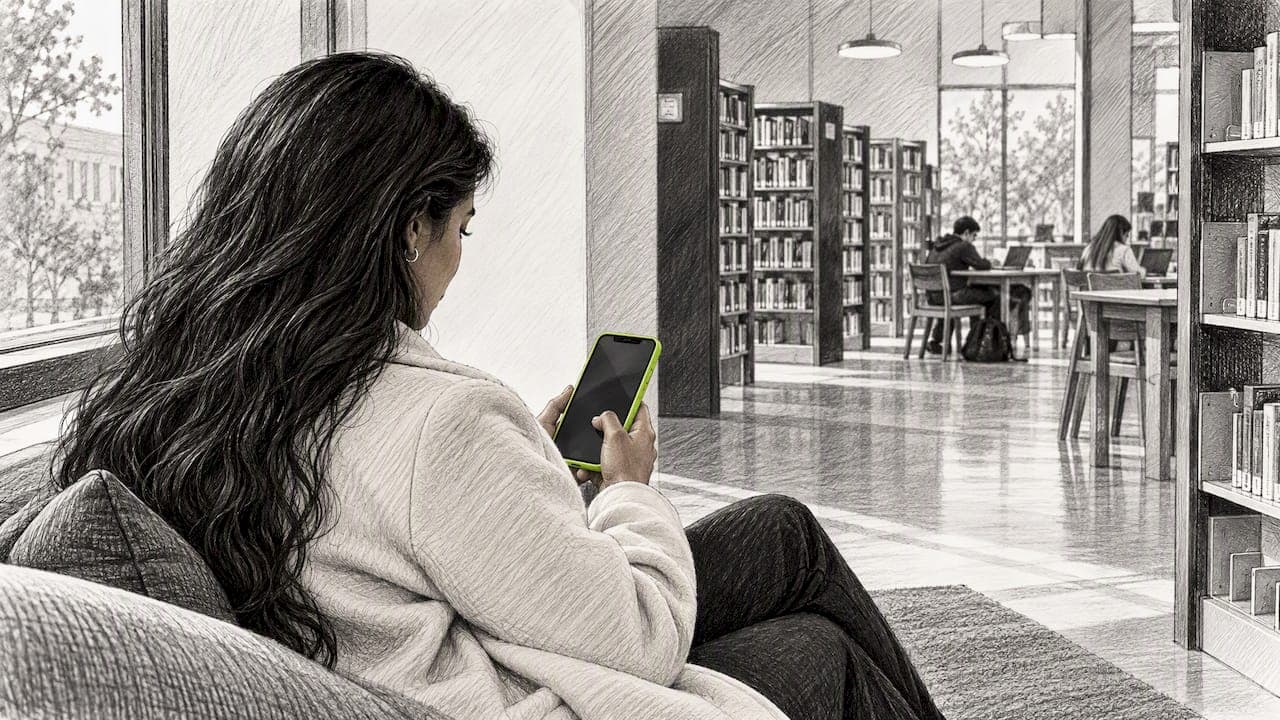
Lock screen cart recovery means reaching a shopper who left your store by placing a reminder on their phone's lock screen, without ever collecting an email address or phone number. On iPhone, one way to do it is with a native App Clip: the shopper taps once, allows notifications, and you can follow up about the cart they left. No signup form, no app install, no data capture. If most of your abandoners are anonymous, this is the first channel that can reach them at all.
Below: how the mechanics work, what has to be true for a notification to land, how to set up the flow, what to say, when to send it, and how to prove it recovers sales you would not have won anyway.
TL;DR
- Email and SMS recovery only work on shoppers who handed over contact details. Most abandoners never do, so they sit outside your recovery flow entirely.
- Lock screen recovery uses a notification permission instead of an email or phone number, so anonymous visitors become reachable.
- On iOS the permission must follow a deliberate tap from the shopper, and Apple's own guidance warns against promotional content in App Clips. Your message has to be useful, not pushy.
- Send a short, specific reminder tied to the exact product, and measure with a holdout group so you count only incremental revenue.
- Treat it as a layer next to email and SMS, not a replacement.
Table of Contents
- Why email and SMS leave most of your abandoners behind
- What lock screen cart recovery actually is
- What has to be true for a reminder to reach the lock screen
- How lock screen recovery compares with other channels
- How to set up a lock screen cart recovery flow
- What to say and when to send it
- A worked example
- How to measure incremental recovery
- Limits and privacy to plan for
- Our perspective
- Try it on your store
- FAQ
- Sources
Why email and SMS leave most of your abandoners behind
Traditional cart recovery has a hidden prerequisite: you need to know who the shopper is. The standard flow captures an email at checkout, waits for abandonment, then sends a sequence. That is fine for the shopper who typed an address and then got distracted. It does nothing for the shopper who added a pair of sneakers from an Instagram ad, scrolled for two minutes and walked away.
That second shopper is the majority. Most visitors leave without buying, and a large share never reach the point where they enter any contact information. For them, your abandoned cart email flow simply never fires. Even when it does, the message lands in a promotions tab or gets buried in a Gmail tab with forty other offers.
We covered the underlying problem in our piece on why cart abandonment is a browsing problem, not a checkout problem. The short version: many people leave long before checkout, so fixing the checkout form alone cannot recover them.
What lock screen cart recovery actually is
A lock screen reminder is a push notification. It appears where the shopper looks dozens of times a day: the lock screen of their phone. It carries a short message and a link back to the cart or product.
The difference from classic push is how permission is obtained. Standard mobile push needs an app install. Web push on iPhone needs the site to be added to the Home Screen first. Both are heavy asks for someone who just wanted to look at a jacket.
An App Clip is a small part of an app that lets a person complete a task quickly without downloading the full app. Apple lists several ways to launch one, including links sent in iMessage and smart banners in Safari. That makes App Clips a lightweight doorway: the shopper taps, sees a native prompt and can opt in to notifications in a couple of seconds.
That is the approach StorePush is built on. We send push notifications to the lock screen through native iOS App Clips, so the shopper does not install an app, create an account or give us an email or phone number. For a deeper walkthrough, see our guide on recovering abandoned carts without emails or phone numbers.

What has to be true for a reminder to reach the lock screen
Lock screen recovery is not magic. Several conditions must line up, and knowing them keeps you from promising your team something the platform cannot deliver.
The shopper has to opt in, on purpose
Apple's WebKit team states that for ordinary iOS web push, the site must be added to the Home Screen and the permission request must follow direct user interaction, such as tapping a subscribe button. Once allowed, those notifications are managed like app notifications. In other words, a permission prompt that fires the moment someone lands on your page will not work on iOS, and it would annoy people anyway.
If you go the web push route, Apple also explains that home-screen web apps support Web Push when configured for standalone display mode so they behave like native apps. Your developer or mobile website design team will need to handle that setup, and it adds friction for the shopper, which is the reason an App Clip path is attractive.
The shopper has to be on a supported device
App Clips are an iOS feature, so this channel reaches iPhone users. Android visitors need another method, which is one more reason to keep email and SMS in the mix. Check your analytics for the iOS share of your store traffic before you size the opportunity.
The reminder has to respect Apple's intent
This is the condition most guides skip. Apple's App Clip design guidance says notifications should be used only for essential information or in response to explicit user actions, and it recommends against promotional content in App Clips. Read that as a design brief. A reminder that says "You left a size M in your cart" responds to something the shopper did. A generic "50% off everything!" blast does not. Build around the first kind.
How lock screen recovery compares with other channels
| SMS | Lock screen push | ||
|---|---|---|---|
| Needs contact data | Email address | Phone number and consent | Notification permission only |
| Reaches anonymous visitors | No | No | Yes, once they opt in |
| Where the message lands | Inbox, often a promotions tab | Text thread | Lock screen |
| Shopper effort to opt in | Type an address | Type a number, agree to terms | One tap and one permission prompt |
| Platform limits | Few | Carrier and consent rules | iOS devices for the App Clip approach |
No single channel wins. The strongest setup uses email and SMS for shoppers who identified themselves and lock screen push for those who did not. If you want more tactic ideas across channels, this overview of abandoned cart recovery strategies covers web push alongside other approaches.
How to set up a lock screen cart recovery flow
Here is the implementation path, in the order we would do it.
- Audit your current recovery. Count how many abandoned carts have an email or phone attached. The rest is your addressable gap.
- Connect your storefront. StorePush integrates with Shopify, WooCommerce, BigCommerce and custom storefronts. Pick the connection that matches your platform.
- Choose your triggers. Decide which events start a reminder: an add to cart, a product view without a cart, or an abandoned checkout. Our post on the add to cart push trigger explains how to catch anonymous carts at the earliest moment, and our abandoned checkout push rules cover the technical requirements for later-stage abandoners.
- Place the opt-in at a moment of intent. Offer the reminder right after a shopper adds an item, framed as a benefit: "Want a heads-up about this item?" One tap, native prompt, done.
- Write the message (see the next section) and set the timing.
- Wire up analytics. Make sure you can see revenue attribution, funnel steps and click-through, so you can judge results.
- Launch to a share of traffic first, with a holdout group, before turning it on for everyone.
If you run Shopify, you can also trigger parts of this with native automation. See Shopify Flow automations for lock screen cart recovery. For the bigger picture on the approach, our overview of lock screen marketing is a good companion read.
What to say and when to send it
A lock screen gives you a handful of words. Treat each one as expensive.
Message principles
- Name the product. "Your Ridgeline rain shell is still waiting" beats "You forgot something."
- Lead with the useful fact. Low stock, a size you picked, free shipping you already qualify for. Only state what is true in your store.
- One action. The tap should open the cart or product page with the item still in it.
- No pressure language you cannot back up. Fake scarcity trains people to turn notifications off, and one tap in settings ends your access.
Timing
There is no universal best delay, and we will not pretend otherwise. A practical starting point is a first reminder soon after the shopper leaves, while the intent is fresh, and at most one or two follow-ups spaced out over the next few days. Then test. Try two delays against each other and let revenue per recipient decide, not click rate alone. Frequency matters as much as timing: every extra notification raises the odds of an opt-out.
Do you need a discount?
Not by default. Many abandoned carts are not price problems; they are interruptions. Starting with a plain reminder protects your margin, and you can hold discounts back for shoppers who ignore the first message. We lay out the reasoning in recovering carts without discounts.
A worked example
Say your store gets 20,000 sessions a month, and your analytics shows 3,000 add to cart events from shoppers with no email on file. Your existing email flow touches none of them.
Now suppose a portion of those shoppers tap your reminder opt-in and allow notifications. The numbers below are made up to show the logic, not a benchmark:
- 3,000 anonymous carts
- 10% opt in: 300 shoppers reachable
- 8% of those buy after a reminder: 24 orders
- Average order value $70: $1,680 in attributed revenue
The point is the shape of the math. Opt-in rate and purchase rate are the two levers, and both are testable. Your own figures will differ, so replace each line with data from your store.
How to measure incremental recovery
Attribution is where recovery tools flatter themselves. Some of the shoppers you remind would have come back on their own. If you credit every post-reminder purchase to the channel, you overstate its value.
The clean way to check is a holdout test:
- Randomly split opted-in shoppers into a send group and a holdout group that gets no reminder.
- Run both for the same period under the same traffic conditions.
- Compare purchase rates and revenue per shopper between the groups.
- The gap is your incremental lift. Only that gap is worth crediting to the channel.
Also track:
- Opt-in rate by placement and page type
- Click-through rate by message and by time of day
- Revenue per recipient, not just revenue per click
- Opt-outs, a sign you are sending too often or saying too little
StorePush's dashboard shows revenue attribution, funnel tracking and click-through heatmaps with event-based triggers, so you can see which reminders drive orders. Pair that with a holdout and you will know whether the channel pays for itself.
If you track results in Google Analytics, remember that consent settings can affect what gets recorded. This note on consent mode and GA4 reporting explains why some events can go missing until a visitor accepts.
Limits and privacy to plan for
Be honest with yourself about where this channel falls short.
- iPhone only for the App Clip route. Plan a different path for Android traffic.
- Opt-in is required. Shoppers who decline never hear from you, and that is how it should work.
- Frequency fatigue is real. Notifications are easy to switch off.
- Children's data is a sensitive area. The FTC has said it is concerned about engagement techniques such as push notifications that keep children online in ways that can harm their mental health, in its January 2025 update to the children's privacy rule. If your products attract young shoppers, ask your attorney how COPPA applies before you launch.
A lock screen flow that collects no email or phone number has less personal data to protect, but you should still describe it in your privacy policy. Have counsel review the wording for your state.
Our perspective
We built StorePush because the standard recovery stack quietly ignores most of the people who leave. Marketers pour money into ads, watch the majority of visitors bounce, then run an email flow that only touches the small slice who typed an address. That is not a recovery strategy so much as a recovery for the easiest cases.

The idea behind lock screen recovery is simple: stop requiring data the shopper does not want to give. A tap is a smaller ask than a form. We would rather earn permission through a clear, helpful reminder than chase a contact record with a pop-up that shoppers close on reflex.
We also hold ourselves to Apple's intent. A reminder should respond to something the shopper did. If you treat the lock screen as a place for essential, relevant nudges, it stays a channel people leave switched on. If you treat it as a billboard, they will switch it off and you will not get a second chance.
— Lucas
Try it on your store
StorePush has a Free plan at $0 per month, so you can connect your storefront and see how many anonymous carts you could reach before you spend anything. The Pro plan is $50 per month, plus a 5% commission on revenue attributed to recovered purchases. You pay on results, not just seats. See the plans on storepush.io, or read how merchants launch with App Clip push without building an app.
FAQ
Do shoppers need to install an app for lock screen cart recovery?
Not with the App Clip approach. An App Clip is a small part of an app that runs without a full download, and the shopper only needs to tap and allow notifications. Web push on iPhone is different: it requires adding the site to the Home Screen first.
Can I send lock screen reminders without an email address or phone number?
Yes. The permission to send notifications replaces the contact record. You identify the device through the opt-in, not a person through a form. That is why the channel can reach visitors your email and SMS flows never see.
Does lock screen recovery replace email and SMS?
No. Keep email and SMS for shoppers who gave you their details, and for Android visitors the App Clip route cannot reach. Lock screen push fills the gap for iPhone shoppers who stayed anonymous.
How do I know the reminders are actually adding sales?
Run a holdout test. Keep a random share of opted-in shoppers out of the reminder flow and compare their purchase rate against the group that receives it. The difference is your incremental lift, and anything beyond that would have happened anyway.
Sources
- Learn More About App Clips, Apple Support
- Web Push for Web Apps on iOS and iPadOS, WebKit
- What's new in web apps, WWDC23, Apple Developer
- Design great App Clips, WWDC20, Apple Developer
- FTC finalizes changes to Children's Privacy Rule