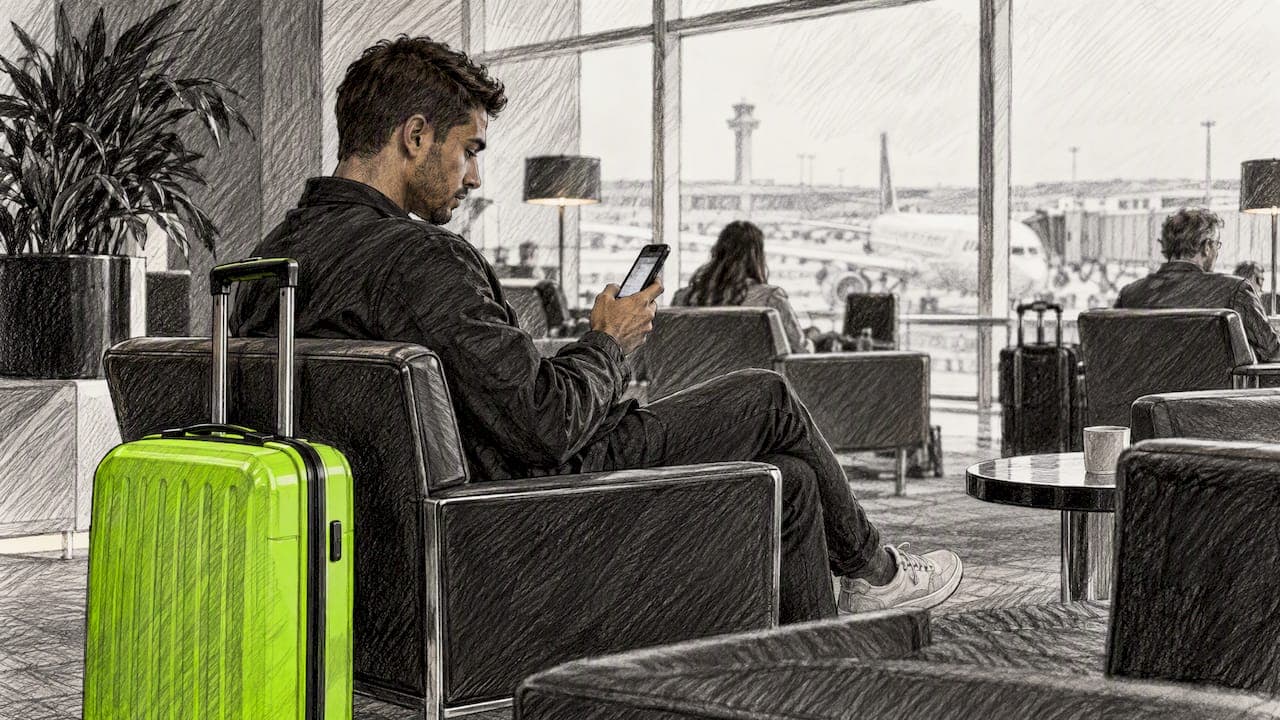
You can recover carts without email by reaching shoppers through channels that don't depend on contact data: retargeting ads, on-site exit prompts, browser web push, and push notifications delivered through native iOS App Clips. Each works differently and asks something different of the shopper. This guide compares them, explains the U.S. rules to check first, and shows how to set up and measure a no-email flow.
The problem is simple. Your abandoned cart emails only reach people who typed an address before they left. Everyone else walked away, and your recovery flow never saw them.
TL;DR
- Email recovery only works on shoppers who already gave you an address. The average cart abandonment rate is 70.19%, so most of your lost carts never enter that flow.
- Four non-email options exist: retargeting ads, exit prompts, web push, and App Clip push. They differ in cost, reach and what they ask of the shopper.
- Apple lets an App Clip send notifications for up to eight hours after launch, and only if the shopper enables them.
- Text messages need prior express written consent in the U.S., so they are not a no-data shortcut.
- Measure with a holdout group, not just clicks, so you know the lift is real.
Table of Contents
- Why email misses most of your abandoned carts
- Five ways to recover carts without email
- What each method asks of the shopper
- Our perspective: reach the shoppers you can't email
- How to set up a no-email recovery flow
- What to measure
- Where StorePush fits
- FAQ
- Sources
Why email misses most of your abandoned carts
Abandonment is the normal outcome of an online visit. Baymard's benchmark puts the average cart abandonment rate at 70.19%, and 42% of U.S. shoppers said they left because they were just browsing or not ready to buy.
That second figure matters. A large share of those shoppers never intended to check out, so they never reached the email field. Your email flow can't re-engage someone who never gave you an address, no matter how good your subject lines are.
Even when you do have an address, the message has to survive spam filters and a crowded inbox. We've all seen the abandoned cart reminder buried in a Gmail tab, opened two days later or never.
Research on why shoppers drop out points the same way. A review of the cart abandonment literature highlights emotional factors such as perceived risk and procrastination, not only price. If a shopper is hesitating or distracted, a quiet, well-timed nudge can do more than a discount. We go deeper on this in our piece on abandoned cart psychology and in why cart abandonment is a browsing problem.
Five ways to recover carts without email
Here is the field at a glance. Details on each follow.
| Method | Needs shopper's contact info? | What the shopper must do | Main limitation |
|---|---|---|---|
| Retargeting ads | No | Nothing, but cookies must be available | Variable ad cost, frequency fatigue |
| Exit prompts on site | No | Act before leaving | Only catches desktop-style exits, and the shopper is still on your site |
| Browser web push | No | Accept a browser permission prompt | Opt-in rates depend on timing, platform support varies |
| SMS | Phone number | Give written consent | Consent rules, cost per message |
| App Clip push | No email or phone | Tap an App Clip and enable notifications | iOS only |
Retargeting ads
The most familiar option. Cookie-based retargeting on Google's display network and social platforms lets you show products to people who visited your store. Agencies commonly cite retargeting on search, display and social as a standard email alternative.
The costs are variable, and you have to watch frequency so you don't follow people around the internet. Cookie limits are also shrinking your audience. Our cookieless retargeting playbook covers how to adapt.
One U.S. detail: if you turn on Google's restricted data processing for state privacy law compliance, features such as adding users to remarketing lists become unavailable. Check your settings before you assume your audience is building.
Exit prompts and on-site messaging
A lightbox or banner that appears when someone is about to leave can offer a reminder or help. It catches people while they are still on the page, which means it has no way to reach them after they leave. Treat it as a first filter, not a full recovery system.
Browser web push
Web push sends notifications from your website even when the browser isn't open. Apple documents that Web Push works in Safari on macOS, and support has expanded since. It requires the shopper to accept a permission prompt, and a prompt shown too early on a first visit is often dismissed. Make sure you check current browser and device support before you build on it.
SMS
Text messages feel like an easy answer, but they require a phone number and, in the U.S., consent. Under the TCPA framework, marketing texts require clear disclosure and agreement. Carrier guidance also separates promotional from informational messages, and promotional texts need express written consent that isn't a condition of purchase.
The FCC's rule on prior express written consent, 47 CFR § 64.1200(f)(9), stayed in effect while a revised version's effective date was postponed. Consent has to be collected before the cart is abandoned, and that rules out texting the majority of your anonymous visitors. A federal court's permanent injunction and $356,930 judgment against a company sending unsolicited commercial texts shows how seriously regulators treat it. Some states, including Florida and Washington, add their own rules, so talk to a lawyer who handles telemarketing law before you launch a text flow. Our SMS targeting guide and SMS best practices cover the operating side.

Push notifications through App Clips
This is the channel we built StorePush around. An App Clip is a small piece of an app that runs without a full download. Apple explains that App Clips can be launched from links, App Clip codes, or a smart banner in Safari, and that an App Clip may send notifications for up to eight hours after each launch, as long as the shopper has enabled that feature.
That has two consequences for your store:
- The shopper never creates an account, never types an email and never installs an app.
- The reminder lands on the lock screen, not in an inbox, so there is no spam folder to get lost in.
It also has limits you should plan around. It covers iOS, so Android shoppers need another channel. The window is eight hours per launch, so timing matters. And the shopper has to opt in to notifications, so the prompt and what you offer in return should be clear.
What each method asks of the shopper
Before picking a channel, ask three questions.
- What data do I need? Retargeting and push need none. SMS needs a number and written consent.
- What does the shopper have to do? Retargeting asks for nothing. Push asks for one tap on a permission. Email and SMS ask for typing.
- What happens if they say no? A declined permission prompt usually ends that channel for the visitor, so the moment you ask matters.
This ties to a broader point from checkout research. Baymard estimates that the average large e-commerce site can gain a 35.26% conversion-rate increase through checkout design improvements, and it recommends cutting form elements to a minimum. Every field you add to capture contact data is friction. A recovery method that needs no field is consistent with that approach.
Our perspective: reach the shoppers you can't email
Most cart recovery software starts from the same assumption: get the shopper's email or number first, then follow up. That is fine for the minority who give it. We think it leaves the larger group, the 90%-plus of visitors who leave without buying, on the table.
So we started from the opposite end. If Apple already lets a lightweight App Clip appear from a link or a Safari banner and ask permission for notifications, a store can reach a shopper on their lock screen without collecting anything. No signup, no install, nothing to type.
We also believe the reminder should earn its place. A push that says "you left something behind" at a sensible moment is helpful. A push that offers 20% off every time trains shoppers to abandon on purpose. We wrote about that in recovering carts without discounts. Protect your margin first, and reach for an incentive only when the data says you need one.
And we'd rather you test us than trust us. Run a holdout group, compare revenue, and keep the channel only if the numbers hold.
— Lucas
How to set up a no-email recovery flow
You don't need to start with all five channels. Here is a sequence that works for most stores.
- Measure your baseline. Record your current cart abandonment rate, how much recovered revenue comes from email, and what share of abandoners had no email on file. That last number is your addressable gap.
- Fix obvious friction first. Remove unnecessary checkout fields and confirm guest checkout is available. Recovery shouldn't be doing the work of a better checkout.
- Pick one reach channel. For iOS shoppers, an App Clip push flow requires no data. For broad awareness, retargeting is the fallback. Add one channel, not three.
- Define your triggers. Cart abandonment is the obvious one. Browse abandonment, where a shopper viewed products and left, is often larger. Event-based triggers let you separate the two.
- Write for the lock screen. A lock screen gives you a few words. Name the product, make the benefit clear and skip all-caps urgency.
- Set a holdout group. Keep a slice of eligible shoppers who get no message. That is how you measure lift instead of guessing.
- Review weekly at first. Check results weekly during launch, then move to a monthly review, as commonly recommended for messaging programs.
While you plan, our guide to cart abandonment timing by order value helps you decide when to send, and the broader thinking on customer retention strategies helps you decide what comes after the first recovered order.
Timing and frequency
With SMS, a common guideline is a message 30 to 60 minutes after the trigger and only within quiet-hour limits of 8 a.m. to 9 p.m. in the recipient's local time. Some industry guidance also says carrier rules limit you to a single text per abandoned cart event.
Push works under a different constraint. With App Clips, Apple's eight-hour notification window per launch sets the clock. Plan your first message for the early part of that window, and keep frequency low. One well-timed nudge beats three.

What to measure
Clicks alone mislead. A shopper might have bought anyway. Track these:
- Recovered revenue, attributed to the message, not just sessions.
- Click-through rate by message, to find creative that has gone stale.
- Funnel steps: notification tapped, product page viewed, cart reopened, order placed.
- Incremental lift versus your holdout group.
- Opt-out or permission decline rates. High opt-outs usually point to problems with tone, frequency or targeting.
StorePush's dashboard covers revenue attribution, funnel tracking and CTR heatmaps, so you can see which messages and triggers earn their keep without stitching reports together.
Where StorePush fits
StorePush sends push notifications to shoppers' lock screens using native iOS App Clips, with no email, phone number, signup or app install. It integrates with Shopify, WooCommerce, BigCommerce and custom storefronts, and handles both cart and browse abandonment.
Pricing is simple. The Free plan costs $0 per month. The Pro plan costs $50 per month. There is a 5% usage commission on recovered revenue attributed to push-triggered purchases. You can start on the Free plan at StorePush and compare the results against your current flow.
If SMS costs add up for you, our look at push-first with SMS as a fallback shows how to cut per-text spend, and our walkthrough on recovering abandoned carts without emails or phone numbers covers the setup in more detail.
FAQ
Can I recover abandoned carts without collecting an email address?
Yes. Retargeting ads, web push and App Clip push notifications all work without an email. Which one fits depends on your traffic: App Clips reach iOS shoppers, while retargeting reaches people on both platforms if cookies or other signals are available.
Do push notifications through App Clips require an app install?
No. Apple describes App Clips as small parts of an app that let people complete a task without downloading the whole app. Notifications are possible for up to eight hours after each launch, and only if the shopper turns that feature on.
Is texting abandoned cart shoppers legal in the U.S.?
Only with the right consent. Promotional texts generally need prior express written consent collected before you send, and some states add their own rules. Because the stakes are high, check your flow with a lawyer experienced in telemarketing and TCPA compliance.
Should I offer a discount in every recovery message?
No. Blanket discounts can train shoppers to wait for them. If you use incentives, give each one a unique, trackable code with an expiration date, and test whether a plain reminder works first.
Sources
- Reasons for Cart Abandonment, Baymard
- UX Statistics, Baymard
- Electronic shopping cart abandonment: What do we know, Electronic Markets
- Learn More About App Clips, Apple Support
- Safari, Apple Developer
- FCC order on prior express written consent
- FTC default judgment and permanent injunction
- Google Ads restricted data processing
- Obtaining and Observing Message Consent
- Top strategies for abandoned cart recovery, Mayple
- Shopify messaging automations guide, Power Commerce